

Centered Cardboard
Oak Labs Limited Liability Company Utilities iPhoneiPadiPod touch
Centered Cardboard is a free Utilities app for iPhone and iPad by Oak Labs Limited Liability Company. Rated 4.8/5 from 66 ratings. Requires iOS 17.0.
- Rating
- 4.8
- 66 ratings
- Price
- Free
- on the App Store
- Size
- 22 MB
- Age 4+
- Updated
- Nov 7
- 2026 · v2.0
Screenshots


About Centered Cardboard
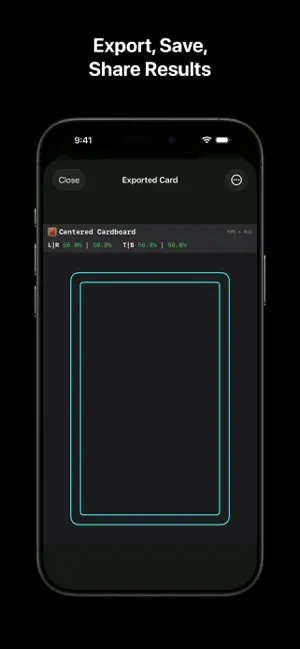
Centered Cardboard helps you pre-grade trading cards by making centering, alignment, and corner assessment quick, consistent, and easy to understand. Use your camera or import photos to examine cards with clear visual tools designed for accuracy: • Live centering feedback with color-coded ratios • Grading score estimates based on leading grading-company standards • Corner Grading for recording all four front and back corners • Tilted Measuring for cards with rotated inner borders • True Distance measurements for exact border spacing • Adjustable outline guides for accurate card alignment • Gyro crosshair and calibration tools for level camera positioning • Photo filters that improve edge visibility in difficult lighting • Up to 100× zoom for precise positioning and fine adjustments • Camera, Photos, and Files image support • Separate or combined front and back scores • Side-by-side exports for sharing both sides in one image • Cardboard History for saving, searching, editing, and revisiting exports locally • One-tap sharing for quickly saving or sending results Centered Cardboard gives collectors a clear, repeatable way to inspect cards before submitting them for grading. Centered Cardboard is an independent tool and is not affiliated with or endorsed by any card-grading company. Results are estimates and do not guarantee an official grade.
Ratings & reviews
4.8
66 ratings
What’s new
Version 2.0 · Updated November 7, 2026
Welcome to Centered Cardboard 2.0! • A fresh look throughout the app, with redesigned menus and export results. • Explore Pro tools with photo previews and helpful captions. • Try the interactive scoreboard for free. Move, expand, and switch layouts. Unlock Pro to reveal centering grades. • Choose Standard, Inside, or Hidden measuring handles. • Customize your guides with outline colors and styles. • Add card names, sets, and numbers when saving, then edit them in Card History. • Track corner condition with checkmarks, Xs, yellow rings, and question marks. Pro is a one-time purchase. No ads. No memberships.
App privacy
The developer, Oak Labs Limited Liability Company, reported these privacy practices to Apple.
Data Not Collected
The developer does not collect any data from this app.
Alternatives to Centered Cardboard
Looking for apps like Centered Cardboard? Here are 6 similar apps on the App Store. The highest rated is Card Grading AI (4.8/5), and all 6 are free to download.
-
 Centering50: Card Grading Tool
4.7
-
 Centering Check: TCG Card Tool
4.7
-
 Card Grading AI
4.8
-
 Binder AI: Card Grading Tool
4.6
-
 Card Centering Calculator
4.7
-
 Phynite
4.1
| App | Rating | Price | Last updated | Compare |
|---|---|---|---|---|
| Centered Cardboard | 4.8 / 5 (66 ratings) | Free | November 7, 2026 | |
| Centering50: Card Grading Tool | 4.7 / 5 (59) | Free | Nov 9, 2026 | Compare |
| Centering Check: TCG Card Tool | 4.7 / 5 (59) | Free | Nov 10, 2026 | Compare |
| Card Grading AI | 4.8 / 5 (642) | Free | Nov 12, 2026 | Compare |
| Binder AI: Card Grading Tool | 4.6 / 5 (636) | Free | Nov 5, 2026 | Compare |
| Card Centering Calculator | 4.7 / 5 (2,593) | Free | Oct 7, 2026 | Compare |
| Phynite | 4.1 / 5 (26) | Free | May 31, 2026 | Compare |
Compare Centered Cardboard with the top alternatives: ratings, updates, ASO score and keyword gaps →