

TapScanner - PDF Scanner App
Hetal Kotadiya Productivity iPhoneiPadiPod touch
TapScanner - PDF Scanner App is a free Productivity app for iPhone and iPad by Hetal Kotadiya. Rated 3.0/5 from 2 ratings. Requires iOS 15.0.
- Rating
- 3.0
- 2 ratings
- Price
- Free
- on the App Store
- Size
- 37 MB
- Age 4+
- Updated
- Jun 9
- 2026 · v1.0.6
Screenshots


About TapScanner - PDF Scanner App
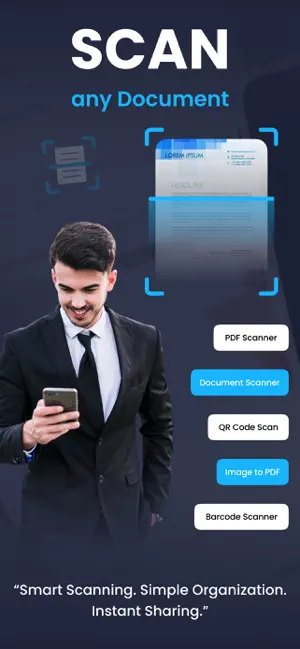
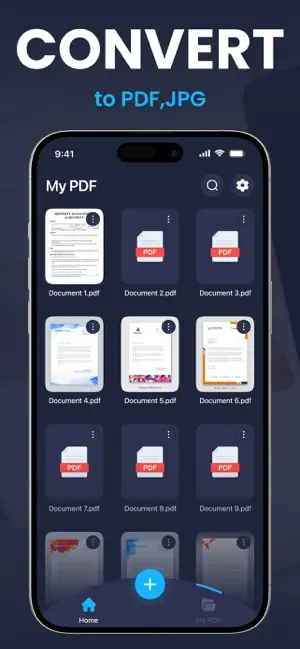
App Description Turn your iPhone into a powerful and easy-to-use document scanner. Quickly scan documents, convert them into high-quality PDF files, and manage your files in one convenient place. Whether you need to scan receipts, contracts, notes, IDs, or important paperwork, this app helps you digitize documents quickly and efficiently. All scanned documents are stored securely on your device, giving you full control over your files and privacy. Key Features Smart Document Scanning Scan documents using your device camera with automatic edge detection for accurate results. High-Quality PDF Creation Convert scanned documents into clear and professional PDF files. Document Organization Easily manage and organize your scanned documents inside the app. Export and Share Share PDF files through Email, AirDrop, Files, or other supported apps. AI Smart Scanning Automatically detect documents and enhance scan quality for better results. Fast and Simple to Use A clean and intuitive interface designed for quick and efficient document scanning. Premium Features Upgrade to premium to unlock additional features: • Unlimited document scanning • AI-powered smart scanning tools • High-quality PDF export • Remove advertisements Subscriptions automatically renew unless canceled at least 24 hours before the end of the current billing period. Users can manage subscriptions through their Apple ID account settings. Privacy policy: https://docpeper.blogspot.com/2026/01/privacy-policy.html Terms and conditions : https://docpeper.blogspot.com/2026/01/terms-conditions.html Eula: https://docpeper.blogspot.com/2026/01/eula.html
What’s new
Version 1.0.6 · Updated June 9, 2026
Bugs fixes and performance enhancement
App privacy
The developer, Hetal Kotadiya, reported these privacy practices to Apple.
Data Used to Track You
The following data may be used to track you across apps and websites owned by other companies:
- Identifiers: Device ID
Data Linked to You
The following data, which may be collected and linked to your identity, may be used for the following purposes:
- Location: Coarse Location
- Identifiers: Device ID
- Usage Data: Product Interaction, Advertising Data
- User Content: Photos or Videos
Used for: Analytics, App Functionality
Data Not Linked to You
The following data, which may be collected but is not linked to your identity, may be used for the following purposes:
- Diagnostics: Crash Data, Performance Data
Used for: Third-Party Advertising
Alternatives to TapScanner - PDF Scanner App
Looking for apps like TapScanner - PDF Scanner App? Here are 6 similar apps on the App Store. The highest rated is ScanLens: PDF Document Scanner (5.0/5), and all 6 are free to download.
-
 PDF Scanner - Sign & OCR
4.5
-
 ScanLens: PDF Document Scanner
5.0
-
 4K Wallpapers - HD Background
4.6
-
 Photo to PDF - JPEG Converter
-
 Voice Notes: Transcribe AI
-
 Grammar Checker AI Writer
| App | Rating | Price | Last updated | Compare |
|---|---|---|---|---|
| TapScanner - PDF Scanner App | 3.0 / 5 (2 ratings) | Free | June 9, 2026 | |
| PDF Scanner - Sign & OCR | 4.5 / 5 (2) | Free | Aug 28, 2026 | Compare |
| ScanLens: PDF Document Scanner | 5.0 / 5 (2) | Free | Sep 29, 2026 | Compare |
| 4K Wallpapers - HD Background | 4.6 / 5 (17) | Free | Jan 7, 2026 | Compare |
| Photo to PDF - JPEG Converter | – | Free | Sep 17, 2026 | Compare |
| Voice Notes: Transcribe AI | – | Free | Aug 19, 2026 | Compare |
| Grammar Checker AI Writer | – | Free | Oct 16, 2026 | Compare |