

GyLog
Kumo, Inc. Utilities iPhoneiPadiPod touch
GyLog is a free Utilities app for iPhone and iPad by Kumo, Inc. Rated 1.0/5 from 1 ratings. Requires iOS 17.5. Updated July 30, 2026.
- Rating
- 1.0
- 1 ratings
- Price
- Free
- on the App Store
- Size
- 7 MB
- Age 4+
- Updated
- Jul 30
- 2026 · v2.0.5
Screenshots


About GyLog
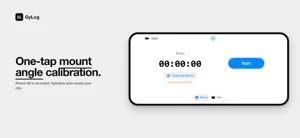
GyLog is a motion data logger for Gyroflow stabilization. Record gyroscope and accelerometer data from your iPhone's sensors in GCSV format — for custom post-stabilization of your own iPhone footage, or for pairing with any mirrorless or cinema camera. TWO WAYS TO USE With your iPhone — While iPhone Action Mode and LOG bring built-in stabilization, GyLog hands the control back to you. Stabilize in Gyroflow with your own smoothness, cropping, and rolling-shutter settings — beyond what automatic processing decides for you. With a mirrorless or cinema camera — Mount your iPhone on any camera with a cold shoe adapter. GyLog turns your iPhone into a dedicated Gyroflow log recorder, capturing the motion your camera can't, so you can stabilize its footage in post. KEY FEATURES • GCSV format — directly compatible with Gyroflow • Background motion logging — keeps recording even when screen is locked • Mount angle calibration — automatically detects phone orientation • Audio sync backup — optional low-bitrate audio track for drift correction • High sampling rate — up to ~100 Hz on supported devices • File management — filter, select, share, and delete recordings • AirDrop & Files app — easily export logs to your Mac for processing PRIVACY FIRST GyLog does not collect any personal data. All recordings are stored locally on your device and are never uploaded to any server. Audio sync files are stored locally and can be deleted at any time. HOW IT WORKS 1. Mount your iPhone on your camera, or hold it while shooting iPhone video 2. Tap "Calibrate Mount" to detect the phone angle 3. Press Start and begin filming 4. When done, export the GCSV file to your Mac 5. Import into Gyroflow for custom post-stabilization ABOUT GCSV FORMAT GCSV (Gyroflow CSV) is the standard format used by Gyroflow for external gyroscope data. GyLog outputs all 6 axes of motion data (3-axis gyroscope + 3-axis accelerometer) with nanosecond-precision timestamps. Terms of Use (EULA): https://www.apple.com/legal/internet-services/itunes/dev/stdeula/
What’s new
Version 2.0.5 · Updated July 30, 2026
Mount angle values now match Gyroflow's Pitch and Roll fields directly when using an external camera, so you no longer need to swap them.
App privacy
The developer, Kumo, Inc., reported these privacy practices to Apple.
Data Not Linked to You
The following data, which may be collected but is not linked to your identity, may be used for the following purposes:
- Purchases: Purchase History
Used for: App Functionality
Alternatives to GyLog
Looking for apps like GyLog? Here are 6 similar apps on the App Store. The highest rated is Sun position and path (4.7/5), and all 6 are free to download.
-
 Sidus Link
4.3
Sidus Link
4.3
-
 GVM LED
3.2
GVM LED
3.2
-
 Photo Light & Exposure Meter
4.5
Photo Light & Exposure Meter
4.5
-
 Sun position and path
4.7
Sun position and path
4.7
-
 Camo Camera
4.6
Camo Camera
4.6
-
 GameHub
2.4
GameHub
2.4
| App | Rating | Price | Last updated | Compare |
|---|---|---|---|---|
| GyLog | 1.0 / 5 (1 rating) | Free | July 30, 2026 | |
| Sidus Link | 4.3 / 5 (626) | Free | Aug 26, 2026 | Compare |
| GVM LED | 3.2 / 5 (5) | Free | Aug 5, 2026 | Compare |
| Photo Light & Exposure Meter | 4.5 / 5 (3,297) | Free | Oct 22, 2026 | Compare |
| Sun position and path | 4.7 / 5 (1,844) | Free | Oct 19, 2026 | Compare |
| Camo Camera | 4.6 / 5 (7,772) | Free | Jun 29, 2026 | Compare |
| GameHub | 2.4 / 5 (152) | Free | Oct 12, 2026 | Compare |
Compare GyLog with the top alternatives: ratings, updates, ASO score and keyword gaps →