

Added App
Rayane Kadri Productivity iPhoneiPadiPod touch
Added App is a free Productivity app for iPhone and iPad by Rayane Kadri. Requires iOS 15.1. Updated April 6, 2026.
- Price
- Free
- on the App Store
- Size
- 34 MB
- Age 4+
- Updated
- Apr 6
- 2026 · v1.0.2
Screenshots
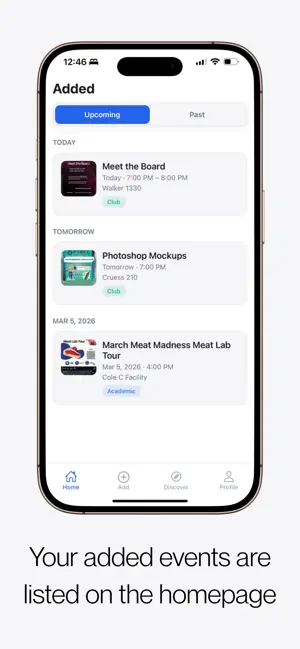


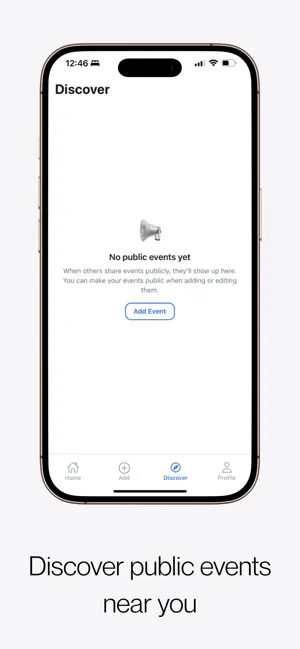
About Added App
Added makes it effortless to save events from screenshots directly to your calendar. No more typing event details manually. Simply upload a screenshot, and Added automatically extracts the event information and lets you save it to your calendar in seconds. Key Features Screenshot to Calendar (OCR-powered) Upload a screenshot of an event, and Added automatically detects the title, date, time, and location. Save Events Instantly Review the extracted information and add the event to your device calendar with one tap. Works with Any Screenshot Supports screenshots from Instagram, WhatsApp, email, websites, flyers, and more. Never Miss Important Events Quickly capture and organize events the moment you see them. Private and Secure Your screenshots and event data are handled securely and with respect for your privacy. Why Added? Typing event details manually is slow and error-prone. Added removes friction and helps you stay organized by turning screenshots into calendar events instantly. Whether you're managing school events, social gatherings, meetings, or conferences, Added helps you stay on top of your schedule effortlessly. Who It's For • Students saving campus events • Professionals managing meetings • Event organizers tracking invitations • Anyone who receives event info via screenshots Simple Workflow Take a screenshot of an event Upload it into Added Review extracted details Save to your calendar Done in seconds. Perfect for students, professionals, and anyone who receives event details through social media, messages, emails, or flyers.
What’s new
Version 1.0.2 · Updated April 6, 2026
We’ve streamlined your workflow and polished the interface to make managing your schedule even easier. - Enjoy a fully themed experience with our new custom calendar and time stepper, designed for perfect readability in any mode. - Instantly open event locations in Apple Maps or Google Maps with a single tap - Quickly find events by searching through titles, descriptions, categories, or locations. - A new pinned section at the top of your feed keeps your immediate schedule front and center. - Internal optimizations for a smoother, more reliable app experience.
App privacy
The developer, Rayane Kadri, reported these privacy practices to Apple.
Data Linked to You
The following data, which may be collected and linked to your identity, may be used for the following purposes:
- Contact Info: Email Address, Name
Used for: Product Personalization, App Functionality
Alternatives to Added App
Looking for apps like Added App? Here are 6 similar apps on the App Store. The highest rated is LiveScan: Scan Text & QR Codes (5.0/5), and all 6 are free to download.
-
 Local Minder
-
 Origami: AI Calendar Assistant
-
 Shotbox: Screenshot Organizer
-
 ShotMemory Screenshot Reminder
-
 LaterBox - Safe Notes & Tasks
-
 LiveScan: Scan Text & QR Codes
5.0
LiveScan: Scan Text & QR Codes
5.0
| App | Rating | Price | Last updated | Compare |
|---|---|---|---|---|
| Added App | – | Free | April 6, 2026 | |
| Local Minder | – | Free | Oct 10, 2026 | Compare |
| Origami: AI Calendar Assistant | – | Free | Sep 12, 2026 | Compare |
| Shotbox: Screenshot Organizer | – | Free | Oct 21, 2026 | Compare |
| ShotMemory Screenshot Reminder | – | Free | Jul 30, 2026 | Compare |
| LaterBox - Safe Notes & Tasks | – | Free | Feb 18, 2026 | Compare |
| LiveScan: Scan Text & QR Codes | 5.0 / 5 (1) | Free | Aug 20, 2026 | Compare |
Compare Added App with the top alternatives: ratings, updates, ASO score and keyword gaps →