

UsageScope: AI Usage Tracker
Jaemin Song Developer Tools iPhoneiPadiPod touchMac
UsageScope: AI Usage Tracker is a free Developer Tools app for iPhone and iPad by Jaemin Song. Requires iOS 26.0. Updated October 29, 2026.
- Price
- Free
- on the App Store
- Size
- 50 MB
- Age 4+
- Updated
- Oct 29
- 2026 · v1.2.25
Screenshots


About UsageScope: AI Usage Tracker
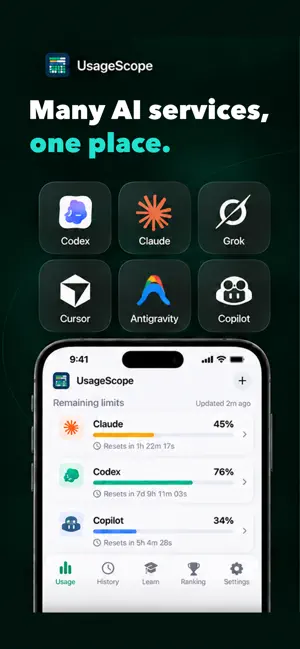
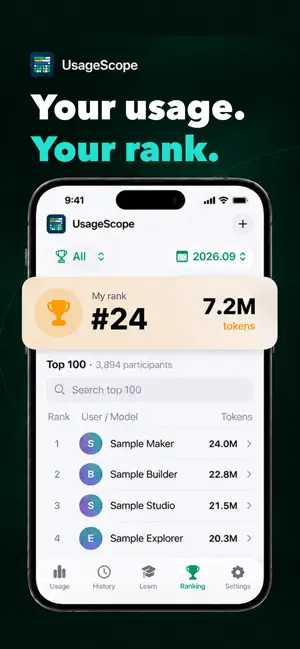
Track usage, remaining limits, and reset times across your AI services with UsageScope for iPhone. • Many AI services, one place. • Your usage, over time. • Remaining limits, on your lock screen. • Your usage. Your rank. Connect supported AI services, including Codex, Claude, Gemini, GitHub Copilot, and other available providers. Review usage history by period, follow your optional usage ranking, and explore practical command guides in Learn. Use widgets, Live Activities, and reset notifications to check limits without reopening the app. Available data, refresh timing, and reset schedules depend on the provider and iOS background activity. Some connections and token-history sources require UsageScope on a Mac; Mac-to-iPhone sync uses your private iCloud account and QR pairing. AI services require their own accounts or credentials. UsageScope does not include AI service access or additional usage quota. Service names and logos belong to their respective owners. The app includes app-opening ads. An optional monthly Remove Ads subscription removes ads while active. Manage or restore it in Settings. App analytics and crash reporting have separate opt-out controls. App interface language availability is independent of this store listing. Support: https://www.usagescope.com/support#ios Privacy Policy: https://www.usagescope.com/privacy Terms of Use: https://www.apple.com/legal/internet-services/itunes/dev/stdeula/
What’s new
Version 1.2.25 · Updated October 29, 2026
• When linking a computer fails, UsageScope now says why (the code expired or was already used, there is no internet, or the connection service is busy) and where to create a new code. This also works for codes opened from the Camera app. • A computer that stopped sharing now shows “Computer sync paused” instead of “Connected”. Settings > Desktop Sync shows each computer’s status and when it was last seen. The Usage tab tells you when a computer needs attention, and an empty widget says why it is empty. • In Compare models, Add model now shows one service at a time, so Gemini models are no longer at the bottom of a long list. • Widgets and Live Activities make multiple accounts easier to distinguish. Automatic account selection in Live Activity follows updated usage. • Choose the main limit for each account, such as the 5-hour or weekly limit, to display on app cards, widgets, and Live Activity. Selection is automatic by default. • Improved quota refresh and unexpected-reset detection when a linked computer is unavailable. Widgets can refresh usage when iOS allows. • Fixes and improvements.
App privacy
The developer, Jaemin Song, reported these privacy practices to Apple.
Data Linked to You
The following data, which may be collected and linked to your identity, may be used for the following purposes:
- Location: Coarse Location
- Identifiers: Device ID, User ID
- Usage Data: Product Interaction, Advertising Data, Other Usage Data
- Purchases: Purchase History
- Contact Info: Email Address
- User Content: Photos or Videos, Other User Content
Used for: Third-Party Advertising, Analytics, App Functionality
Data Not Linked to You
The following data, which may be collected but is not linked to your identity, may be used for the following purposes:
- Diagnostics: Performance Data, Other Diagnostic Data, Crash Data
Used for: Third-Party Advertising, Analytics, App Functionality
Alternatives to UsageScope: AI Usage Tracker
Looking for apps like UsageScope: AI Usage Tracker? Here are 6 similar apps on the App Store. The highest rated is Usages: AI Usage Tracker (5.0/5), and all 6 are free to download.
-
 AI Usage Tracker: Pulse
-
 Agent Cat Mobile
-
 Usages: AI Usage Tracker
5.0
Usages: AI Usage Tracker
5.0
-
 AI Limits Tracker
-
 Token Monitor: AI Usage
-
 Model Usage
| App | Rating | Price | Last updated | Compare |
|---|---|---|---|---|
| UsageScope: AI Usage Tracker | – | Free | October 29, 2026 | |
| AI Usage Tracker: Pulse | – | Free | Oct 25, 2026 | Compare |
| Agent Cat Mobile | – | Free | Oct 7, 2026 | Compare |
| Usages: AI Usage Tracker | 5.0 / 5 (3) | Free | Oct 19, 2026 | Compare |
| AI Limits Tracker | – | Free | Oct 23, 2026 | Compare |
| Token Monitor: AI Usage | – | Free | Aug 15, 2026 | Compare |
| Model Usage | – | Free | Apr 26, 2026 | Compare |