

Vocabden: English Vocabulary
MD Teknoloji Bilisim ve Ticaret Anonim Sirketi Education iPhoneiPadiPod touch
Vocabden: English Vocabulary is a free Education app for iPhone and iPad by MD Teknoloji Bilisim ve Ticaret Anonim Sirketi. Rated 5.0/5 from 3 ratings.
- Rating
- 5.0
- 3 ratings
- Price
- Free
- on the App Store
- Size
- 89 MB
- Age 4+
- Updated
- Oct 15
- 2026 · v3.3.0
Screenshots



About Vocabden: English Vocabulary
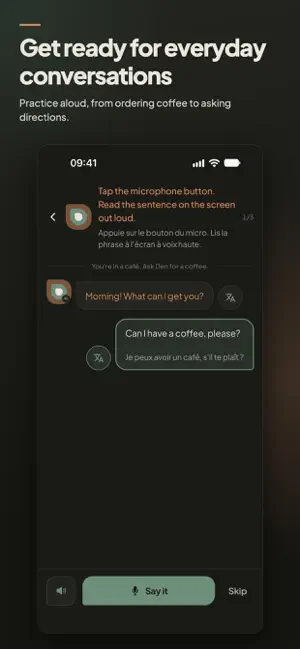
Learn English with words you hear in scenes and songs. Understand them in context, save them for review and practice using them with Den, your AI language coach. Scenes and music Watch short scenes and hear how words are used. Listen to songs, fill in missing lyrics and study their vocabulary. Tap a word to explore its meaning in that sentence with Den AI. Save and review Save words with their original sentences. Flashcards and spaced repetition help you review them over time. Prepared review cards work offline; your answers sync when you reconnect. Words saved with the Vocabden browser extension join the same deck. Speaking Practice Practice English in everyday situations, such as ordering coffee or asking for directions. Listen to the lines and rehearse your replies. Live conversations with feedback are available with a paid plan. Ask Den about vocabulary, grammar or pronunciation, or speak to Den by voice with your plan's AI allowance. Learn at your level Start with a short level check or choose A1–C1. Translate words, sentences and paragraphs between your language and English. Track your streak, activity and study time. The interface is available in 15 languages. Study exam and career vocabulary with goal-specific word lists, including academic vocabulary used in IELTS and TOEFL preparation. Free practice and paid plans Start without a subscription: word cards, Scenes, song listening, listening exercises, speaking rehearsals and 1 music game a day are free. Den Lens — contextual word explanations, translations, corrections to your own sentences, live Speaking Practice with feedback, voice conversations with Den and unlimited music games. Den AI use is subject to a monthly allowance. Den Plus — the same features, with 9 times Lens’s monthly Den AI allowance. Den Pro — the same features, with 27 times Lens’s monthly Den AI allowance. Subscriptions are billed monthly and renew automatically unless canceled. Manage or cancel your subscription under Subscriptions in your App Store account. IELTS and TOEFL are registered trademarks of their respective owners; Vocabden is not affiliated with or endorsed by them. Word lists: Academic Word List (Coxhead, 2000) and New Academic Word List (Browne, Culligan & Phillips, 2013, CC BY-SA 4.0). Terms: https://vocabden.com/terms Privacy: https://vocabden.com/privacy
What’s new
Version 3.3.0 · Updated October 15, 2026
English practice gets a new look: portrait Scenes, clearer WordLens explanations, Speaking Practice that resumes where you left off, and redesigned Listen & Repeat cards. We've also refreshed the level assessment, Discover and Settings, and fixed audio and playback issues. • Scenes: watch in portrait, switch to full screen and tap words for help without leaving the scene. • WordLens: explore a word's meaning in the sentence, with grammar notes, examples and more detailed explanations. • Speaking Practice: resume unfinished conversations, look up words in each line and move straight to the next conversation. Recording and feedback are clearer, and translations appear when you request them. • Listen & Repeat: follow words, sentences and what the app heard in a new card layout. • A clearer start: refreshed vocabulary and listening checks help set your starting level, with simpler guidance for beginners. • Find your activities more easily in Discover, see saved words there and manage language, level and classes in Settings. • Fixed microphone permissions, audio handoffs, video replay and screen rotation issues.
App privacy
The developer, MD Teknoloji Bilisim ve Ticaret Anonim Sirketi, reported these privacy practices to Apple.
Data Linked to You
The following data, which may be collected and linked to your identity, may be used for the following purposes:
- Purchases: Purchase History
- Contact Info: Email Address, Name
- Search History: Search History
- Identifiers: User ID, Device ID
- Usage Data: Product Interaction, Advertising Data, Other Usage Data
- Diagnostics: Crash Data, Performance Data, Other Diagnostic Data
Used for: Analytics, Product Personalization, App Functionality, Other Purposes