

TenjiScan - Braille OCR Reader
Ryo Takaoka Utilities iPhoneiPadiPod touch
TenjiScan - Braille OCR Reader is a free Utilities app for iPhone and iPad by Ryo Takaoka. Requires iOS 17.0. Updated October 26, 2026.
- Price
- Free
- on the App Store
- Size
- 56 MB
- Age 4+
- Updated
- Oct 26
- 2026 · v4.4.2
Screenshots


About TenjiScan - Braille OCR Reader
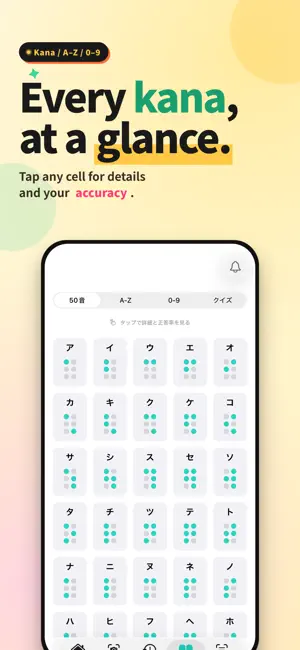
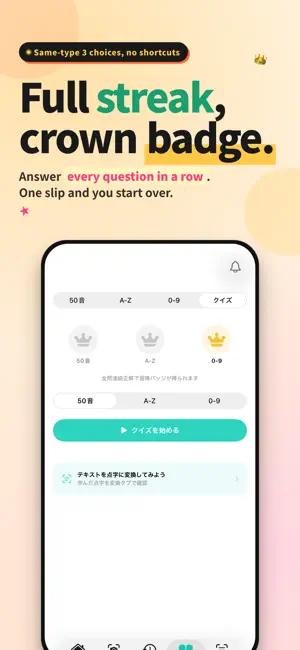
Learn Braille with 3-choice quizzes. Master the dot patterns for Japanese kana (gojuon, dakuten, handakuten, yōon), English A–Z, and numbers — through quick 3-choice quizzes. Answer every question in a category in a row to earn a Mastery Badge. A real learning experience, not a guessing game. -- Key Features -- 3-choice quizzes Look at the Braille pattern, pick the right character from three choices. Wrong-answer options are drawn from the same prefix type (e.g., dakuten quizzes use only dakuten characters) so you can't shortcut by counting dots. Get every question right in one streak to earn the badge. Learning mode Browse Japanese kana including voiced and contracted forms, English A–Z, and numbers. Two-cell display shows prefix marks accurately so you can learn how Braille is built. Text to Braille Type Japanese text and see the corresponding Braille pattern in real time. A way to write what you've learned and check yourself. Camera scan (assistive feature) A way to check real-world Braille against what you've learned. Point the camera at Braille, tap the shutter, and see it converted into text. Note: Recognition depends on angle, lighting, and surface condition. Curved or faint Braille may not be read correctly — treat this as a learning aid, not a guarantee. Auto voice readout Scan results are read aloud automatically. VoiceOver support Key controls carry accessibility labels. -- Privacy -- Images are processed on your device. Captures are analyzed locally on your iPhone using CoreML. Recognition works even without an internet connection. Image sharing is opt-in only. Captured images and recognition results leave your device only if you turn on "Help improve accuracy" on the Home screen. To check the correct reading, the images may be read by an AI service. This is off by default, and you can turn it off at any time. We also send anonymous usage events (scan outcome, feature usage, and similar) to Firebase Analytics, and error reports to Google Cloud, to improve the app. Captured images and recognized text are never included. -- Supported Languages -- Japanese Braille (JIS standard) English Braille (UEB Grade 1) -- Who Is This For? -- - Students and professionals learning Braille - Family members and caregivers supporting visually impaired people - Educators and volunteers - Anyone curious about the Braille around them -- Pricing -- Learning, quizzes, and conversion are available at no charge. - Ad removal (optional one-time purchase) - Tip jar for development support (optional) Terms of Use: https://sss3yai.com/tenjiscan-terms/ Privacy Policy: https://sss3yai.com/tenjiscan-privacy/
What’s new
Version 4.4.2 · Updated October 26, 2026
- Fixed an issue on the Convert tab where the Japanese particle "wo" was converted to the Braille for "o" - Fixed an issue on the Convert tab where an extra long-vowel mark was inserted between a word and its particle - Improved the message shown when a scan cannot be read - Improved word spacing on the Convert tab so that long sentences are no longer joined into one word
App privacy
The developer, Ryo Takaoka, reported these privacy practices to Apple.
Data Used to Track You
The following data may be used to track you across apps and websites owned by other companies:
- Identifiers: Device ID
- Usage Data: Product Interaction, Advertising Data
Data Linked to You
The following data, which may be collected and linked to your identity, may be used for the following purposes:
- Identifiers: Device ID
- Usage Data: Product Interaction, Advertising Data
Used for: Third-Party Advertising
Data Not Linked to You
The following data, which may be collected but is not linked to your identity, may be used for the following purposes:
- User Content: Photos or Videos, Other User Content
- Usage Data: Other Usage Data
- Diagnostics: Crash Data
Used for: App Functionality