

LumioCalc: Math Calculator
Nathan Booth Utilities iPhoneiPadiPod touchMac
LumioCalc: Math Calculator is a free Utilities app for iPhone and iPad by Nathan Booth. Rated 5.0/5 from 1 ratings. Requires iOS 18.0.
- Rating
- 5.0
- 1 ratings
- Price
- Free
- on the App Store
- Size
- 27 MB
- Age 4+
- Updated
- Oct 12
- 2026 · v1.4.1
Screenshots
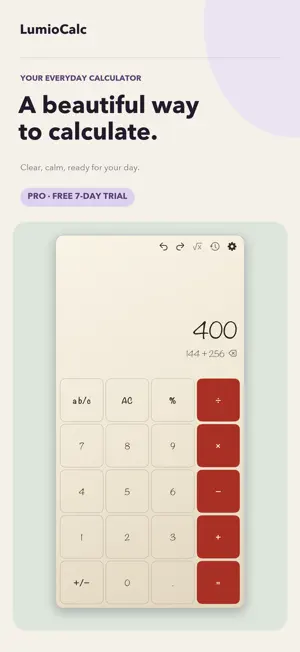


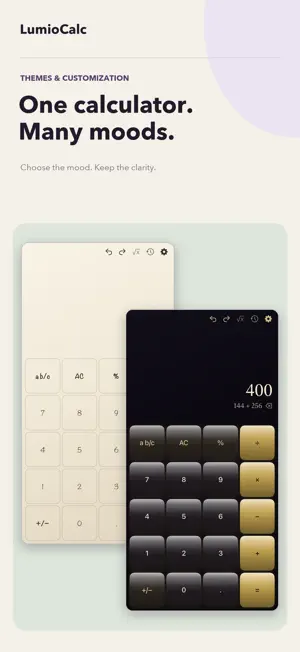
About LumioCalc: Math Calculator
Meet LumioCalc — the calculator that looks as good as it performs. From quick everyday arithmetic to advanced scientific operations, LumioCalc delivers speed, precision, and complete visual control. Choose from a growing collection of handcrafted themes or design your own from scratch with a deeply customizable theme editor. BEAUTIFUL THEMES, BUILT IN Pick from glossy, frosted, seasonal, and curated themes — each with its own color palette, typography, and personality. Explore favorites including Paper & Ink, Cobalt Studio and Lumio, plus the new Halloween-inspired Moonlit Gothic Observatory. MAKE IT YOURS LumioCalc Pro unlocks the full theme editor. Customize every detail: background colors, gradients, and images; button shapes, shadows, and corner radius; per-category colors for digits, operations, functions, memory, and scientific buttons; display, button, and scientific typography; haptic feedback; button sounds (Click, Tick, Pop); and animation styles (Push, Bounce, Glow, Liquid, Spin) with adjustable speed and intensity. POWERFUL CALCULATOR - Standard and scientific modes with one tap to switch - Trigonometric, logarithmic, exponential, and root functions - Radian and degree mode toggle - Memory operations (MC, MR, M+, M-) - Full parentheses and expression support - Scrollable calculation history — tap any result to reuse it - Keyboard input support DESIGNED FOR EVERY SCREEN Portrait and landscape layouts on iPhone. An adaptive iPad layout with a side-by-side scientific panel and history sidebar when you have the space. FREE TO USE, PRO TO PERSONALIZE Every calculator feature and a selection of built-in themes are completely free. Try every LumioCalc Pro feature free for 7 days, including premium themes and the full theme editor. Create custom themes, explore every personalization option, and decide if Pro is for you. When the trial ends, simply continue using LumioCalc for free or unlock Pro with a one-time purchase — no subscription. Buy once and unlock Pro across iPhone, iPad and Mac with the same Apple ID. Whether you are a student, engineer, designer, or just someone who wants a calculator with personality — LumioCalc gives you power and style in one app.
What’s new
Version 1.4.1 · Updated October 12, 2026
This update includes bug fixes and minor improvements to keep LumioCalc running smoothly. Enjoy the same powerful scientific calculator, customisable themes, and 7-day free trial of Pro features.
App privacy
The developer, Nathan Booth, reported these privacy practices to Apple.
Data Not Linked to You
The following data, which may be collected but is not linked to your identity, may be used for the following purposes:
- User Content: Other User Content
Used for: Product Personalization
Alternatives to LumioCalc: Math Calculator
Looking for apps like LumioCalc: Math Calculator? Here are 6 similar apps on the App Store. The highest rated is UnifiedCalc (5.0/5), and all 6 are free to download.
-
 Gradation Calculator
-
 Cathy's Calculator for iPad
-
 CalculatorPro: Modes & Widgets
-
 UnifiedCalc
5.0
UnifiedCalc
5.0
-
 MyCal: Editable Calculator
-
 Contractor Calc Pro
5.0
Contractor Calc Pro
5.0
| App | Rating | Price | Last updated | Compare |
|---|---|---|---|---|
| LumioCalc: Math Calculator | 5.0 / 5 (1 rating) | Free | October 12, 2026 | |
| Gradation Calculator | – | Free | Jun 17, 2026 | Compare |
| Cathy's Calculator for iPad | – | Free | Sep 28, 2025 | Compare |
| CalculatorPro: Modes & Widgets | – | Free | Jul 15, 2026 | Compare |
| UnifiedCalc | 5.0 / 5 (1) | Free | Nov 12, 2025 | Compare |
| MyCal: Editable Calculator | – | Free | Jun 13, 2026 | Compare |
| Contractor Calc Pro | 5.0 / 5 (1) | Free | Jun 22, 2026 | Compare |