

Instant Tally - AI Expense Log
显英 谭 Finance iPhoneiPadiPod touch
Instant Tally - AI Expense Log is a free Finance app for iPhone and iPad by 显英 谭. Rated 5.0/5 from 1 ratings. Requires iOS 17.0. Updated September 22, 2026.
- Rating
- 5.0
- 1 ratings
- Price
- Free
- on the App Store
- Size
- 11 MB
- Age 4+
- Updated
- Sep 22
- 2026 · v1.5.1
Screenshots



About Instant Tally - AI Expense Log
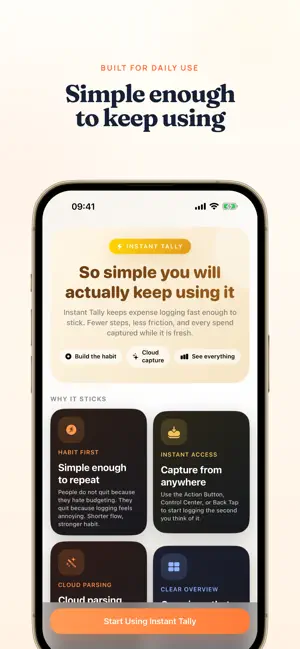
Capture an expense from a receipt, screenshot, voice note or text, then review and save it. • Scan receipts and payment screenshots • Extract separate entries from multi-transaction images • Say “lunch 12 dollars” or paste expense text • Keep everyday, travel and project spending in separate ledgers • Track reimbursements and review spending trends • Use sharing and shortcuts for quick capture • Enter expenses manually, including offline Free experience and Pro New accounts receive a 60-day full-access experience without purchasing a subscription. It does not automatically subscribe you. Afterward, free accounts receive 10 cloud recognitions per 30-day cycle. Pro includes unlimited cloud recognition, unlimited ledgers, reimbursement management and full backup export/import. Monthly and annual subscriptions provide the same benefits. Prices appear on the purchase screen. Subscriptions renew automatically and can be managed or cancelled in Apple account settings. Existing subscriptions remain supported. Your data Expense records are stored on your device. Cloud recognition sends the required images, text or audio for processing. Ordinary recognition request logs do not store input or recognition content. Diagnostics you choose to submit are retained for a limited period as described in the privacy policy. Account, usage and diagnostic information supports service operation. iCloud backup is available; manual entry works offline. Privacy Policy: https://instanttally.com/privacy#en Terms of Service: https://instanttally.com/terms#en
What’s new
Version 1.5.1 · Updated September 22, 2026
Improved email registration, password reset and account linking, with a smoother password-saving and AutoFill experience. Fixed issues with restoring purchases and displaying membership status after account changes. Added clearer guidance for subscriptions linked to another account and a Restore Purchases option in My Account. Improved account security and reliability.
App privacy
The developer, 显英 谭, reported these privacy practices to Apple.
Data Linked to You
The following data, which may be collected and linked to your identity, may be used for the following purposes:
- Purchases: Purchase History
- User Content: Other User Content, Photos or Videos, Audio Data, Customer Support
- Identifiers: User ID, Device ID
- Usage Data: Product Interaction
- Financial Info: Other Financial Info
- Contact Info: Email Address
- Diagnostics: Crash Data, Performance Data
Used for: Analytics, App Functionality