

LockIn: App Launcher & Blocker
Hongsin Aing Productivity iPhoneiPadiPod touch
LockIn: App Launcher & Blocker is a free Productivity app for iPhone and iPad by Hongsin Aing. Requires iOS 26.0. Updated October 17, 2026.
- Price
- Free
- on the App Store
- Size
- 109 MB
- Age 4+
- Updated
- Oct 17
- 2026 · v1.0.3
Screenshots
About LockIn: App Launcher & Blocker
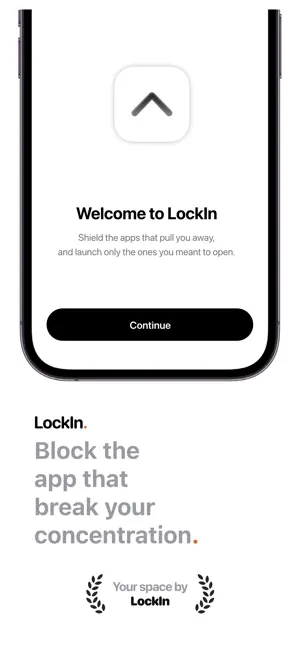
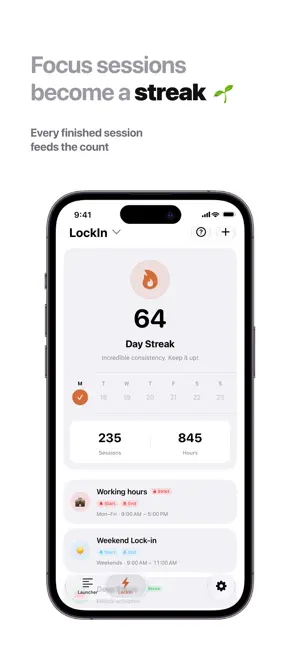
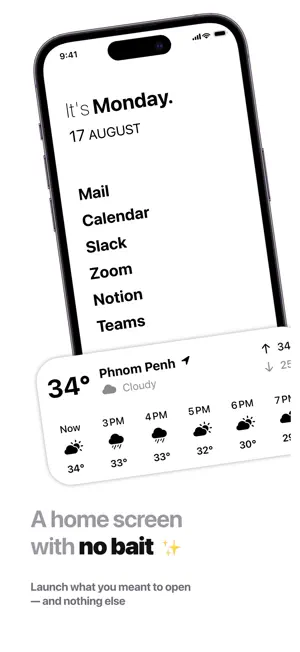
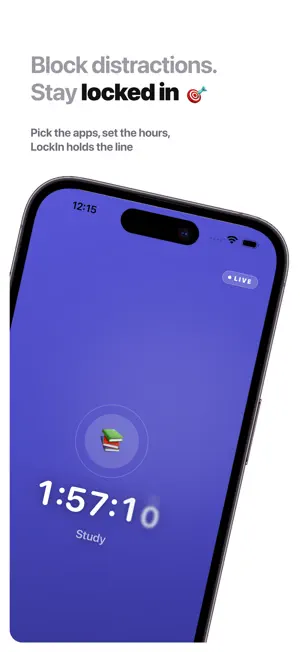
LockIn blocks the apps and websites that pull you off whatever you sat down to do. It also gives you a launcher holding only the apps you picked on purpose, so unlocking your phone doesn't have to start with a detour through a feed. BLOCKING You can block one app, a whole category, or a website. You do it by building focus templates: Deep Work, Study, Sleep, Gym, whatever your week actually contains. Each template keeps its own app list, color and emoji, so switching between them is one tap. Templates can also start on their own. Set one for weekdays from 9 to 12, or every night at 10, and it runs whether or not you remember. Strict Mode is for the sessions you actually mean. Once a strict focus starts, ending it early takes three deliberate steps: write down why you are quitting, type the unlock phrase, then press and hold. There is no single tap that gets you out. Force-quitting LockIn will not release the block either. The blocking plan lives outside the app, so closing it, backgrounding it or crashing it leaves the shields up. YOUR HOME SCREEN A launcher is just a list of apps you chose deliberately. You open them straight from the widget without walking past anything else. There are more than 20 widgets: clock, date, calendar, weather, quote of the day, focus timer, launcher and a progress ring, in every size. Lock Screen widgets too, and a Live Activity that keeps a running session visible without unlocking. Font, weight, design, alignment and time format are all yours to set. WHAT YOU GET BACK Reports by day, week, month, or a range you pick, charting every session you have run. Streaks count the days you actually focused, not the days you opened the app. Achievements cover streaks, consistency, session count, hours and a handful of one-off moments. There is a new quote each day, and you can share it as a card. SIRI, SHORTCUTS AND FOCUS FILTERS Start a focus with your voice, from a Shortcut, from a button on a Home Screen widget, or automatically through an iOS Focus Filter. PRIVACY Your Screen Time data stays on your device. There is no account and nothing to sign up for. Backup and sync run through your own iCloud, and you can leave sync switched off entirely. FREE AND PRO The free version has no time limit on it. You get 3 launchers, 5 focus templates, 1 schedule, 14 days of history, Strict Mode, and every widget, for as long as you keep the app. LockIn Pro lifts the caps on launchers, templates, schedules and history, then adds week, month and custom reports, iCloud Sync, widget styling and the archive. $1.99 a month or $9.99 a year, both starting with a 7-day free trial. Lifetime access is $29.99, paid once. Payment is charged to your Apple Account when you confirm the purchase. Subscriptions renew automatically unless you switch off auto-renew at least 24 hours before the current period ends, and your account is charged within the 24 hours before renewal. Manage or cancel yours in your Apple Account settings. Terms of Use: https://applockin.vercel.app/terms Privacy Policy: https://applockin.vercel.app/privacy
What’s new
Version 1.0.3 · Updated October 17, 2026
• Set how long you hold to end a Strict session early, from 10 to 60 seconds • Live Activity now shows whether you completed your session or ended it early • Share your daily quote to Instagram Stories with custom backgrounds and colors • Widgets update right when a scheduled session starts or ends • Bug fixes and improvements
App privacy
The developer, Hongsin Aing, reported these privacy practices to Apple.
Data Not Linked to You
The following data, which may be collected but is not linked to your identity, may be used for the following purposes:
- Diagnostics: Crash Data, Performance Data, Other Diagnostic Data
- Purchases: Purchase History
- Location: Precise Location
Used for: Analytics, App Functionality
Alternatives to LockIn: App Launcher & Blocker
Looking for apps like LockIn: App Launcher & Blocker? Here are 6 similar apps on the App Store. The highest rated is FocusRabbit: Screen Time Detox (4.0/5), and all 6 are free to download.
-
 Future Self: Habit Tracker
-
 FocusRabbit: Screen Time Detox
4.0
FocusRabbit: Screen Time Detox
4.0
-
 Tendo: Calm ADHD Daily Planner
-
 Voice Expense Tracker - Murmur
-
 OLM Converter · Viewer, Reader
-
 Habit Tracker – Daily Focus
| App | Rating | Price | Last updated | Compare |
|---|---|---|---|---|
| LockIn: App Launcher & Blocker | – | Free | October 17, 2026 | |
| Future Self: Habit Tracker | – | Free | Oct 13, 2026 | Compare |
| FocusRabbit: Screen Time Detox | 4.0 / 5 (1) | Free | Oct 13, 2026 | Compare |
| Tendo: Calm ADHD Daily Planner | – | Free | Oct 14, 2026 | Compare |
| Voice Expense Tracker - Murmur | – | Free | Jul 22, 2026 | Compare |
| OLM Converter · Viewer, Reader | – | Free | Oct 3, 2026 | Compare |
| Habit Tracker – Daily Focus | – | Free | Sep 11, 2025 | Compare |