

OW Recorder
Objectways Technologies, LLC Productivity iPhoneiPadiPod touch
OW Recorder is a free Productivity app for iPhone and iPad by Objectways Technologies, LLC. Rated 1.0/5 from 1 ratings. Requires iOS 16.0.
- Rating
- 1.0
- 1 ratings
- Price
- Free
- on the App Store
- Size
- 38 MB
- Age 4+
- Updated
- Jun 25
- 2026 · v3.3
Screenshots

About OW Recorder
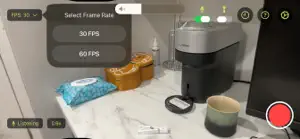
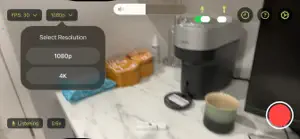
A hands-free video recording application designed for egocentric data capture. Mount your iPhone on a standard head strap and record hands-free. Account Required. Access is invite-only — a valid invite code is required to create an account. Video recordings are uploaded to your organisation's private cloud storage, and your recording history is stored in a private, user-specific database. Key Features: Real-time hand detection powered by Apple's Vision framework tracks hand positions in the video frame to enhance egocentric dataset quality and contextual understanding. Research session recording captures synchronized motion sensor data (accelerometer, gyroscope, and magnetometer at 100 Hz), 6-DoF head pose estimation, hand pose landmarks (21 joint positions per hand), and camera calibration data (focal length and lens parameters) — packaged as a session ZIP file alongside the video for egocentric dataset collection. Integrated voice commands enable seamless, hands-free control of recording sessions — simply say "start recording" or "stop recording" while the device is mounted. Torch control via voice is also supported. Captured videos can be uploaded to your organisation's private cloud storage with a single tap, ensuring a streamlined and efficient data collection workflow. Background upload support — start an upload and switch to another app; the video keeps uploading and you receive a notification when it's complete. Supports flexible recording configurations including adjustable resolution (1080p recording at 30 or 60 fps, and 4K recording at 30 fps on capable devices). A minimum zoom of 0.5x is available on multi-lens devices (iPhone 11 and later) for an ultra-wide field of view. Tag each recording with an environment label — Living Room, Kitchen, Bed Room, Outdoor, Garden, and more — to organise your data collection by location context. Device Compatibility Check: instantly see which camera lenses, resolutions, and frame rates your specific device supports before you begin recording. Your complete recording history — including video names, durations, timestamps, environment tags, and upload dates — is accessible in-app and can be exported as a CSV file.
What’s new
Version 3.3 · Updated June 25, 2026
NEW IN V3.3: 1. Environment Sound Toggle — a new speaker icon in the recording controls lets you enable or disable ambient audio capture in the recorded video. On by default. Cannot be changed mid-recording. 2. Frame rate (FPS) is now stored per recording in your history and included in session metadata. 3. Upload is now blocked if the recorded video does not meet the minimum frame rate threshold, with a clear prompt to retake.
App privacy
The developer, Objectways Technologies, LLC, reported these privacy practices to Apple.
Data Linked to You
The following data, which may be collected and linked to your identity, may be used for the following purposes:
- Contact Info: Email Address, Name
- User Content: Photos or Videos
- Other Data: Other Data Types
Used for: App Functionality
Alternatives to OW Recorder
Looking for apps like OW Recorder? Here are 6 similar apps on the App Store. The highest rated is Acuity Studios (4.1/5), and all 6 are free to download.


| App | Rating | Price | Last updated | Compare |
|---|---|---|---|---|
| OW Recorder | 1.0 / 5 (1 rating) | Free | June 25, 2026 | |
| PoD: Proof of Data | 1.0 / 5 (1) | Free | Oct 8, 2026 | Compare |
| c4pture | – | Free | Oct 7, 2026 | Compare |
| 2unee | – | Free | Apr 28, 2026 | Compare |
| Acuity Studios | 4.1 / 5 (8) | Free | Oct 6, 2026 | Compare |
| Iristick Collector | – | Free | May 12, 2026 | Compare |
| Craze Cash | 4.0 / 5 (12) | Free | Jun 11, 2026 | Compare |
Compare OW Recorder with the top alternatives: ratings, updates, ASO score and keyword gaps →