

CrossDrop: Camera & File Share
Vladislav Alikov Utilities iPhoneiPadiPod touchMac
CrossDrop: Camera & File Share is a free Utilities app for iPhone and iPad by Vladislav Alikov. Requires iOS 13.0. Updated April 16, 2026.
- Price
- Free
- on the App Store
- Size
- 170 MB
- Age 4+
- Updated
- Apr 16
- 2026 · v1.4
Screenshots


About CrossDrop: Camera & File Share
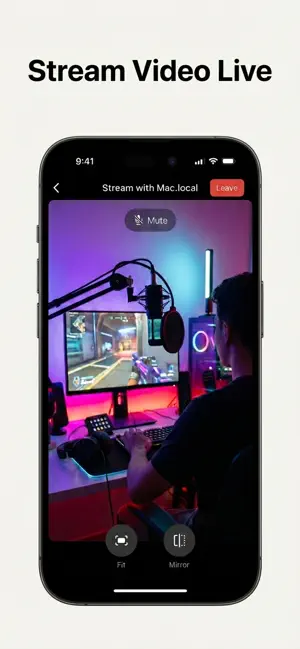
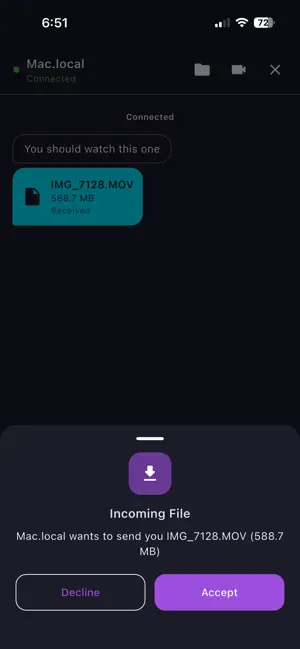
CrossDrop is the ultimate peer-to-peer connection app designed to let you share files, chat, and stream live video between devices on your local network — with absolutely zero internet or cloud dependency. Whether you're sending large documents to a colleague, moving photos to your computer, or streaming your mobile camera to a tablet, CrossDrop makes it instant and secure. Because everything happens locally over your WiFi network, there are no file size limits and speeds are incredibly fast. Key Features: • Instant Auto-Discovery: Devices find each other automatically on your network. No IP addresses to type (unless you want to!). • Cross-Platform Sharing: Send files of any size between phones, tablets, and computers instantly. • Video Streaming: Stream your device's camera live to another screen over WebRTC. • Local Chat: Send instant, secure messages directly between connected devices. • QR Connect: Simply point your camera at a peer's QR code to link up instantly. • Multiple Themes: Customize your experience with 6 beautiful themes (including Dark, Neon, and Coffee). No cables. No internet required. Just launch CrossDrop and connect.
What’s new
Version 1.4 · Updated April 16, 2026
— Added a lightning-fast Web Client! You can now connect to CrossDrop from any web browser to chat, transfer large files, and watch remote camera streams without installing the app.
App privacy
The developer, Vladislav Alikov, reported these privacy practices to Apple.
Data Used to Track You
The following data may be used to track you across apps and websites owned by other companies:
- Location: Precise Location, Coarse Location
- Identifiers: Device ID
- Usage Data: Product Interaction, Advertising Data
- Diagnostics: Crash Data, Performance Data
Data Not Linked to You
The following data, which may be collected but is not linked to your identity, may be used for the following purposes:
- Location: Precise Location, Coarse Location
- Identifiers: Device ID
- Usage Data: Product Interaction, Advertising Data
- Diagnostics: Crash Data, Performance Data
Used for: Third-Party Advertising, Analytics
Alternatives to CrossDrop: Camera & File Share
Looking for apps like CrossDrop: Camera & File Share? Here are 6 similar apps on the App Store. The highest rated is CrossDropPhoto (5.0/5), and all 6 are free to download.
-
 CrossDropPhoto
5.0
CrossDropPhoto
5.0
-
 CrossDrop - File Sharing
5.0
CrossDrop - File Sharing
5.0
-
 XCrossDrop
-
 FileSent - Simple Fast Share
5.0
FileSent - Simple Fast Share
5.0
-
 DataClone: Transfer Files
-
 Sundee 3D Print Cost
| App | Rating | Price | Last updated | Compare |
|---|---|---|---|---|
| CrossDrop: Camera & File Share | – | Free | April 16, 2026 | |
| CrossDropPhoto | 5.0 / 5 (1) | Free | Aug 26, 2026 | Compare |
| CrossDrop - File Sharing | 5.0 / 5 (1) | Free | Jun 23, 2025 | Compare |
| XCrossDrop | – | Free | Aug 8, 2026 | Compare |
| FileSent - Simple Fast Share | 5.0 / 5 (1) | Free | Aug 31, 2026 | Compare |
| DataClone: Transfer Files | – | Free | Jun 25, 2026 | Compare |
| Sundee 3D Print Cost | – | Free | Aug 19, 2026 | Compare |