

Lexent
Mykyta Stryhunkov Book iPhoneiPadiPod touch
Lexent is a free Book app for iPhone and iPad by Mykyta Stryhunkov. Requires iOS 18.0. Updated September 28, 2026.
- Price
- Free
- on the App Store
- Size
- 168 MB
- Age 4+
- Updated
- Sep 28
- 2026 · v1.0.5
Screenshots

About Lexent
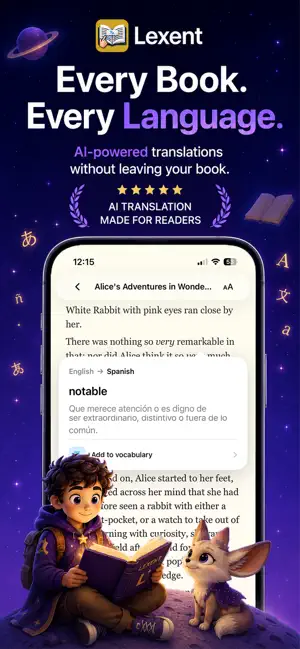
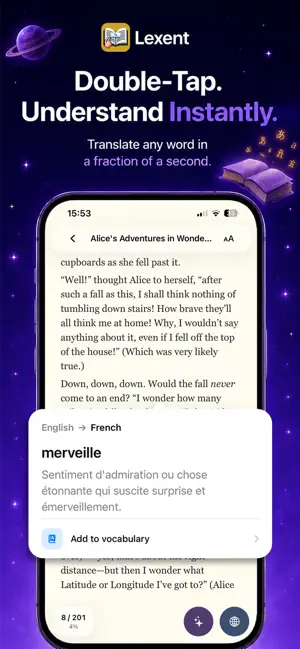
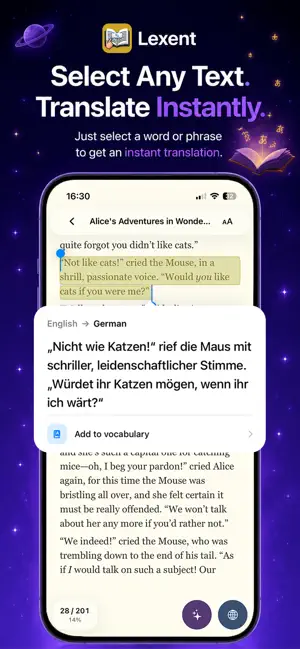
Read Books in Foreign Languages — Without the Struggle Reading books in another language is one of the best ways to learn — but constantly switching to translators and dictionaries ruins the experience. This app changes that. With instant translation built directly into your reader, you can understand anything without leaving the page. • No interruptions. • No copy-paste. • Just seamless reading. Translate Anything in One Tap Understanding a book has never been easier. • Double-tap any word to see its translation instantly • Select a sentence or paragraph to translate it immediately • Translate the entire page with a single tap Everything happens inside the book, so you stay focused on the story. Learn Languages While Reading Turn every book into a powerful language learning tool. Discover new vocabulary naturally as you read and instantly understand unfamiliar words without breaking your flow. Perfect for learning: • English • Spanish • French • German • Italian • Portuguese • Polish • Ukrainian • Chinese • Japanese • Korean …and 50+ supported languages. Reading real books helps you: • improve vocabulary faster • understand grammar in context • build natural language intuition Built for Modern Readers • Instant AI-powered translations • Clean, distraction-free reading experience • Translate words, phrases, or full pages • Designed for language learners and book lovers • Works with books in .fb2 and .epub formats Whether you're learning a new language, reading foreign literature, or improving your vocabulary, this reader makes multilingual reading simple and enjoyable. Terms of Use: https://www.apple.com/legal/internet-services/itunes/dev/stdeula/ Privacy Policy: https://lexent.app/privacy.html
What’s new
Version 1.0.5 · Updated September 28, 2026
Flip Cards, Quiz, and the widget are now part of Lexent Premium Auto-import books — Point Lexent at a folder of EPUB or FB2 files and it scans for new ones every time you open the app, so you don't have to add books one at a time Track your progress — The Learning tab now shows how many words you've reviewed with Flip Cards and your Quiz accuracy over time Daily reminders — Optional nudges to keep reading or review your saved words, fully customizable in Settings Built-in User Guide — A complete guide to Lexent is now included in every library from the start New welcome tour — First-time users get a quick walkthrough of translation, Ask Lexent, and the Dictionary Home Screen Widget — A rotating card of your saved words, right on your Home Screen Redesigned Settings, sharper Ask Lexent replies (proper bold/code formatting), and a much bigger, better-looking experience on iPad
App privacy
The developer, Mykyta Stryhunkov, reported these privacy practices to Apple.
Data Not Linked to You
The following data, which may be collected but is not linked to your identity, may be used for the following purposes:
- Usage Data: Product Interaction
Used for: Product Personalization
Alternatives to Lexent
Looking for apps like Lexent? Here are 6 similar apps on the App Store.


| App | Rating | Price | Last updated | Compare |
|---|---|---|---|---|
| Lexent | – | Free | September 28, 2026 | |
| MintBook AI | – | Free | Feb 26, 2026 | Compare |
| LanRead | – | Free | Apr 6, 2026 | Compare |
| Fablium: AI Book Translator | – | Free | Aug 17, 2026 | Compare |
| Multi BibleRead | – | Free | Aug 11, 2026 | Compare |
| Epubly | – | Free | May 19, 2026 | Compare |
| Reliber - Translate Any Book | – | Free | Mar 20, 2026 | Compare |
Compare Lexent with the top alternatives: ratings, updates, ASO score and keyword gaps →