

Web DevTools+
Beautification Developer Tools iPhoneiPadiPod touch
Web DevTools+ is a free Developer Tools app for iPhone and iPad by Beautification. Rated 5.0/5 from 2 ratings. Requires iOS 18.7. Updated October 21, 2026.
- Rating
- 5.0
- 2 ratings
- Price
- Free
- on the App Store
- Size
- 8 MB
- Age 4+
- Updated
- Oct 21
- 2026 · v1.6.0
Screenshots


About Web DevTools+
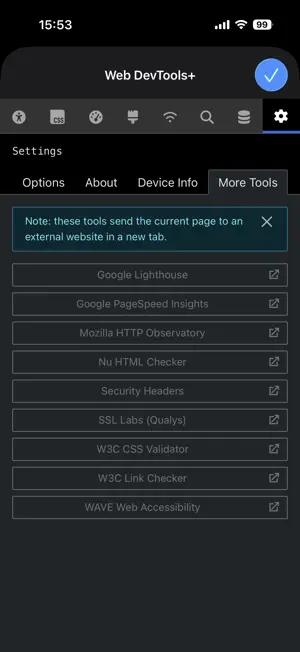
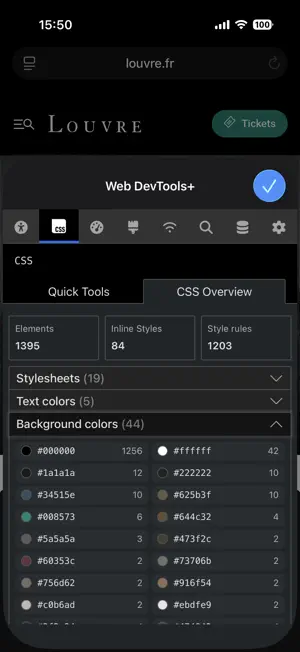
- Elements: A powerful syntax-highlighted DOM inspector and editor allows you to edit any page. - CSS Quick tools: Disabled CSS, background images, outline overflow issues, z-index and more - CSS Overview: Get a detailed look into the CSS on the page, stylesheets, colors, fonts and media queries - Rendering Tests: Emulate vision deficiencies such as color blindness, blurred version. Hide images to evaluate structure and fallback UX. Disabled modern image file formats such as AVIF and JPEG XL to test fallback UX for other/older browsers - Media query tests: Emulate how the page looks with print styles, prefers color-scheme, and prefers-contrast media queries. - Network - View all the assets on a page, tap on one to see info such as MIME-type, file-size, transfer times, Source allows you to see code for text-based assets with syntax highlighting, copy to clipboard and format options - SEO & meta: See meta tags such as title, descriptions, icons, Open Graph tags including previews of the images - Storage: with options to view or delete cookies, localStorage and Session storage and a detailed Web Manifest viewer. - Detailed Device Info panel with UserAgent, display and screen resolution, network speeds, connection type, ISP and more. - Accessibility audits, info and debug tools (ARIA inspect and img alt inspect). - Tools: one-tap quick audits from 8 popular, free services (Lighthouse, HTTP Observatory, SSL Labs, Wave Web Accessibility etc). No need to login or register, it'll open a new tab with your audit right there!
What’s new
Version 1.6.0 · Updated October 21, 2026
- New Landmark roles panel in Accessibility > Info. - New line-wrap option in Elements settings. - Fixed: Elements tree indentation growing too large on nested elements. - Design improvements to sub-tabs and accordions. - Each section now restores its last-used sub-tab. - Requires iOS 18.7 or later.
App privacy
The developer, Beautification, reported these privacy practices to Apple.
Data Not Collected
The developer does not collect any data from this app.
Alternatives to Web DevTools+
Looking for apps like Web DevTools+? Here are 6 similar apps on the App Store. The highest rated is Smart JSON & XML Editor (5.0/5), and all 6 are free to download.
-
 Smart JSON & XML Editor
5.0
Smart JSON & XML Editor
5.0
-
 Index - SQL Client
-
 Right On Page Devtools
3.7
Right On Page Devtools
3.7
-
 DevTools+: Dev Tools & Code
-
 PureCode
5.0
PureCode
5.0
-
 Deviap
5.0
Deviap
5.0
| App | Rating | Price | Last updated | Compare |
|---|---|---|---|---|
| Web DevTools+ | 5.0 / 5 (2 ratings) | Free | October 21, 2026 | |
| Smart JSON & XML Editor | 5.0 / 5 (1) | Free | Oct 21, 2026 | Compare |
| Index - SQL Client | – | Free | Feb 2, 2026 | Compare |
| Right On Page Devtools | 3.7 / 5 (3) | Free | Jul 7, 2026 | Compare |
| DevTools+: Dev Tools & Code | – | Free | Sep 9, 2026 | Compare |
| PureCode | 5.0 / 5 (2) | Free | Mar 14, 2026 | Compare |
| Deviap | 5.0 / 5 (1) | Free | Oct 4, 2026 | Compare |
Compare Web DevTools+ with the top alternatives: ratings, updates, ASO score and keyword gaps →