

Magic Eraser AI
Video Bakery Ltd. Photo & Video iPhoneiPadiPod touch
Magic Eraser AI is a free Photo & Video app for iPhone and iPad by Video Bakery Ltd. Rated 4.5/5 from 453 ratings. Requires iOS 16.0.
- Rating
- 4.5
- 453 ratings
- Price
- Free
- on the App Store
- Size
- 49 MB
- Age 4+
- Updated
- Sep 22
- 2026 · v1.0.4
Screenshots

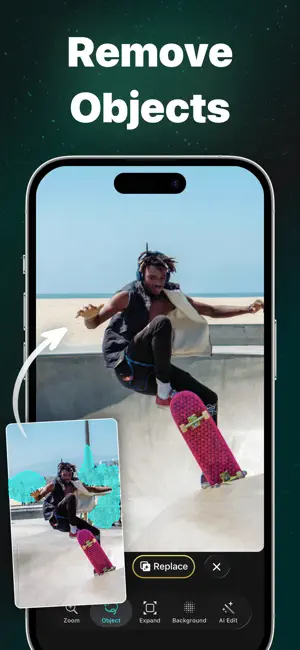
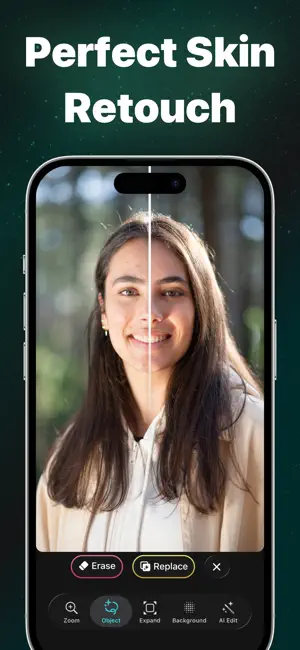
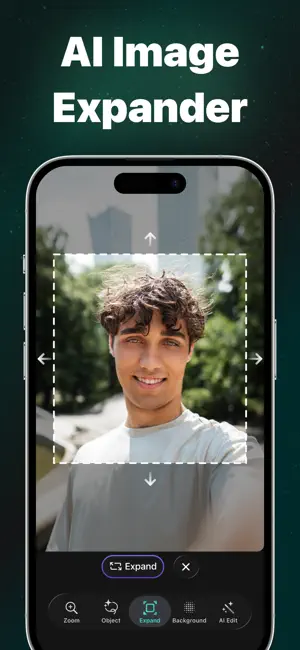
About Magic Eraser AI
Your AI-Powered Photo Editing Companion! Magic Eraser is the ultimate AI-powered photo editor that lets you remove objects, erase people, clear clutter, retouch skin, expand image, remove backgrounds, and completely transform your images using advanced generative AI. Whether you're perfecting a selfie, cleaning up travel photos, enhancing product shots, or creating social content, Magic Eraser helps you achieve professional-quality results in seconds. Key Features: ◆ AI Object Removal: Instantly remove objects, people, photobombers, text, watermarks, and clutter with precision AI reconstruction. ◆ Blemish & Skin Retouch: Remove pimples, wrinkles, and imperfections naturally while preserving realistic texture. ◆ Generative AI Fill: Seamlessly replace removed areas with intelligent AI-generated content that blends perfectly with your image. ◆ Background Remover & Replacer: Delete or fully regenerate backgrounds with stunning, realistic results. ◆ AI Outpainting: Expand your photos beyond their original borders. Extend backgrounds, convert vertical to landscape, and create wider compositions effortlessly. ◆ AI Effects: Run creative effects and styles on your photos ◆ Prompt-Based Editing: Describe what you want to change in an open prompt field. Modify objects, change environments, add elements, or transform the entire scene using advanced AI editing. ◆ High-Quality Export: Save your edited photos in high resolution, ready for social media, printing, or professional use. How to Use: 1. Select Your Photo: Choose an image from your gallery. 2. Brush or Tap: Mark objects, blemishes, or areas you want to remove or modify. 3. Enhance with AI: Let Magic Eraser intelligently reconstruct or replace the selected area. 4. Expand or Transform: Use outpainting or describe your vision in the prompt editor for advanced creative control. 5. Save and Share: Export your final image in high quality. Perfect for creators, influencers, e-commerce sellers, real estate listings, marketing professionals, and anyone who wants powerful photo editing without complex tools. Unlimited Access Subscription: You can subscribe for unlimited access to all features and content offered within Magic Eraser. Subscriptions are billed weekly, monthly, or annually at the rate selected depending on the subscription plan. Payment will be charged to your Apple Account at confirmation of purchase. Subscription automatically renews unless auto-renew is turned off at least 24 hours before the end of the current period. Your account will be charged for renewal within 24 hours prior to the end of the current period, and the cost depends on your chosen plan. Subscriptions may be managed by the user and auto-renewal may be turned off by going to the user’s Account Settings after purchase. Any unused portion of a free trial period, if offered, will be forfeited when the user purchases a subscription, where applicable. Terms of Use: https://videobakery.co/tos.pdf Privacy Policy: https://videobakery.co/pp.pdf We would love to hear your feedback. Please reach us at [email protected]
Ratings & reviews
4.5
453 ratings
What’s new
Version 1.0.4 · Updated September 22, 2026
- Easier edge selection: Pinch out to give your photo room on screen, then select objects sitting right - Rebuilt notifications: Alerts about your edits now arrive through our own delivery system. - Polished throughout: Cleaner screens in light and dark mode, with smoother transitions across the app. - Stability and performance: A round of under-the-hood fixes to keep Magic Eraser quick and steady. If you like the app, please consider giving us a 5-star rating, thank you!
App privacy
The developer, Video Bakery Ltd., reported these privacy practices to Apple.
Data Linked to You
The following data, which may be collected and linked to your identity, may be used for the following purposes:
- Identifiers: User ID, Device ID
- Purchases: Purchase History
Used for: Analytics, App Functionality
Data Not Linked to You
The following data, which may be collected but is not linked to your identity, may be used for the following purposes:
- Usage Data: Product Interaction
- User Content: Photos or Videos
- Diagnostics: Crash Data
Used for: Analytics, App Functionality
Alternatives to Magic Eraser AI
Looking for apps like Magic Eraser AI? Here are 6 similar apps on the App Store. The highest rated is AIYAI - AI Photo & Video Maker (4.8/5), and all 6 are free to download.
-
 AIYAI - AI Photo & Video Maker
4.8
-
 Movia AI: Photo to Video Maker
4.1
-
 PixVideo AI-HotVideo Generator
4.7
-
 HeyReel: AI Video &Photo Maker
4.1
-
 Vid+:AI Video Generator
3.7
-
 GenPix - AI Photo Editor
4.6
| App | Rating | Price | Last updated | Compare |
|---|---|---|---|---|
| Magic Eraser AI | 4.5 / 5 (453 ratings) | Free | September 22, 2026 | |
| AIYAI - AI Photo & Video Maker | 4.8 / 5 (292) | Free | Sep 17, 2026 | Compare |
| Movia AI: Photo to Video Maker | 4.1 / 5 (4,037) | Free | Jul 23, 2026 | Compare |
| PixVideo AI-HotVideo Generator | 4.7 / 5 (64) | Free | Jul 31, 2026 | Compare |
| HeyReel: AI Video &Photo Maker | 4.1 / 5 (78) | Free | Sep 9, 2026 | Compare |
| Vid+:AI Video Generator | 3.7 / 5 (9) | Free | Jun 30, 2026 | Compare |
| GenPix - AI Photo Editor | 4.6 / 5 (213) | Free | Oct 6, 2026 | Compare |
Compare Magic Eraser AI with the top alternatives: ratings, updates, ASO score and keyword gaps →