

Piano AI: Record & Export
Retenica SP Z.O.O Music iPhoneiPadiPod touch
Piano AI: Record & Export is a free Music app for iPhone and iPad by Retenica SP Z.O.O. Requires iOS 17.6. Updated March 30, 2026.
- Price
- Free
- on the App Store
- Size
- 171 MB
- Age 4+
- Updated
- Mar 30
- 2026 · v1.1.0
Screenshots



About Piano AI: Record & Export
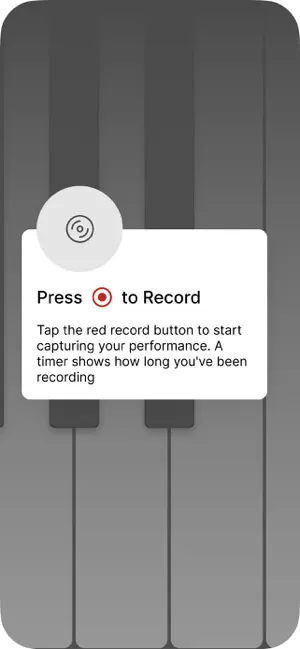
Your Piano Journey Starts Here. Your AI Hits Continue Everywhere. Capture your musical ideas with a professional-grade virtual piano designed for the modern creator. Whether you're sketching a melody or performing a full piece, our app provides the perfect high-fidelity recording to jumpstart your production in AI-powered music services. Key Features: High-Fidelity Piano: Realistic grand piano sounds with ultra-low latency for an authentic feel. One-Tap Recording: Instantly capture your inspiration in high-definition audio or MIDI. Built for AI Workflows: Specifically designed to export files that are ready for manual upload to services like Suno, Udio, or Voloco. Flexible Formats: High-quality WAV and MIDI support for seamless compatibility with any DAW or AI music platform. Minimalist Interface: A clean, distraction-free environment focused entirely on your performance. How It Works: Play: Use the responsive keyboard to compose your unique melody. Record: Save your performance locally in high definition. Export: Save your file to your device or share it to your favorite cloud. Create with AI: Manually upload your recording to Suno or other platforms to use it as a base for full arrangements and vocals. Stop letting your best ideas fade away. Capture your performance today and amplify your talent with the power of AI! Note: This app provides tools for recording and exporting audio/MIDI files. Integration with third-party AI services requires a separate account on those platforms and manual file upload by the user. Subscriptions and auto-renewal may be managed by going to Account Settings after purchase or by contacting Customer Support. Privacy Policy: https://retenica.com/privacy_policy Terms: https://retenica.com/terms_of_use
What’s new
Version 1.1.0 · Updated March 30, 2026
Portrait mode and updated iPhone layout New blue theme and theme updates Import your own MIDI files, and remove them from the app Fixes for My Recordings, note display, and cleanup
App privacy
The developer, Retenica SP Z.O.O, reported these privacy practices to Apple.
Data Used to Track You
The following data may be used to track you across apps and websites owned by other companies:
- Identifiers: Device ID
- Usage Data: Product Interaction
Data Linked to You
The following data, which may be collected and linked to your identity, may be used for the following purposes:
- Purchases: Purchase History
- Identifiers: Device ID
- Usage Data: Product Interaction
Used for: Analytics, App Functionality
Data Not Linked to You
The following data, which may be collected but is not linked to your identity, may be used for the following purposes:
- Diagnostics: Crash Data, Performance Data
Used for: App Functionality