

Note Taker: Audio to Text
Nataliia Litvinova Productivity iPhoneiPadiPod touch
Note Taker: Audio to Text is a free Productivity app for iPhone and iPad by Nataliia Litvinova. Rated 5.0/5 from 4 ratings. Requires iOS 18.0.
- Rating
- 5.0
- 4 ratings
- Price
- Free
- on the App Store
- Size
- 47 MB
- Age 4+
- Updated
- Aug 11
- 2026 · v1.17
Screenshots
About Note Taker: Audio to Text
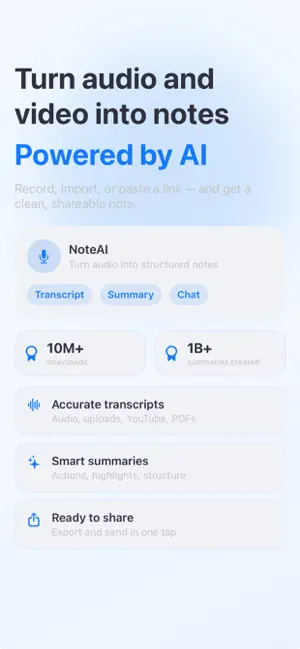
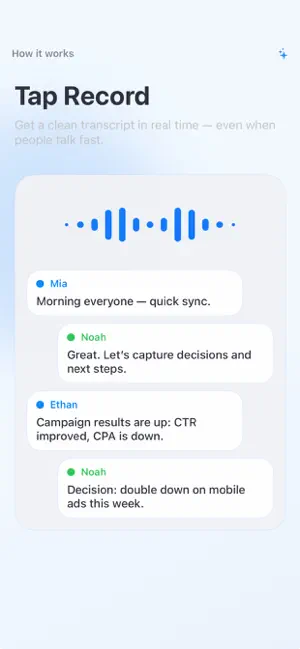
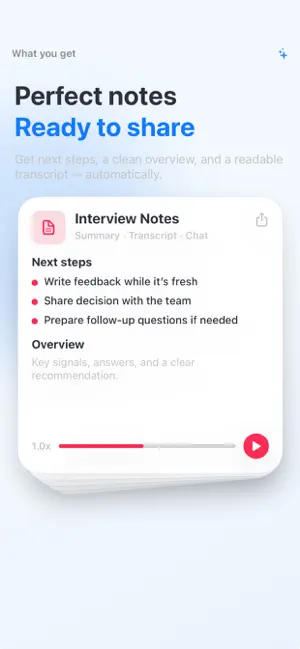
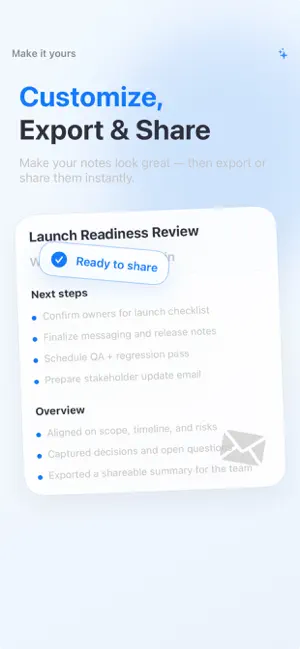
Turn meetings, lectures, interviews and long-form content into notes you can use right away. NoteAI helps you record audio or import files, then turns speech into readable transcripts, AI summaries, key takeaways and action items. Stay present while you listen, then review the important details later. What you can do: • Record audio or import an audio file • Transcribe speech into clear, readable notes • Create AI summaries with key points, decisions and next steps • Turn notes into tasks and manage them in a to-do list • Ask questions about a recording, PDF or YouTube transcript • Import selectable PDFs and turn them into structured notes • Paste a YouTube link to generate a transcript and summary • Translate summaries and transcripts into supported languages • Organize notes in folders • Export or share summaries and transcripts as text or PDF • Share or export the original audio when needed Built for: • Team meetings and client calls • University lectures and study sessions • Interviews, research and field notes • Podcasts, webinars and YouTube videos • Voice memos, ideas and long conversations Keep transcripts, summaries, chats, tasks and folders organized in one place, so every recording is easier to review and share. Subscription details: • Subscribe for unlimited access to premium features. • Payment will be charged to your Apple Account at confirmation of purchase. • Subscriptions renew automatically unless auto-renew is turned off at least 24 hours before the end of the current period. • You can manage or cancel your subscription in App Store account settings. Support: [[email protected]](mailto:[email protected]) Privacy Policy: https://www.freeprivacypolicy.com/live/c8f05793-637b-4a19-8ae9-156538fde3e2 Terms of Use: https://www.apple.com/legal/internet-services/itunes/dev/stdeula
What’s new
Version 1.17 · Updated August 11, 2026
We’ve improved app speed and stability for a smoother, more reliable experience. This update also includes bug fixes and performance improvements throughout the app.
App privacy
The developer, Nataliia Litvinova, reported these privacy practices to Apple.
Data Used to Track You
The following data may be used to track you across apps and websites owned by other companies:
- Purchases: Purchase History
- Identifiers: User ID, Device ID
- Usage Data: Product Interaction, Advertising Data, Other Usage Data
- Diagnostics: Crash Data, Performance Data, Other Diagnostic Data
Data Linked to You
The following data, which may be collected and linked to your identity, may be used for the following purposes:
- Purchases: Purchase History
- Identifiers: Device ID, User ID
- Usage Data: Product Interaction, Advertising Data, Other Usage Data
- Diagnostics: Crash Data, Performance Data, Other Diagnostic Data
Used for: Developer’s Advertising or Marketing, Analytics
Alternatives to Note Taker: Audio to Text
Looking for apps like Note Taker: Audio to Text? Here are 6 similar apps on the App Store. The highest rated is Minute Transcribe Voice Notes (5.0/5), and all 6 are free to download.
-
 Notiz: AI Note Taker & Summary
4.7
Notiz: AI Note Taker & Summary
4.7
-
 AI Note Taker - Voice Recorder
4.8
AI Note Taker - Voice Recorder
4.8
-
 Minute Transcribe Voice Notes
5.0
Minute Transcribe Voice Notes
5.0
-
 Notie: AI Summary & Note Taker
4.5
Notie: AI Summary & Note Taker
4.5
-
 Nice AI:Chat,Image&Video
4.5
Nice AI:Chat,Image&Video
4.5
-
 Quickmind: Voice to AI Notes
4.7
Quickmind: Voice to AI Notes
4.7
| App | Rating | Price | Last updated | Compare |
|---|---|---|---|---|
| Note Taker: Audio to Text | 5.0 / 5 (4 ratings) | Free | August 11, 2026 | |
| Notiz: AI Note Taker & Summary | 4.7 / 5 (16) | Free | May 27, 2026 | Compare |
| AI Note Taker - Voice Recorder | 4.8 / 5 (13) | Free | Aug 18, 2026 | Compare |
| Minute Transcribe Voice Notes | 5.0 / 5 (4) | Free | Jun 18, 2026 | Compare |
| Notie: AI Summary & Note Taker | 4.5 / 5 (28) | Free | Aug 17, 2026 | Compare |
| Nice AI:Chat,Image&Video | 4.5 / 5 (12) | Free | Aug 31, 2026 | Compare |
| Quickmind: Voice to AI Notes | 4.7 / 5 (60) | Free | May 18, 2026 | Compare |