

Origami: Life Planner
Kayan22 FZ LLE Productivity iPhoneiPadiPod touch
Origami: Life Planner is a free Productivity app for iPhone and iPad by Kayan22 FZ LLE. Requires iOS 16.0. Updated October 7, 2026.
- Price
- Free
- on the App Store
- Size
- 54 MB
- Age 4+
- Updated
- Oct 7
- 2026 · v5.6.4
Screenshots
About Origami: Life Planner
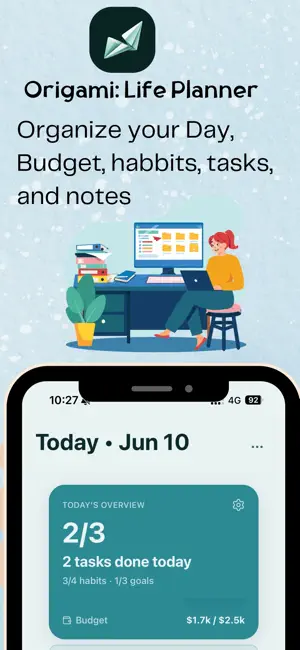
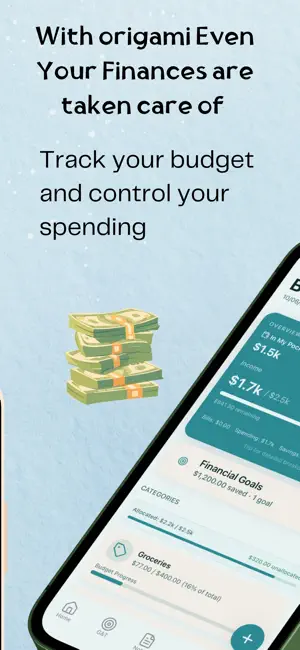
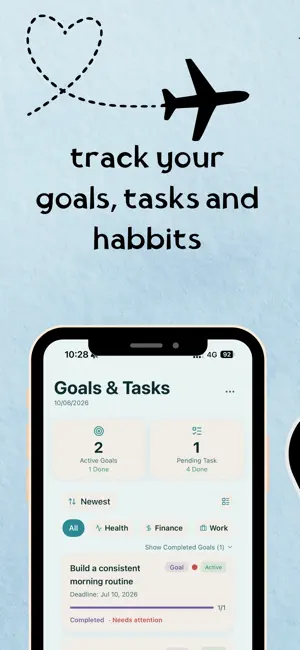
Origami is your personal execution system — built for people who want to get things done, not just plan them. Capture tasks, set goals, track habits, manage your budget, write notes, and build savings plans. Everything in one place, with deep analytics to show you how you're actually doing. **Tasks & Planning** Organize your day with smart task management. Create tasks with priorities, due dates, and subtasks. Use the calendar view to plan ahead, and quick-add to capture ideas instantly. Templates help you set up recurring workflows in seconds. **Habit Tracking** Build lasting habits with streak tracking, visual analytics, and gentle reminders. See your consistency over time with detailed charts and celebrate your progress as streaks grow. **Goal Setting** Set meaningful goals with milestones and deadlines. Track your progress visually and break big ambitions into manageable steps. From fitness targets to career milestones, Origami keeps you focused on what matters. **Budget & Finance** Take control of your finances with intuitive expense tracking, category-based budgets, savings goals, and investment goals. View spending analytics, track where your money goes, and build toward financial targets — all without sharing your data with anyone. **Notes** Capture thoughts, ideas, and plans with a clean, distraction-free note editor. Organize notes by category, add checklists and tables, and find what you need quickly. **Ask Origami — AI Assistant** Let AI help you get started. Describe what you want to do and Ask Origami will draft tasks, goals, habits, notes, or budget entries for you — ready to save in one tap. **Fully Customizable Navigation** Choose which tabs appear in your app and reorder them to match your workflow. Make Origami yours. **Privacy First** Your data stays on your device. Origami is built local-first — your tasks, habits, goals, finances, and notes are stored securely on your phone, not on our servers. Optional cloud sync is available for cross-device access. **Security** Protect your data with PIN code, password, or biometric authentication (Face ID / fingerprint). Lock individual modules for granular privacy control. **8 Languages** Available in English, Arabic (with full RTL support), French, German, Spanish, Japanese, Korean, and Portuguese (Brazil).
What’s new
Version 5.6.4 · Updated October 7, 2026
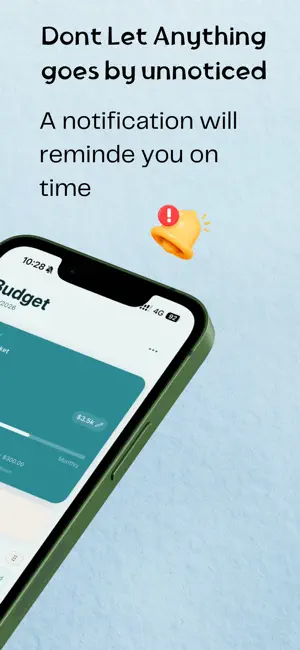
What's New in Origami 5.6.4 • Faster, more reliable sync: Origami now runs on its own dedicated servers. Sign-in, cloud backups and support chat are quicker and more dependable. • Notifications you can count on: daily reminders, daily and weekly summaries, motivational quotes and savings reminders now arrive reliably. • Smarter reminders: task reminders update when you edit, reschedule or complete a task. Reminders for deleted habits and savings goals stop right away, and your reminders come back correctly after restoring a backup. • Accurate badge: the unread count on the notifications page and on the app icon now match, and on iPhone the icon badge updates even while Origami is closed. • Tap to open: tapping a notification takes you straight to the right screen. • Cleaner notification history: no more duplicates, and notifications you delete stay deleted. • Support replies: get notified as soon as our team answers your message. • Better backups: backup alerts now appear only when a backup really fails, and never repeat. • Stability: fixed an issue where the budget could freeze after restoring a backup, plus many smaller fixes. Thank you for using Origami!
App privacy
The developer, Kayan22 FZ LLE, reported these privacy practices to Apple.
Data Used to Track You
The following data may be used to track you across apps and websites owned by other companies:
- Location: Coarse Location
- Identifiers: User ID, Device ID
- Usage Data: Advertising Data, Other Usage Data
- Diagnostics: Performance Data, Other Diagnostic Data
Data Linked to You
The following data, which may be collected and linked to your identity, may be used for the following purposes:
- Location: Coarse Location
- Identifiers: User ID, Device ID
- Usage Data: Advertising Data, Other Usage Data
- Diagnostics: Other Diagnostic Data
Used for: Third-Party Advertising, Developer’s Advertising or Marketing, Analytics, Product Personalization, App Functionality
Data Not Linked to You
The following data, which may be collected but is not linked to your identity, may be used for the following purposes:
- Diagnostics: Crash Data, Performance Data
Used for: Analytics, App Functionality, Other Purposes
Alternatives to Origami: Life Planner
Looking for apps like Origami: Life Planner? Here are 6 similar apps on the App Store. The highest rated is LifeLinkOS (5.0/5), and all 6 are free to download.
-
 Todai: AI Life Coach, Planner
-
 Lumeon
-
 PurrfectPlan: AI Life Planner
-
 Loom: Life Manager
4.1
Loom: Life Manager
4.1
-
 PrivateTask
-
 LifeLinkOS
5.0
LifeLinkOS
5.0
| App | Rating | Price | Last updated | Compare |
|---|---|---|---|---|
| Origami: Life Planner | – | Free | October 7, 2026 | |
| Todai: AI Life Coach, Planner | – | Free | Sep 4, 2026 | Compare |
| Lumeon | – | Free | Jun 29, 2026 | Compare |
| PurrfectPlan: AI Life Planner | – | Free | Jun 3, 2026 | Compare |
| Loom: Life Manager | 4.1 / 5 (7) | Free | Sep 4, 2026 | Compare |
| PrivateTask | – | Free | Aug 24, 2026 | Compare |
| LifeLinkOS | 5.0 / 5 (1) | Free | Sep 2, 2026 | Compare |