

TaskFlow:To Do List & Calendar
mouhamad cherkawi Productivity iPhoneiPadiPod touch
TaskFlow:To Do List & Calendar is a free Productivity app for iPhone and iPad by mouhamad cherkawi. Requires iOS 12. Updated July 16, 2026.
- Price
- Free
- on the App Store
- Size
- 29 MB
- Age 4+
- Updated
- Jul 16
- 2026 · v0.0.3
Screenshots
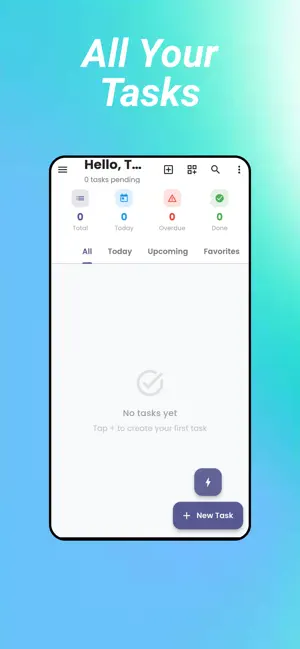


About TaskFlow:To Do List & Calendar
TaskFlow is a powerful task manager and to-do list app designed to help you stay organized, manage daily tasks, and improve productivity. Whether you’re planning work projects, personal goals, or daily routines, TaskFlow makes task management simple, fast, and stress-free. Organize your to-do lists, track deadlines, and plan your schedule using proven productivity methods and an intuitive calendar view. Key Features Smart Task Entry (Natural Language Input) Add tasks quickly using plain text. Example: “Team meeting Friday 2pm important work” TaskFlow automatically detects dates, times, priorities, and categories, saving you time when creating tasks. Eisenhower Matrix Task Prioritization Prioritize tasks using the urgency vs. importance method. Focus on high-impact tasks, reduce distractions, and make better decisions about what to do next. Pomodoro Timer for Focus Boost concentration using built-in 25-minute focus sessions. Perfect for deep work, studying, and improving daily productivity. Smart Reminders & Notifications Never forget a task or deadline: Scheduled reminders One-hour deadline alerts Overdue task notifications Recurring task reminders Stay organized without constant manual checking. Task Templates for Faster Planning Create tasks instantly with ready-to-use templates: Team meetings with agendas Grocery shopping lists Workout routines Content and blog workflows Project and checklist templates Calendar View & Weekly Planner Visualize your schedule with a clean calendar view. Drag and drop tasks, view daily and weekly plans, and manage priorities using color-coded tasks. Recurring Tasks & Habit Tracking Set tasks to repeat daily, weekly, monthly, yearly, or on custom schedules. Ideal for habits, routines, work tasks, and reminders. Productivity Insights & Analytics Track your progress and improve your habits: Task completion rates Focus time tracking Productivity trends Category breakdowns Streak tracking Understand your workflow and stay motivated over time. Perfect For Task management and to-do lists Personal productivity and goal tracking Work and project planning Daily routines and habit building Students, professionals, and busy schedules Start Organizing Your Life Today TaskFlow helps you manage tasks, plan your day, and stay productive with clarity and control. Find Our Terms of Use : https://docs.google.com/document/d/19HJlIRFS3__keYQV9IP4sSZHrVLqG_IXcwMJuKEk0vY/edit?usp=sharing Privacy Policy : https://docs.google.com/document/d/1217qx_prb4WFHsklYP4QEjptMJqFX0lrrmzodKmLtKs/edit?usp=sharing
What’s new
Version 0.0.3 · Updated July 16, 2026
Bug Fixes and Improvements .
App privacy
The developer, mouhamad cherkawi, reported these privacy practices to Apple.
Data Not Collected
The developer does not collect any data from this app.
Alternatives to TaskFlow:To Do List & Calendar
Looking for apps like TaskFlow:To Do List & Calendar? Here are 6 similar apps on the App Store. The highest rated is ResKit (4.8/5), and 5 of the 6 are free to download.
-
 Horizon Tasks
-
 Quietime
-
 ResKit
4.8
-
 To-do List Task and calendar
-
 Done - Tasks & To-Do List
-
 Set · ADHD Task Manager
| App | Rating | Price | Last updated | Compare |
|---|---|---|---|---|
| TaskFlow:To Do List & Calendar | – | Free | July 16, 2026 | |
| Horizon Tasks | – | Free | Feb 19, 2026 | Compare |
| Quietime | – | 7.99 USD | Oct 27, 2026 | Compare |
| ResKit | 4.8 / 5 (21) | Free | Sep 22, 2026 | Compare |
| To-do List Task and calendar | – | Free | Oct 25, 2024 | Compare |
| Done - Tasks & To-Do List | – | Free | Mar 5, 2026 | Compare |
| Set · ADHD Task Manager | – | Free | Oct 19, 2026 | Compare |