

SwipeToPhoto
AHMET BAKTIAYA Utilities iPhoneiPadiPod touch
SwipeToPhoto is a paid Utilities app for iPhone and iPad by AHMET BAKTIAYA. Requires iOS 26.2. Updated May 1, 2026.
- Price
- 2.99 USD
- on the App Store
- Size
- 12 MB
- Age 4+
- Updated
- May 1
- 2026 · v1.1.2
Screenshots
About SwipeToPhoto
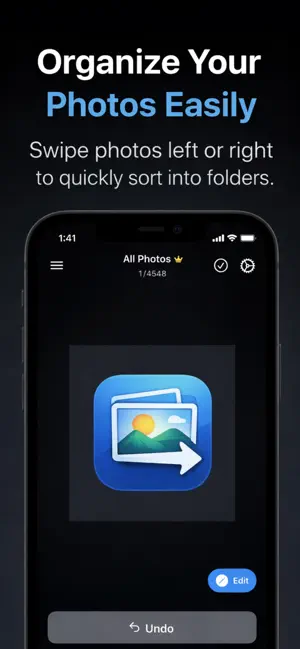
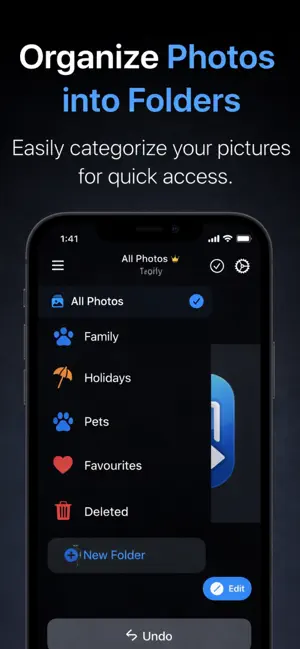
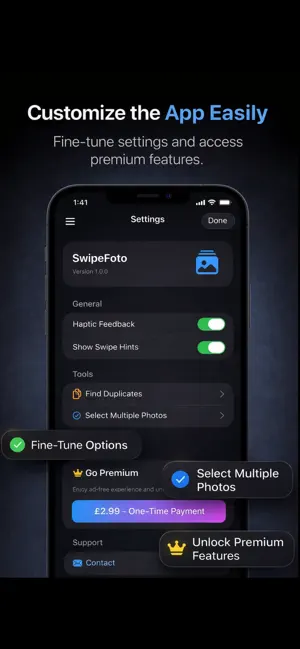
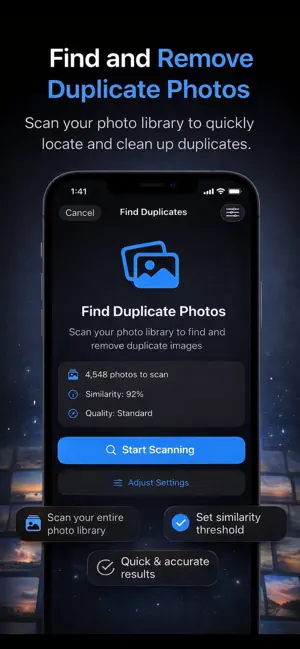
Stop digging through complex menus. Just swipe to take action! EFFORTLESS GESTURE CONTROLS Master your photo library with intuitive swipe gestures: Swipe Up/Down: Navigate through your photos at lightning speed Swipe Right: Instantly move unwanted photos to the "Trash" folder Swipe Left: Sort photos into your pre-selected custom folder with a single motion Bulk Selection: Organize hundreds of photos simultaneously with multi-select mode PROFESSIONAL PHOTO EDITOR Give your photos a premium touch with our real-time editing engine: Smart Filters: Transform the mood with Vivid, Dramatic, Noir, Chrome, and 10+ professional filters Precision Adjustments: Full control over brightness, contrast, saturation, exposure, warmth, and sharpness Creative Tools: Add personalized text or your favorite emojis directly onto your photos (Premium) Advanced Cropping: Professional aspect ratios including 1:1, 16:9, 4:3, 9:16, and free-form scaling SMART DUPLICATE FINDER (VISION-POWERED) Reclaim your storage space by identifying and removing unnecessary clutter: Deep Scan: Powered by Apple Vision framework to detect identical or similar photos instantly Smart Auto-Select: Automatically picks the best shot based on clarity, resolution, or favorite status Storage Analysis: View file size and estimated space savings before deletion Safe Removal: Review duplicates before permanent deletion FOLDER & ARCHIVE MANAGEMENT Custom Folders: Create, rename, and manage your own categories with custom icons and colors Smart Trash: Recover accidentally deleted photos from the "Deleted" folder (30-day recovery) Instant Undo: Revert your last action with a single tap Photo Counter: Track how many photos are in each folder PERSONALIZED EXPERIENCE Haptic Feedback: Tactile responses for every interaction Customizable Hints: Toggle swipe direction hints on or off Multi-Language: Available in 7 languages (English, Turkish, German, French, Spanish, Arabic, Chinese) Dark Mode: Optimized for comfortable viewing PREMIUM FEATURES Unlock the full potential of SwipeFoto: Ad-Free Experience: No interruptions while organizing Text & Emoji Overlays: Add creative elements to your photos Advanced Editing Tools: Full access to professional filters and adjustments Priority Support: Get help when you need it PRIVACY FIRST 100% Local: All photos processed on your device - nothing uploaded to servers No Tracking: We don't collect or share your personal data Secure: Your photos remain private and under your control PERFECT FOR: Users with 1,000+ photos looking for quick organization Anyone tired of scrolling through cluttered photo libraries People who prefer gesture-based interfaces over complex menus Families managing shared photo collections Photography enthusiasts who need professional editing tools Download SwipeFoto today and transform how you organize your memories!
What’s new
Version 1.1.2 · Updated May 1, 2026
What’s New Free users can now enjoy ads again — now smarter and less disruptive. Premium users continue to experience SwipeToPhoto completely ad-free. Basic photo editing tools are now available for free. Unlock advanced editing features with Premium. Popular emojis are now free to use in emoji editing. Try the Duplicate Finder with limited free scans. More precise and improved photo cropping. Fixed the “Rate on App Store” button. Performance improvements and bug fixes.
App privacy
The developer, AHMET BAKTIAYA, reported these privacy practices to Apple.
Data Used to Track You
The following data may be used to track you across apps and websites owned by other companies:
- Location: Coarse Location
Data Linked to You
The following data, which may be collected and linked to your identity, may be used for the following purposes:
- Location: Coarse Location
Used for: Third-Party Advertising, Analytics
Data Not Linked to You
The following data, which may be collected but is not linked to your identity, may be used for the following purposes:
- User Content: Photos or Videos
Used for: App Functionality
Alternatives to SwipeToPhoto
Looking for apps like SwipeToPhoto? Here are 6 similar apps on the App Store. The highest rated is CleanX: Snap Wipe & Clean Pic (5.0/5), and all 6 are free to download.
-
 CleanX: Snap Wipe & Clean Pic
5.0
-
 Photo Delete Swipe to Clean
5.0
-
 Rugby Borough Council
-
 Photo Cleaner Swipee
4.0
-
 Status Smart
5.0
-
 Photo Purge: Swipe & Delete
4.4
| App | Rating | Price | Last updated | Compare |
|---|---|---|---|---|
| SwipeToPhoto | – | 2.99 USD | May 1, 2026 | |
| CleanX: Snap Wipe & Clean Pic | 5.0 / 5 (5) | Free | Nov 3, 2026 | Compare |
| Photo Delete Swipe to Clean | 5.0 / 5 (9) | Free | Sep 25, 2026 | Compare |
| Rugby Borough Council | – | Free | Oct 5, 2024 | Compare |
| Photo Cleaner Swipee | 4.0 / 5 (6) | Free | Jun 3, 2026 | Compare |
| Status Smart | 5.0 / 5 (2) | Free | Aug 26, 2026 | Compare |
| Photo Purge: Swipe & Delete | 4.4 / 5 (390) | Free | May 19, 2026 | Compare |
Compare SwipeToPhoto with the top alternatives: ratings, updates, ASO score and keyword gaps →