

Meridian — World Clock
BULENT KORAY OZ Productivity iPhoneiPadiPod touch
Meridian — World Clock is a free Productivity app for iPhone and iPad by BULENT KORAY OZ. Requires iOS 17.0. Updated March 27, 2026.
- Price
- Free
- on the App Store
- Size
- 4 MB
- Age 4+
- Updated
- Mar 27
- 2026 · v2.2.0
Screenshots


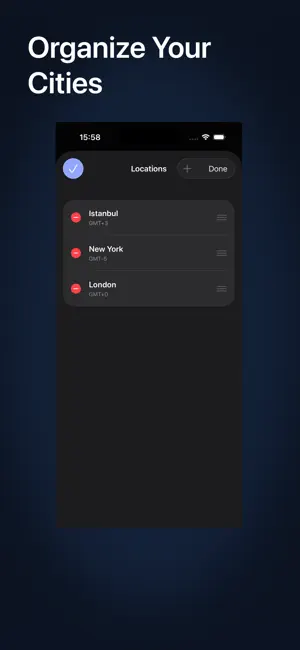
About Meridian — World Clock
Meridian reimagines the world clock. Instead of a static list of digital clocks, Meridian provides a visual, interactive timeline where all your time zones scroll in perfect sync. Visual Timeline Scroll through hours and watch all your locations move together. No mental math needed — just look across the row to see what time it is everywhere instantly. Breathing Timeline Tap any row to expand it with a smooth spring animation, revealing 15-minute intervals. Perfect for precision meeting planning. Calendar Integration (Premium) See your busy times directly on the timeline. Connect iCloud, Google, or Outlook to see orange busy indicators, ensuring you never book a meeting during your personal time. Day/Night Gradients Each time zone column shows a subtle gradient reflecting the local time of day — from warm sunrise tones to deep midnight blues. Features: • Synchronized Scrolling — All locations move together. • Auto-detect Timezone — Your city is added on first launch. • Offline Database — Search 25,000+ cities without internet. • Premium — Unlock unlimited locations and full calendar integration. The free version includes 2 locations. Upgrade to Meridian Premium for unlimited cities and schedule integration. Subscription Info: Meridian Premium (Yearly) auto-renews at $2.99/year unless cancelled at least 24 hours before the renewal date. Manage or cancel anytime in Settings → Apple ID → Subscriptions. Terms of Use (EULA): https://www.apple.com/legal/internet-services/itunes/dev/stdeula/ Privacy Policy: https://withmeridian.app/privacy
What’s new
Version 2.2.0 · Updated March 27, 2026
• Meridian Premium: Unlock unlimited locations and calendar integration. • Calendar Sync: View your busy times directly on the timeline across all time zones. • Auto-Detect Timezone: Your local city is now added automatically on first launch. • Onboarding: A 4-page guided tour to help you master the timeline. • Bug Fixes: Improved calendar persistence and "Return to Now" button responsiveness.
App privacy
The developer, BULENT KORAY OZ, reported these privacy practices to Apple.
Data Not Collected
The developer does not collect any data from this app.