

Ghost Auth
Kestrel AS Utilities iPhoneiPadiPod touch
Ghost Auth is a free Utilities app for iPhone and iPad by Kestrel AS. Rated 5.0/5 from 1 ratings. Requires iOS 14.0. Updated April 4, 2026.
- Rating
- 5.0
- 1 ratings
- Price
- Free
- on the App Store
- Size
- 11 MB
- Age 4+
- Updated
- Apr 4
- 2026 · v1.5.0
Screenshots

About Ghost Auth
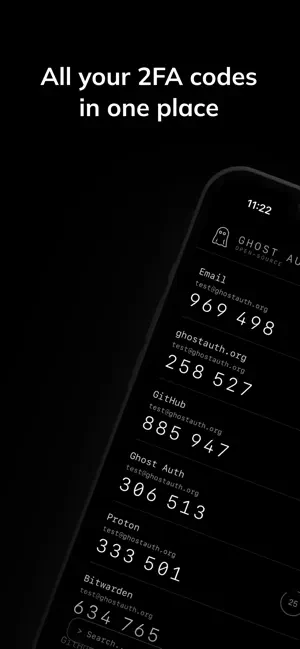
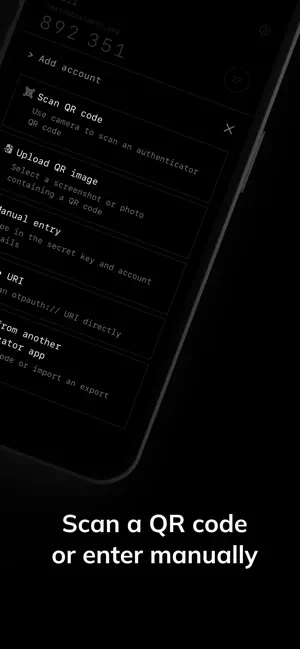
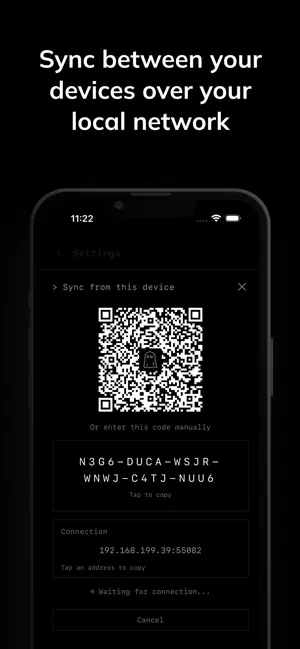
Ghost Auth keeps your one-time passwords on your device — encrypted with AES-256, stored in your OS keychain, never uploaded. No servers to trust. No sign-up. Just your codes. Security: - AES-256 encrypted local storage - PIN lock with recovery codes - Biometric unlock - Backup & restore with password protection - Encrypted synchronization with iCloud Features: - TOTP codes for any service (Google, GitHub, Discord, etc.) - QR code scanning and manual entry - Import from Google Authenticator and other apps - Device-to-device sync - Browser extension for Chrome and Firefox - 77 languages Privacy: - No account, no cloud, no tracking - Completely offline - Open-source
What’s new
Version 1.5.0 · Updated April 4, 2026
Fixed an issue regarding text scaling Added wider support for importing export files from other apps
App privacy
The developer, Kestrel AS, reported these privacy practices to Apple.
Data Not Collected
The developer does not collect any data from this app.
Alternatives to Ghost Auth
Looking for apps like Ghost Auth? Here are 6 similar apps on the App Store. The highest rated is Copy as... (5.0/5), and 5 of the 6 are free to download.


| App | Rating | Price | Last updated | Compare |
|---|---|---|---|---|
| Ghost Auth | 5.0 / 5 (1 rating) | Free | April 4, 2026 | |
| Authara | – | Free | Mar 28, 2026 | Compare |
| Copy as... | 5.0 / 5 (1) | Free | Aug 28, 2026 | Compare |
| FlowMount | 4.0 / 5 (2) | Free | Mar 5, 2026 | Compare |
| Measuro | 5.0 / 5 (2) | Free | Apr 19, 2026 | Compare |
| SafeKey — Password Manager | – | 0.99 USD | Mar 25, 2026 | Compare |
| Talk Into Notes | – | Free | Oct 14, 2026 | Compare |
Compare Ghost Auth with the top alternatives: ratings, updates, ASO score and keyword gaps →