

证照拍 - 证件照制作器
军 沈 Photo & Video iPhoneiPadiPod touch
证照拍 - 证件照制作器 is a free Photo & Video app for iPhone and iPad by 军 沈. Requires iOS 18.6. Updated February 13, 2026.
- Price
- Free
- on the App Store
- Size
- 2 MB
- Age 4+
- Updated
- Feb 13
- 2026 · v1.0
Screenshots

About 证照拍 - 证件照制作器
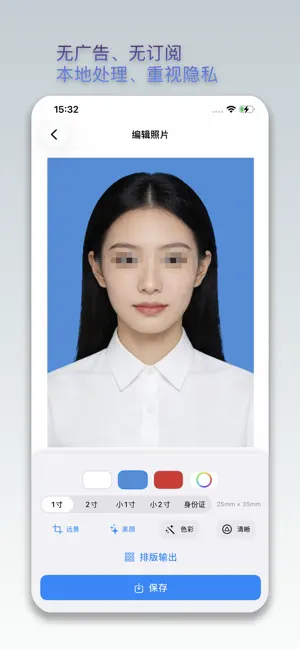
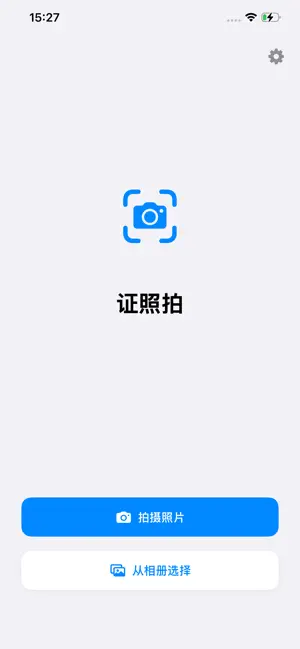
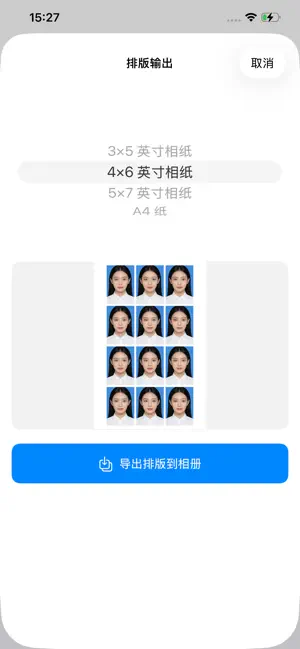
IDShot is a focused ID photo maker that cares about privacy, clarity and simplicity. Take or import a photo, and the app will remove the background, refine the composition and enhance the image directly on your device, helping you quickly generate ID photos for everyday needs. #### Main Features - Capture or import: Take a new photo or pick a clear portrait from your library - Automatic background removal: Detects the subject locally and removes the background while keeping natural edges - Background colors: Choose from white, blue, red or a custom color to match different requirements - Standard sizes: Includes common formats such as 1‑inch, 2‑inch, small 1‑inch, small 2‑inch and ID‑card sizes - Quality enhancements: Optional beauty, color tuning and sharpening to make your photo cleaner and more defined - Save to Photos: Export the finished ID photo to your photo library for online submission or printing #### Pro Features (One‑Time Unlock) The basic toolkit is free forever and already covers many daily use cases. If you often prepare photos for resumes, forms, applications or family members, you can unlock Pro once to get: - Full set of common ID sizes: 1‑inch, 2‑inch, small 1‑inch, small 2‑inch, ID card and more - Smart layout to paper: Choose popular paper sizes such as 3×5, 4×6, 5×7 or A4 and let the app arrange multiple copies on a single sheet - Layout preview before export: Review the full‑sheet layout first, then confirm to export the composed image to Photos - Pro badge: A small “Pro Member” badge on the home and settings screens indicates that advanced tools are available on this device Pro is a one‑time purchase with no subscription and no auto‑renewal. #### Privacy & Security - Local processing: Background removal, composition and enhancements run on your device; photos are not uploaded to external servers - No account required: Use the app directly without registration or linking personal identity information - No ads: A clean interface with no third‑party advertising or disruptive pop‑ups - Minimal data access: The app only writes images to your photo library when you explicitly save them - Network access usage: Network access is used only to communicate with Apple services where necessary, for example to validate purchases or open the App Store rating page. It is not used to upload or track your personal photos #### Tips - For best results, shoot in a well‑lit environment with a simple, plain background - Always double‑check the official requirements (size, background color, cropping rules) of your target document, such as passports, ID cards, exams or visa centers, before final submission - If you prepare ID photos frequently, the Pro upgrade can save time by providing more preset sizes and ready‑to‑print layouts
App privacy
The developer, 军 沈, reported these privacy practices to Apple.
Data Not Collected
The developer does not collect any data from this app.
Alternatives to 证照拍 - 证件照制作器
Looking for apps like 证照拍 - 证件照制作器? Here are 6 similar apps on the App Store.
-
 Cute ID Photo
-
 ID Photo Maker: Passport Pics
-
 FreeID Photo
-
 Passport Photo:ID Print App AI
-
 证件照助手-智能证照
-
 证件照相机 - 专业证件照制作工具
| App | Rating | Price | Last updated | Compare |
|---|---|---|---|---|
| 证照拍 - 证件照制作器 | – | Free | February 13, 2026 | |
| Cute ID Photo | – | Free | Jun 6, 2026 | Compare |
| ID Photo Maker: Passport Pics | – | Free | Oct 9, 2026 | Compare |
| FreeID Photo | – | Free | Aug 26, 2026 | Compare |
| Passport Photo:ID Print App AI | – | Free | Oct 15, 2026 | Compare |
| 证件照助手-智能证照 | – | Free | Aug 10, 2026 | Compare |
| 证件照相机 - 专业证件照制作工具 | – | Free | Aug 31, 2026 | Compare |
Compare 证照拍 - 证件照制作器 with the top alternatives: ratings, updates, ASO score and keyword gaps →