

Gym Workout Tracker: Arclift
Yassine Zeriouh Health & Fitness iPhoneiPadiPod touch
Gym Workout Tracker: Arclift is a free Health & Fitness app for iPhone and iPad by Yassine Zeriouh. Rated 5.0/5 from 1 ratings. Requires iOS 17.0.
- Rating
- 5.0
- 1 ratings
- Price
- Free
- on the App Store
- Size
- 52 MB
- Age 4+
- Updated
- Oct 24
- 2026 · v1.3.0
Screenshots
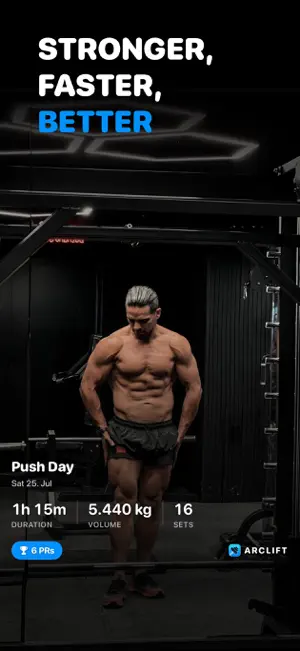
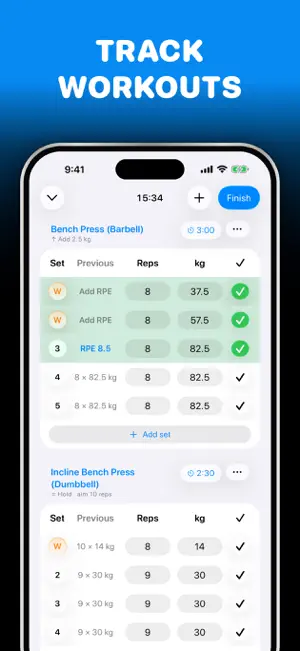

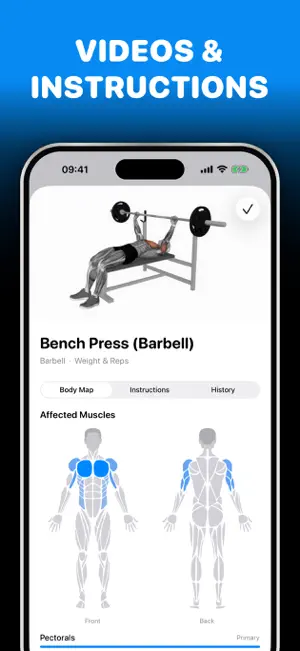
About Gym Workout Tracker: Arclift
Plan workouts, log every set, and know what to do next. Arclift is a focused strength companion for building routines, tracking progress, and understanding training load over time. FREE, WITH NO LIMITS • Create reusable workout templates or start an empty session. • Add built-in and custom exercises with images and muscle targets. • Reorder exercises and sets to match how you train. • Track weight, reps, time, distance, rest times, and RPE. • See previous performance while you train. • Keep the current workout visible with Live Activities. • Review your full history of completed sessions. • Sync between your devices with iCloud. ARCLIFT PRO Pro turns the log into analysis and coaching: • Full training statistics: volume, consistency, muscle split, and personal records over any range. • Per-exercise progress: all-time charts and ten metrics per lift, from estimated 1RM to best set volume. • Recovery and load body map: live recovery decay and rolling 7-day load for every muscle, plus what you have been neglecting. • Progression coach: next-session targets, plateau detection, and deloads, with an explanation for every call. • Readiness-aware targets: sleep, HRV, and resting heart rate ease the load after a bad night instead of breaking your streak. Terms of Service: https://arclift.app/terms
What’s new
Version 1.3.0 · Updated October 24, 2026
■ New: - iPhone Duo support - iPhone Duo: on the inner display, History and Templates keep the list beside the workout or template you have open, and folding or unfolding keeps your place - iPhone Duo: Statistics spreads across the inner display, with your headline stats four across and the charts side by side - Weights and reps from a template or a repeated workout now show as placeholders and are filled in when you tap Next or complete the set ■ Improvements & Fixes - Replacing an exercise now clears the old numbers from sets you haven't completed - The rest countdown in the Dynamic Island no longer gets cut off when music or another Live Activity is showing - Dropping an exercise while reordering no longer opens the exercise under your finger - Workout titles and notes in History no longer have letters clipped at the card's corners - Purchase and onboarding buttons no longer change size while loading - The Add RPE button now matches the height of the fields next to it - Cleaner rest ring on the keypad, without the glow
App privacy
The developer, Yassine Zeriouh, reported these privacy practices to Apple.
Data Used to Track You
The following data may be used to track you across apps and websites owned by other companies:
- Purchases: Purchase History
- Identifiers: Device ID
- Usage Data: Advertising Data
Data Linked to You
The following data, which may be collected and linked to your identity, may be used for the following purposes:
- Purchases: Purchase History
- Identifiers: Device ID
- Usage Data: Advertising Data, Product Interaction
Used for: Third-Party Advertising, Analytics, App Functionality
Data Not Linked to You
The following data, which may be collected but is not linked to your identity, may be used for the following purposes:
- Identifiers: User ID
- Diagnostics: Crash Data, Performance Data
Used for: Analytics, App Functionality