

Image to Text – OCR Scan
Isinsu Arici Tan Productivity iPhoneiPadiPod touch
Image to Text – OCR Scan is a free Productivity app for iPhone and iPad by Isinsu Arici Tan. Rated 5.0/5 from 2 ratings. Requires iOS 16.0.
- Rating
- 5.0
- 2 ratings
- Price
- Free
- on the App Store
- Size
- 19 MB
- Age 4+
- Updated
- Aug 25
- 2026 · v1.1
Screenshots



About Image to Text – OCR Scan
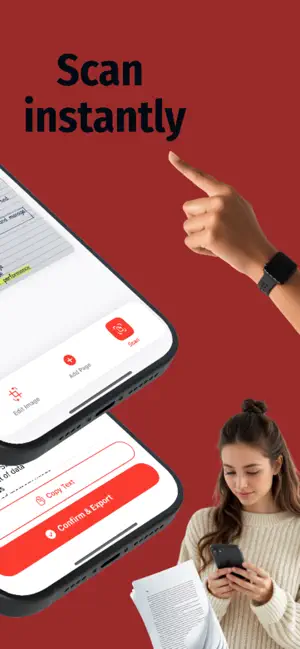
Image to Text - OCR Scan is a fast and reliable app that turns your photos into editable text in seconds. Scan handwritten notes, printed documents, receipts, or book pages and instantly extract text with high accuracy. No typing. No complicated tools. Just scan and go. WHY YOU'LL LOVE IT • Convert images into editable text instantly • Recognize handwritten and printed content • Copy and share text in seconds • Create PDF, DOCX, or TXT files • Filter and crop before processing • Organize files in clean folders • Fully offline processing - no uploads Everything happens directly on your device, so your documents stay private and secure. HOW IT WORKS Scan or upload an image Adjust, crop, or apply filters Extract text instantly Edit, copy, or export as PDF, DOCX, or TXT Organize your files in folders Simple. Fast. Efficient. FREE VERSION • 3 total document creations • Ads supported PREMIUM Unlock unlimited access: • Unlimited scans and exports • Unlimited PDF, DOCX, and TXT creation • No ads • Weekly subscription • Yearly subscription with 3-day free trial Subscriptions automatically renew unless canceled through your App Store account settings. YOUR PRIVACY MATTERS All OCR processing is performed fully on-device. Your images and documents are never uploaded or stored on external servers. Turn your photos into text in seconds and keep everything organized in one clean library. Download now and simplify your workflow. Privacy policy: https://sites.google.com/view/imagetotextapp-pp Terms of service: https://sites.google.com/view/imagetotextapp-tos
What’s new
Version 1.1 · Updated August 25, 2026
This update helps Image to Text feel at home wherever you are: • The app now speaks French, Spanish, German, Japanese, Hindi, Chinese and Arabic • Full right-to-left layout support for Arabic • Refinements and stability improvements throughout Thanks for scanning with us — we'd love to hear your feedback!
App privacy
The developer, Isinsu Arici Tan, reported these privacy practices to Apple.
Data Used to Track You
The following data may be used to track you across apps and websites owned by other companies:
- Usage Data: Advertising Data
Data Not Linked to You
The following data, which may be collected but is not linked to your identity, may be used for the following purposes:
- Usage Data: Advertising Data
Used for: Third-Party Advertising