

LumiCut - AI Video Editor
Naidubabu Vanam Photo & Video iPhoneiPadiPod touchMac
LumiCut - AI Video Editor is a free Photo & Video app for iPhone and iPad by Naidubabu Vanam. Requires iOS 17.0. Updated March 22, 2026.
- Price
- Free
- on the App Store
- Size
- 160 MB
- Age 9+
- Updated
- Mar 22
- 2026 · v2.2
Screenshots


About LumiCut - AI Video Editor
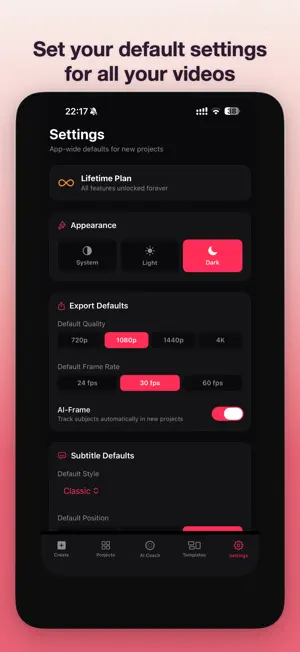
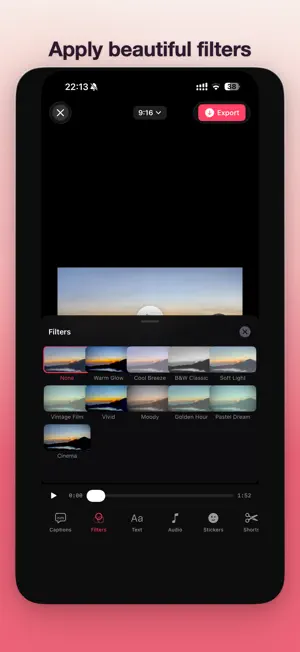
LumiCut: Turn Long Videos Into Scroll-Stopping Shorts Turn podcasts, interviews, streams, and webinars into polished TikToks, Instagram Reels, and YouTube Shorts automatically and 100% on your device. No uploads. No cloud. No waiting. LumiCut uses on-device AI to add styled captions, auto-frame your subject, find your best clips, score your video quality, and export to every platform in a single batch. WHAT MAKES LUMICUT DIFFERENT Every AI feature runs entirely on your iPhone, iPad, or Mac. Your videos never leave your device. No cloud processing, no data collection, no tracking. Period. AI CAPTIONS & SUBTITLES On-device transcription with 7 caption styles and word-by-word karaoke highlighting. Captions that look professional without the subscription price of competing apps. SMART REFRAME AI-powered subject tracking converts landscape video to portrait format. Your subject stays perfectly framed in every shot, no manual adjustment needed. 100+ TEMPLATES Browse templates across travel, food, fitness, music, nature, lifestyle, and more. Drop your clips in, Smart Trim picks the best moments, and you export a polished short in seconds. AI COACH Get a viral readiness score with platform-specific feedback for TikTok, Reels, and Shorts. Know exactly how to improve your video before you post it. BATCH PROCESSING Process multiple videos at once. Set your captions, layout, and export settings, then let LumiCut handle the rest while you focus on creating. PRIVACY FIRST Built on Apple frameworks. No analytics SDKs. No third-party trackers. No account required. Your content stays yours. Perfect for podcasters, course creators, coaches, travel creators, and anyone who wants professional short-form video without the complexity. Download LumiCut and make your first short in under a minute. Terms of service: https://lumicut.ai/terms Privacy policy: https://lumicut.ai/privacy
What’s new
Version 2.2 · Updated March 22, 2026
What's New in LumiCut 2.2 Templates - 63 templates with layout compositions: split screen, picture-in-picture, grid, collage and more - Faster flow: tap template, pick clips, export - Auto-fill applies smart trim and filters when clips are added Editor - 8 new transitions including Circle Wipe, Film Burn, VHS Glitch, and more - Speed ramp presets in the speed panel - Text overlays fade in and out during export - Simplified 4-tab toolbar 4K for Everyone - 4K export is now free for all users - Free tier: watermark only. Subscribe to remove it Bug Fixes - Improved export reliability - Fixed quality settings not persisting correctly
App privacy
The developer, Naidubabu Vanam, reported these privacy practices to Apple.
Data Not Collected
The developer does not collect any data from this app.
Alternatives to LumiCut - AI Video Editor
Looking for apps like LumiCut - AI Video Editor? Here are 6 similar apps on the App Store. The highest rated is Wavcut: AI Video Editor (5.0/5), and all 6 are free to download.
-
 Hexx AI: Photo & Video Editor
-
 Noel Glow-Holiday Photo Frames
-
 Wavcut: AI Video Editor
5.0
Wavcut: AI Video Editor
5.0
-
 Video Captions: CreatorCaps
5.0
Video Captions: CreatorCaps
5.0
-
 Cutwave: Photo Video Maker
3.0
Cutwave: Photo Video Maker
3.0
-
 Video Date Stamper
4.6
Video Date Stamper
4.6
| App | Rating | Price | Last updated | Compare |
|---|---|---|---|---|
| LumiCut - AI Video Editor | – | Free | March 22, 2026 | |
| Hexx AI: Photo & Video Editor | – | Free | Jun 14, 2026 | Compare |
| Noel Glow-Holiday Photo Frames | – | Free | Oct 22, 2026 | Compare |
| Wavcut: AI Video Editor | 5.0 / 5 (2) | Free | Oct 23, 2026 | Compare |
| Video Captions: CreatorCaps | 5.0 / 5 (4) | Free | Sep 15, 2026 | Compare |
| Cutwave: Photo Video Maker | 3.0 / 5 (1) | Free | Oct 13, 2026 | Compare |
| Video Date Stamper | 4.6 / 5 (15) | Free | Sep 25, 2026 | Compare |