

Spone AI: Ask & Create
Turgay TULOGLU Productivity iPhoneiPadiPod touch
Spone AI: Ask & Create is a free Productivity app for iPhone and iPad by Turgay TULOGLU. Requires iOS 26.0. Updated October 2, 2026.
- Price
- Free
- on the App Store
- Size
- 87 MB
- Age 17+
- Updated
- Oct 2
- 2026 · v1.1.9
Screenshots



About Spone AI: Ask & Create
Spone AI is a fast, chat-first AI workspace built to reduce the distance between a question and a useful result. Instead of switching between many disconnected tools, you run Web Search, Research, and Analysis in one clean flow designed for speed, clarity, and output quality. Spone AI is made for people who need practical outcomes, not extra complexity. Whether you are working on a report, preparing study notes, building campaign text, comparing options, or drafting structured ideas, the app helps you move forward quickly with clear next steps. Core modes that define the experience: - Web Search: find up-to-date information quickly, evaluate sources, and turn scattered results into concise summaries. - Research: investigate topics deeply, compare perspectives, and build structured understanding with context. - Analysis: break down complex questions, highlight important signals, and produce decision-ready outputs. Quick actions inside chat: - Podcast: convert your ideas into spoken-content flows faster. - Visual: create Visual concepts and poster-style outputs for communication. - Quiz: generate topic-based question sets for learning, review, and retention. What makes Spone AI different: - Chat-first execution: start with a simple prompt and reach a usable result quickly. - Smart speed: responsive workflows for both short tasks and longer multi-step requests. - Focused output quality: better structure, clearer language, and stronger final delivery. - Unified workspace: search, Research, and Analysis happen together instead of across separate apps. Who uses Spone AI: - Professionals: for quick briefings, structured drafts, market scans, and decision support. - Students: for topic breakdowns, study planning, summary building, and practice quizzes. - Creators: for content ideation, message refinement, and campaign-ready text. - Personal productivity users: for faster planning, clearer thinking, and better follow-through. Why teams and individuals choose Spone AI: - It minimizes repetitive work and context switching. - It helps you maintain momentum from idea to deliverable. - It keeps the interface simple while still supporting deeper tasks. - It is optimized for practical, daily execution with measurable time savings. In short, Spone AI turns modern AI into a dependable daily workspace: search faster, Research deeper, analyze clearly, and produce stronger outcomes with less effort. Spone AI combines speed, clarity, and practical execution in one chat-first workspace so you can decide faster and deliver stronger outcomes daily. Terms of Use (EULA): https://www.apple.com/legal/internet-services/itunes/dev/stdeula/
What’s new
Version 1.1.9 · Updated October 2, 2026
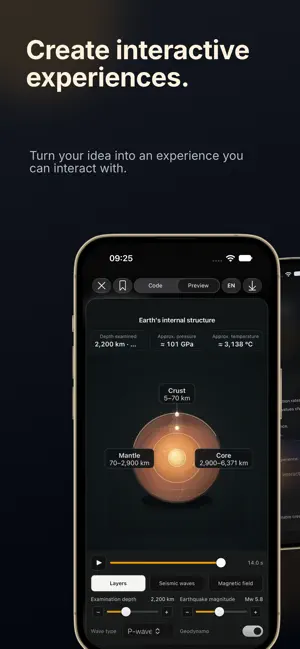
• Improved interactive simulations: sliders and controls stay connected to the scene. • More reliable chat history saving. • Clearer charts and visual previews, with more consistent downloads. • Refined iPhone and iPad interfaces and more varied prompt examples.
App privacy
The developer, Turgay TULOGLU, reported these privacy practices to Apple.
Data Not Collected
The developer does not collect any data from this app.
Alternatives to Spone AI: Ask & Create
Looking for apps like Spone AI: Ask & Create? Here are 6 similar apps on the App Store. The highest rated is Expert AI: Ask & Chat Assist (5.0/5), and all 6 are free to download.
-
 Vispark - Summarize Video
-
 Pocket Orbit: AI Note Taker
-
 Expert AI: Ask & Chat Assist
5.0
Expert AI: Ask & Chat Assist
5.0
-
 MojiOkoshi: Voice to Text & AI
-
 ChatKeyPT
5.0
ChatKeyPT
5.0
-
 xBubble - General AI Agent
| App | Rating | Price | Last updated | Compare |
|---|---|---|---|---|
| Spone AI: Ask & Create | – | Free | October 2, 2026 | |
| Vispark - Summarize Video | – | Free | Jun 21, 2026 | Compare |
| Pocket Orbit: AI Note Taker | – | Free | Sep 13, 2026 | Compare |
| Expert AI: Ask & Chat Assist | 5.0 / 5 (1) | Free | Aug 15, 2025 | Compare |
| MojiOkoshi: Voice to Text & AI | – | Free | Jul 15, 2026 | Compare |
| ChatKeyPT | 5.0 / 5 (2) | Free | Sep 1, 2024 | Compare |
| xBubble - General AI Agent | – | Free | Sep 3, 2026 | Compare |