

Videoslim: Video Compressor
畅 刘 Photo & Video iPhoneiPadiPod touch
Videoslim: Video Compressor is a free Photo & Video app for iPhone and iPad by 畅 刘. Requires iOS 16. Updated October 1, 2026.
- Price
- Free
- on the App Store
- Size
- 7 MB
- Age 4+
- Updated
- Oct 1
- 2026 · v1.1.2
Screenshots

About Videoslim: Video Compressor
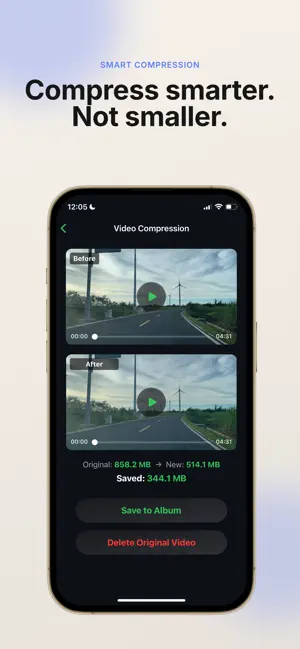
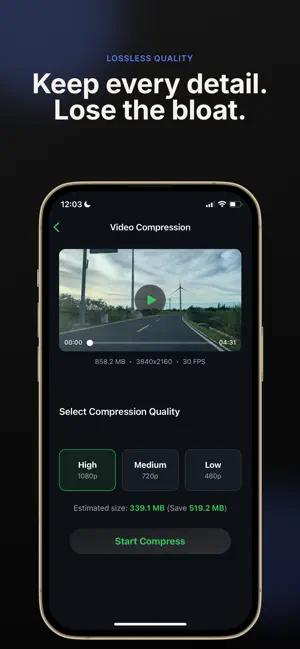
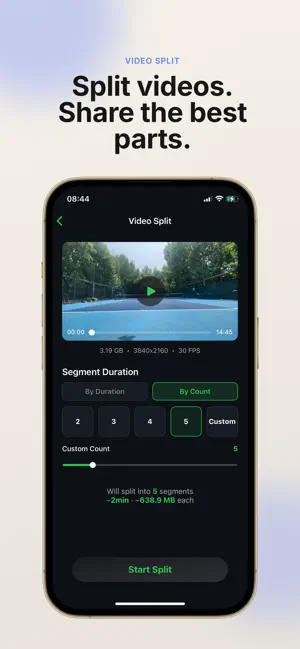
Need a smaller video for email, WhatsApp, iMessage, Instagram, or iCloud? Videoslim compresses, resizes, splits, and merges videos directly on your iPhone. COMPRESS & RESIZE Reduce video file size by up to 90% while keeping clear quality. Choose a preset or set a custom target size in MB when your video must fit an email, message, or upload limit. SPLIT LONG VIDEOS Cut a long recording by duration or divide it into equal parts. Preview every segment's length and estimated size before export. MERGE CLIPS FASTER Combine multiple clips into one seamless video. Drag to reorder them, check the total duration and size, then export in one tap. Compatible videos now merge with much less waiting. WHY CHOOSE VIDEOSLIM • Custom target file size for strict sharing limits • Smart compression with a clear size and quality balance • MP4, MOV, HEVC, H.264, 4K, and HD support • Fast on-device processing with no uploads or account • Private by design — your footage stays on your device • No watermarks and no ads on the editing screen • Easy sharing through Mail, Messages, WhatsApp, Instagram, and AirDrop FREE UP STORAGE WITHOUT DELETING MEMORIES 520MB → 68MB | 1.2GB → 180MB | 2.4GB → 350MB Smaller files are easier to send, quicker to upload, and lighter to back up to iCloud. Download Videoslim for a fast, private video compressor, resizer, splitter, and merger in one simple app. Terms of Use: https://www.apple.com/legal/internet-services/itunes/dev/stdeula/
What’s new
Version 1.1.2 · Updated October 1, 2026
Performance & Stability Improvements - Faster video processing and exporting. - Smoother experience when compressing, splitting, and merging videos. - Bug fixes and overall reliability improvements.
App privacy
The developer, 畅 刘, reported these privacy practices to Apple.
Data Not Linked to You
The following data, which may be collected but is not linked to your identity, may be used for the following purposes:
- Identifiers: Device ID
- Usage Data: Advertising Data
- Diagnostics: Crash Data
Used for: Third-Party Advertising, Developer’s Advertising or Marketing, Analytics