

Vault: App Blocker - QR Unlock
Yarra Park Pty Ltd Productivity iPhoneiPadiPod touch
Vault: App Blocker - QR Unlock is a free Productivity app for iPhone and iPad by Yarra Park Pty Ltd. Requires iOS 17.0. Updated September 1, 2026.
- Price
- Free
- on the App Store
- Size
- 13 MB
- Age 9+
- Updated
- Sep 1
- 2026 · v2.1
Screenshots
About Vault: App Blocker - QR Unlock
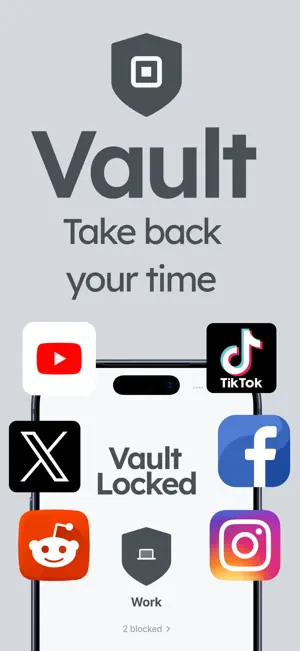
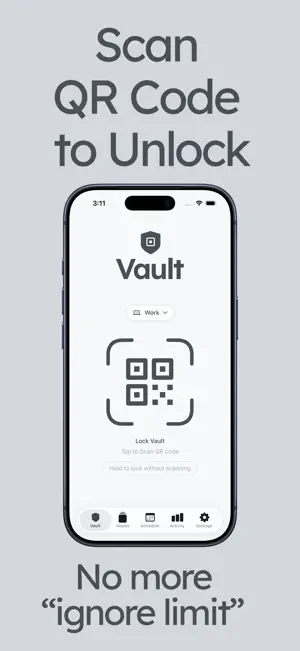
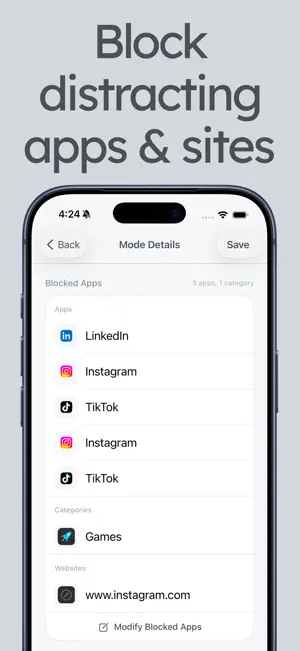
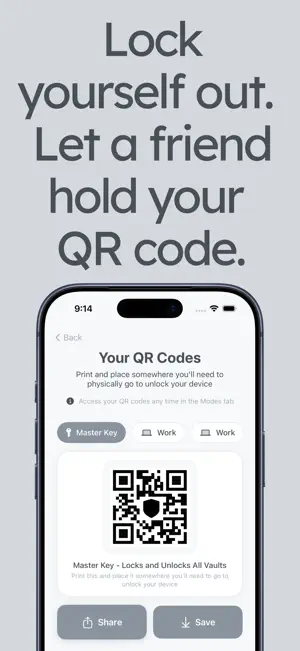
Take back your time, rewire your brain and regain control of your screen time. Vault is a screen time app blocker that puts a real, physical barrier between you and your most distracting apps. No breathing exercises. No motivational quotes. No "are you sure?" prompts you tap through in half a second. Vault blocks the apps and websites that waste your time and only unlocks them when you physically scan a printed QR code. That friction is what rewires compulsive behavior. Built for people who have tried every screen time tool and failed. No accounts, sign-ups, or guilt-based nudges. SHARE YOUR UNLOCK CODE WITH SOMEONE TO STAY ACCOUNTABLE Share your QR code to a friend or family member. You'll need them to provide it for you to be able to unlock your vault. BLOCK DISTRACTING APPS & WEBSITES Choose exactly which apps and websites to block. Social media, news, games, dating apps - anything that you conpulsively open without even thinking about. Lock them behind behind your QR code. No more tapping "Ignore Limit." • Block any app or website instantly • Choose what to block per focus mode • Designed for doomscrolling and time-wasting apps • Actually works. Not just another reminder you'll ignore QR CODE UNLOCK SYSTEM This is what makes Vault different. To unlock your blocked apps, you physically scan a printed QR code. Print it, stick it on your fridge, leave it at your desk, or put it across the room. You can't just tap your way past it. • Print your QR code and place it anywhere • Each code is unique to your device • Share or save codes for easy printing • Physical scanning interrupts autopilot behavior Other apps ask you to take a deep breath or wait 10 seconds. Vault makes you get up and walk to your code. CUSTOM VAULT MODES Create up to 10 custom modes for different parts of your life. A work mode that blocks social media. A sleep mode that locks everything after 10pm. Each mode has its own blocked apps, settings, and unique QR code. • Up to 10 custom Vault Modes • Unique QR code per mode for targeted unlocking • Master QR code that locks and unlocks all vaults • Separate blocked apps and websites per mode Put your work code at your desk. Study code in another room.. Sleep code outside your bedroom. STRICT MODE & EMERGENCY UNLOCKS Turn on Strict Mode for real discipline. No bypasses, no workarounds. You must scan your QR code. Period. For less rigid sessions, Emergency Unlocks give you limited overrides so you're never stuck in a genuine emergency. • Strict Mode removes all bypass options • Emergency Unlocks when Strict Mode is off • Limited unlocks to prevent overuse • Full control over how strict you want to be AUTOMATED SCHEDULES Schedule Vault sessions to activate automatically so your apps are blocked when they need to be. • Schedule recurring focus sessions • Automate blocking for work, sleep, or study • Combine with any Vault Mode FOCUS SESSION ANALYTICS & INSIGHTS See how your habits are changing. Vault shows you session duration, your most focused days, and how your screen time is shifting. • Focus session duration tracking • Daily and weekly trends • See your most focused days CLEAN, PRIVATE, AND NO SPAM • No sign-ups, no email, no passwords. Open the app and start blocking. • Your data stays on your device. No ads, no tracking, no spammy emails trying to sell you more product. • No breathing exercises, no pop-ups. Just a lock and a key. WHY CHOOSE VAULT? • Physical QR code unlock rather than another tap-to-dismiss screen • Block distracting apps and websites • Up to 10 custom modes with unique QR codes • Strict Mode for maximum discipline • Automated schedules and focus stats • No accounts, no ads, no tracking • Reduces screen time by up to 80% Terms of Use: https://www.apple.com/legal/internet-services/itunes/dev/stdeula/ Privacy Policy: https://yarraparkgroup.com.au/apps/vault
What’s new
Version 2.1 · Updated September 1, 2026
New in Vault App Blocker: Set your focus mode to automatically re-lock after a set time period when unlocking.
App privacy
The developer, Yarra Park Pty Ltd, reported these privacy practices to Apple.
Data Not Collected
The developer does not collect any data from this app.
Alternatives to Vault: App Blocker - QR Unlock
Looking for apps like Vault: App Blocker - QR Unlock? Here are 6 similar apps on the App Store. The highest rated is SnapLock: App Blocker (5.0/5), and all 6 are free to download.
-
 SnapLock: App Blocker
5.0
SnapLock: App Blocker
5.0
-
 FocusLock: QR App Blocker
-
 Recode: Screen Time Control
3.8
Recode: Screen Time Control
3.8
-
 Vault - Unlock Your Focus
5.0
Vault - Unlock Your Focus
5.0
-
 Normal: Screen Time Control
4.9
Normal: Screen Time Control
4.9
-
 Still Block Apps / Sites
| App | Rating | Price | Last updated | Compare |
|---|---|---|---|---|
| Vault: App Blocker - QR Unlock | – | Free | September 1, 2026 | |
| SnapLock: App Blocker | 5.0 / 5 (2) | Free | Oct 7, 2026 | Compare |
| FocusLock: QR App Blocker | – | Free | May 7, 2026 | Compare |
| Recode: Screen Time Control | 3.8 / 5 (6) | Free | Jul 24, 2026 | Compare |
| Vault - Unlock Your Focus | 5.0 / 5 (2) | Free | Mar 16, 2026 | Compare |
| Normal: Screen Time Control | 4.9 / 5 (40) | Free | Oct 7, 2026 | Compare |
| Still Block Apps / Sites | – | Free | Sep 13, 2026 | Compare |