

I Read PDF - Scanner & Editor
Cozy Suites Realty LLC Productivity iPhoneiPadiPod touch
I Read PDF - Scanner & Editor is a free Productivity app for iPhone and iPad by Cozy Suites Realty LLC. Requires iOS 17.0. Updated July 9, 2026.
- Price
- Free
- on the App Store
- Size
- 4 MB
- Age 4+
- Updated
- Jul 9
- 2026 · v1.0
Screenshots
About I Read PDF - Scanner & Editor
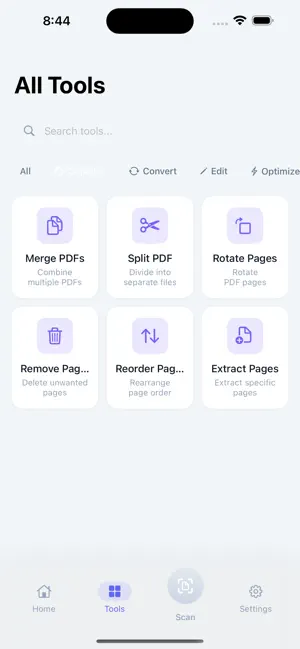
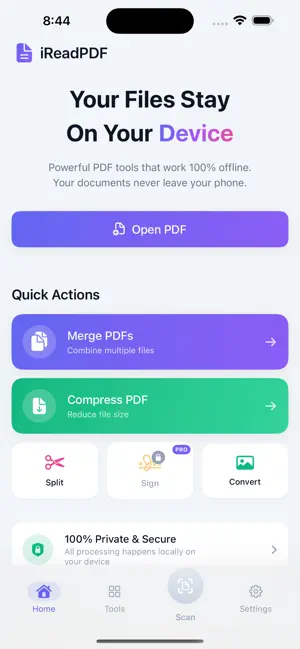
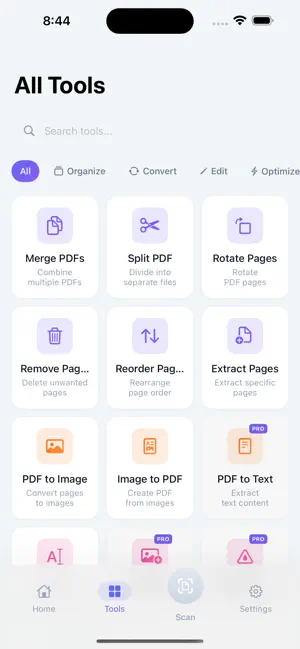
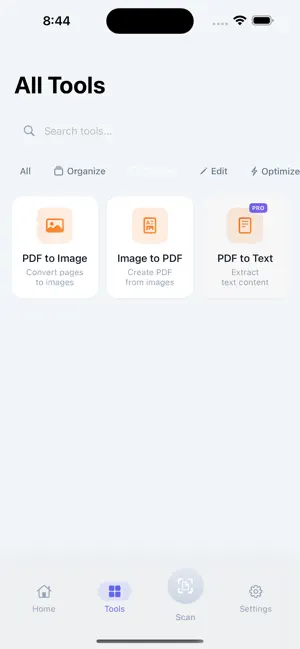
Scan, edit, and transform PDFs entirely on your device. No uploads. No accounts. No compromises. iReadPDF is a beautifully designed PDF toolkit that puts your privacy first. Every feature works 100% offline – your documents never leave your device, ever. Join thousands of users who trust iReadPDF for their most sensitive documents. Whether you need to scan receipts, merge contracts, compress large files, extract text, or add watermarks – iReadPDF makes it simple, fast, and completely private. Take control of your documents today. DOCUMENT SCANNING • Scan any document using your camera with automatic edge detection • Smart perspective correction for perfectly aligned scans • Convert paper documents to searchable PDFs instantly • Capture receipts, contracts, notes, whiteboards and more • Multi-page scanning for longer documents PDF MERGING • Combine multiple PDFs into a single document • Merge contracts, reports, or any PDF files effortlessly • Preserve original quality and formatting • Rearrange pages before merging • Perfect for consolidating documents PDF SPLITTING • Split large PDFs into separate files • Extract specific page ranges • Create individual files from multi-page documents • Organize your documents exactly how you need them PDF COMPRESSION • Reduce file sizes by up to 80% • Choose from multiple compression levels • Maintain readable quality while saving space • Perfect for email attachments and storage • See file size reduction in real-time IMAGE CONVERSION • Convert images to PDF with one tap • Support for JPG, PNG, HEIC and more • Convert PDF pages back to images • Batch conversion for multiple files • Maintain image quality throughout TEXT EXTRACTION (OCR) • Extract text from scanned documents • Powered by on-device machine learning • Copy text to use anywhere • Works with photos and PDF scans • No internet connection required WATERMARKING • Add text watermarks to protect your documents • Insert image watermarks for branding • Customize position, size, and opacity • Apply to single or multiple pages • Professional document protection PRIVACY FIRST • 100% on-device processing – nothing is ever uploaded • Works completely offline – no internet required • No accounts, no sign-ups, no tracking • No analytics, no data collection, no ads • Your files stay on YOUR device, always • Perfect for confidential documents DESIGNED FOR YOU • Clean, intuitive interface that stays out of your way • Fast processing with real-time progress indicators • Dark mode support for comfortable viewing • Save directly to Files or share anywhere • Universal app for iPhone and iPad • Supports all standard PDF formats WHO IS IREADPDF FOR? • Students managing coursework and lecture notes • Professionals handling contracts and reports • Small business owners digitizing receipts • Anyone who values document privacy • Users tired of apps that upload their files iReadPDF is free to use with all features included. No subscriptions, no hidden fees, no premium tiers – just a powerful PDF toolkit that respects your privacy. We built iReadPDF because we believe your documents are your business. In a world where most apps want to upload your files to "the cloud," we chose a different path. Every feature runs entirely on your device using Apple's powerful on-device frameworks. Your documents never touch our servers because we don't have any. Download iReadPDF today and experience PDF tools the way they should be – private, powerful, and completely under your control. Terms of Use: https://www.ireadpdf.com/help/terms Privacy Policy: https://www.ireadpdf.com/help/privacy
App privacy
The developer, Cozy Suites Realty LLC, reported these privacy practices to Apple.
Data Not Collected
The developer does not collect any data from this app.
Alternatives to I Read PDF - Scanner & Editor
Looking for apps like I Read PDF - Scanner & Editor? Here are 6 similar apps on the App Store. The highest rated is Cost Estimator▸Estimate Maker (4.8/5), and all 6 are free to download.
-
 MyTreesApp
-
 Summarize This
4.5
Summarize This
4.5
-
 Daily Routines & Planner App
4.2
Daily Routines & Planner App
4.2
-
 AI Keyboard & Grammar Checker
3.6
AI Keyboard & Grammar Checker
3.6
-
 OCR Image AI - Photo to Text
4.5
OCR Image AI - Photo to Text
4.5
-
 Cost Estimator▸Estimate Maker
4.8
Cost Estimator▸Estimate Maker
4.8
| App | Rating | Price | Last updated | Compare |
|---|---|---|---|---|
| I Read PDF - Scanner & Editor | – | Free | July 9, 2026 | |
| MyTreesApp | – | Free | May 8, 2026 | Compare |
| Summarize This | 4.5 / 5 (4) | Free | Feb 5, 2024 | Compare |
| Daily Routines & Planner App | 4.2 / 5 (34) | Free | Aug 28, 2024 | Compare |
| AI Keyboard & Grammar Checker | 3.6 / 5 (220) | Free | Jan 3, 2025 | Compare |
| OCR Image AI - Photo to Text | 4.5 / 5 (62) | Free | Aug 31, 2025 | Compare |
| Cost Estimator▸Estimate Maker | 4.8 / 5 (602) | Free | Apr 23, 2026 | Compare |