

xLens: Scan Document Offline
Dirga Utomo Utilities iPhoneiPadiPod touch
xLens: Scan Document Offline is a free Utilities app for iPhone and iPad by Dirga Utomo. Requires iOS 15.0. Updated May 5, 2026.
- Price
- Free
- on the App Store
- Size
- 76 MB
- Age 4+
- Updated
- May 5
- 2026 · v1.0.8
Screenshots


About xLens: Scan Document Offline
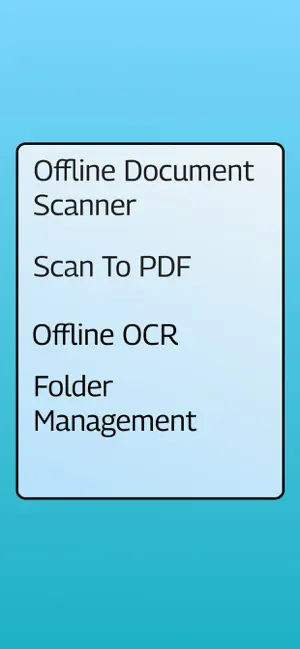
Turn your iPhone into a powerful portable scanner that works completely OFFLINE. DocScan Pro is the fastest way to digitize receipts, invoices, notes, business cards, and any paperwork into high-quality PDFs. CORE FEATURES • Multi-Page Scanning — Scan several pages in one session and save them as a single PDF. • Smart OCR (Text Recognition) — Extract editable text from images instantly, on-device. • Searchable PDFs — PDFs created from scans include a hidden text layer so you can search inside them. • PDF Quality Settings — Choose Low, Medium, or High quality to control file size. • Folder Organization — Keep documents tidy with custom folders (Default, Document, Bill, Ideas, Business). • Merge & Manage — Combine multiple PDFs or images into one document. • 100% Offline — All scanning, OCR, and PDF creation happens on your device. No cloud, no data collection. • Share Anywhere — Send PDFs and images via email, messages, or any app. PRIVACY FIRST Your documents never leave your device. We do not collect any personal data. LOCALIZED Available in English, Spanish, Portuguese, German, French, and Japanese. SUBSCRIPTION • Free trial with full access. • Lifetime Scan Pass available via in-app purchase. Download DocScan Pro now and go paperless today.
What’s new
Version 1.0.8 · Updated May 5, 2026
Version 1.0.8 — Watermark Your Documents • Watermark: Add customizable text watermarks to images and PDFs. Choose text, position, opacity, font size, and color. • Image editor improvement: Watermark appears as a movable layer during editing so you can position it exactly where you want. • PDF watermark: Watermarks are automatically applied to every page when converting images to PDF or merging documents. • Settings update: New Watermark section in Settings to control all watermark options and toggle "Apply to PDF". • Localization update: Watermark features fully translated into Spanish, Portuguese, German, French, and Japanese. Thanks for using xLens Scanner! If you enjoy the app, please leave a review — it helps us a lot.
App privacy
The developer, Dirga Utomo, reported these privacy practices to Apple.
Data Used to Track You
The following data may be used to track you across apps and websites owned by other companies:
- Health & Fitness: Fitness
- Identifiers: Device ID
- Usage Data: Advertising Data
Data Not Linked to You
The following data, which may be collected but is not linked to your identity, may be used for the following purposes:
- Health & Fitness: Fitness
- Identifiers: Device ID
- Usage Data: Advertising Data
Used for: Third-Party Advertising, Analytics
Alternatives to xLens: Scan Document Offline
Looking for apps like xLens: Scan Document Offline? Here are 6 similar apps on the App Store. The highest rated is PDF Size Reducer: PDFBuddy (5.0/5), and 4 of the 6 are free to download.
-
 File Converter - FileSnap
-
 PDF Size Reducer: PDFBuddy
5.0
PDF Size Reducer: PDFBuddy
5.0
-
 LastFeed
-
 Photo Privacy Tool
-
 MeDaBlur
-
 PixMarker: Draw & Highlight
4.0
PixMarker: Draw & Highlight
4.0
| App | Rating | Price | Last updated | Compare |
|---|---|---|---|---|
| xLens: Scan Document Offline | – | Free | May 5, 2026 | |
| File Converter - FileSnap | – | Free | Oct 1, 2026 | Compare |
| PDF Size Reducer: PDFBuddy | 5.0 / 5 (3) | Free | Oct 21, 2026 | Compare |
| LastFeed | – | Free | Mar 28, 2026 | Compare |
| Photo Privacy Tool | – | 0.99 USD | Mar 3, 2026 | Compare |
| MeDaBlur | – | 0.99 USD | Mar 3, 2026 | Compare |
| PixMarker: Draw & Highlight | 4.0 / 5 (3) | Free | May 30, 2026 | Compare |