

Tap for SOS
MONOBLANK TEKNOLOJI ANONIM SIRKETI Utilities iPhoneiPadiPod touch
Tap for SOS is a free Utilities app for iPhone and iPad by MONOBLANK TEKNOLOJI ANONIM SIRKETI. Requires iOS 18.2. Updated March 17, 2026.
- Price
- Free
- on the App Store
- Size
- 80 MB
- Age 4+
- Updated
- Mar 17
- 2026 · v1.0.5
Screenshots

About Tap for SOS
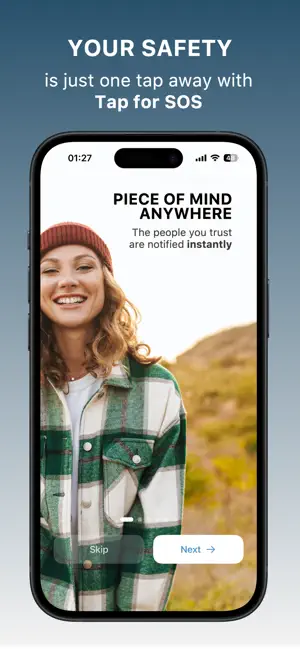
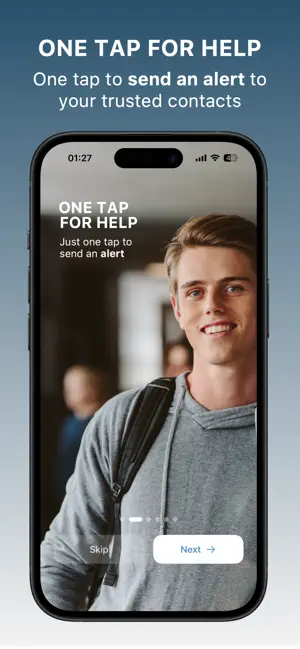
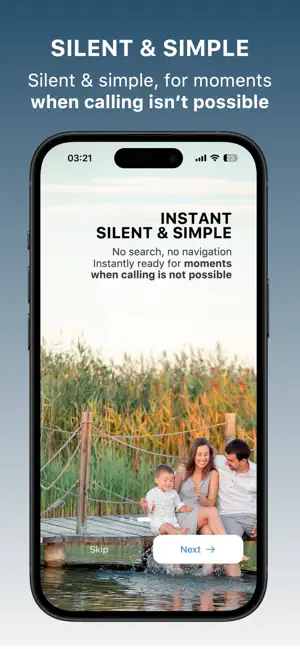
Tap for SOS gives you a fast, discreet, and reliable way to alert your trusted contacts when you feel unsafe. With a single tap on your lock screen, the app sends an emergency alert to up to five trusted contacts along with your location. How it works Set up your trusted contacts inside the app and choose your SOS countdown time. When you tap the SOS button on your lock screen, the countdown starts immediately. When the timer completes, the app sends your emergency alert and your location to your trusted contacts. Discreet and fast by design Tap for SOS is built to be quick and quiet. Start the SOS process directly from your lock screen by tapping the SOS button. There is no searching or navigating, only a simple and fast way to ask for help. Your location, shared instantly In an emergency, your exact location is essential. Tap for SOS sends your current position together with the alert so your trusted contacts know where you are right away. What if I triggered the SOS alert by mistake? If you start the SOS countdown accidentally, just open the app and cancel before the timer ends. If you cancel in time, no alerts are sent. Features Silent and discreet, one-tap SOS activation from the lock screen Sends emergency alerts with your location to up to five trusted contacts Adjustable countdown time so you can choose what feels right Cancel alerts easily from within the app Simple setup with a clean, intuitive design Peace of mind in your pocket Tap for SOS is a personal safety tool for everyday life, whether you are walking home at night, meeting someone new, traveling, or exploring unfamiliar places. It is always ready, always discreet, and always reassuring. Take control of your safety with a single tap. Tap for SOS Subscription You can purchase a Tap for SOS subscription, an auto-renewing subscription that grants access to all premium features of the app. With a Tap for SOS subscription, you can: • Send SOS alerts to up to five trusted contacts (SOS alerts are sent as SMS using your phone's messaging plan. Ensure you have cellular service and SMS capability when sending an alert.) • Customize the SOS countdown duration • Access new features and updates as they are released Payment will be charged to your Apple ID account when you confirm your purchase. The subscription automatically renews for the same price and duration (monthly or annual) unless canceled at least 24 hours before the end of the current period. You can turn off auto-renewal at any time in your account settings. The following Tap for SOS subscriptions are available (prices may vary by region): • 1-month Tap for SOS subscription — US$ 4.99 • 1-year Tap for SOS subscription — US$ 29.99 Terms of Service: monoblank.com/tap-for-sos-terms-of-service/ Privacy Policy: monoblank.com/tap-for-sos-privacy-policy/
What’s new
Version 1.0.5 · Updated March 17, 2026
Minor bug fixes
App privacy
The developer, MONOBLANK TEKNOLOJI ANONIM SIRKETI, reported these privacy practices to Apple.
Data Not Linked to You
The following data, which may be collected but is not linked to your identity, may be used for the following purposes:
- Purchases: Purchase History
Used for: Analytics, App Functionality
Alternatives to Tap for SOS
Looking for apps like Tap for SOS? Here are 6 similar apps on the App Store. The highest rated is Peanut Butter & Jelly (5.0/5), and all 6 are free to download.
-
 SOS Emergency Alert: TapSafety
-
 OneTap Call
-
 Peanut Butter & Jelly
5.0
Peanut Butter & Jelly
5.0
-
 SafeCheck SOS & Safety Timer
-
 InstAlert - Panic Button
5.0
InstAlert - Panic Button
5.0
-
 PTT-Department
| App | Rating | Price | Last updated | Compare |
|---|---|---|---|---|
| Tap for SOS | – | Free | March 17, 2026 | |
| SOS Emergency Alert: TapSafety | – | Free | Apr 23, 2026 | Compare |
| OneTap Call | – | Free | Sep 15, 2026 | Compare |
| Peanut Butter & Jelly | 5.0 / 5 (1) | Free | Mar 12, 2026 | Compare |
| SafeCheck SOS & Safety Timer | – | Free | Apr 23, 2026 | Compare |
| InstAlert - Panic Button | 5.0 / 5 (4) | Free | Jul 4, 2026 | Compare |
| PTT-Department | – | Free | Feb 20, 2025 | Compare |
Compare Tap for SOS with the top alternatives: ratings, updates, ASO score and keyword gaps →