

Secure Private Web Browser
Vinna alej CZ s.r.o. Utilities iPhoneiPadiPod touch
Secure Private Web Browser is a free Utilities app for iPhone and iPad by Vinna alej CZ s.r.o. Rated 5.0/5 from 2 ratings. Requires iOS 17.0.
- Rating
- 5.0
- 2 ratings
- Price
- Free
- on the App Store
- Size
- 14 MB
- Age 17+
- Updated
- Sep 11
- 2026 · v1.0.1
Screenshots


About Secure Private Web Browser
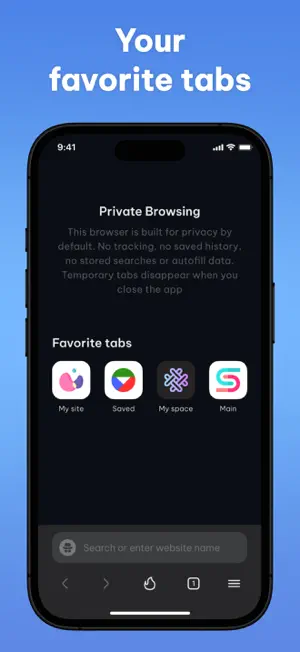
Secure Private Web Browser is a security-focused browser built to give you full control over how and when your browsing data exists. Each launch creates a new temporary browsing session. No history is recorded, nothing is restored later, and all temporary tabs are removed automatically when you close the app or clear the session. You always decide what stays and what disappears. Secure access control Restrict access to the app using Face ID or a PIN of your choice. When protection is enabled, authentication is required at launch and every time the app returns from the background. Until verification is completed, web content remains locked. Temporary vs saved tabs Secure Private Web Browser clearly separates browsing into two distinct tab types: • Temporary tabs are created during regular browsing and exist only within the current app session. They are removed when the app is closed or when quick clear is used. • Favorite tabs are added only by explicit user action and remain available across app launches. This separation makes it easy to understand which tabs are session-based and which are intentionally preserved. Quick clear A single action instantly closes all temporary tabs and removes session data, while saved tabs remain untouched. Background protection When the app is minimized or appears in the app switcher, active content is concealed using a protective blur. If access protection is enabled, authentication is required again when returning to the app. Data handling principles • Browsing activity is not logged • Temporary tabs are never restored • Any data retention requires deliberate user action • PINs and passwords are never stored in readable form FREE AND PAID OPTIONS Some functionality requires a paid subscription. FREE ACCESS The free version includes: – Temporary browsing sessions – Automatic session removal after closing – Face ID and PIN protection – Quick Clear The following features require a paid subscription: PAID SUBSCRIPTION – Save Favorite tabs between sessions – Keep selected websites available for future visits – Access Personal Private Space Secure Private Web Browser provides a controlled, security-oriented browsing experience where access, visibility, and data persistence are always defined by you. Privacy Policy: https://docs.google.com/document/d/1akmeKHCsDIeG7efAoJ__wLkaMMPd00iLQQmf66YbToY/edit?usp=sharing Terms & Conditions: https://docs.google.com/document/d/1bG2933dO9NFnhG6ryAM0oN1zMTSMS9Trn0uyck__7o0/edit?usp=sharing
What’s new
Version 1.0.1 · Updated September 11, 2026
Enhanced Face ID, PIN protection, and background privacy
App privacy
The developer, Vinna alej CZ s.r.o., reported these privacy practices to Apple.
Data Not Collected
The developer does not collect any data from this app.
Alternatives to Secure Private Web Browser
Looking for apps like Secure Private Web Browser? Here are 6 similar apps on the App Store. The highest rated is VanBrowser: Private Browser (5.0/5), and all 6 are free to download.
-
 VanBrowser: Private Browser
5.0
-
 Blank Browser
5.0
-
 Internet Browser ۬
4.5
-
 Single Tab - Private Browser
3.2
-
 Private Browser: Secure Web
1.0
-
 Surf: Private Browser & Files
| App | Rating | Price | Last updated | Compare |
|---|---|---|---|---|
| Secure Private Web Browser | 5.0 / 5 (2 ratings) | Free | September 11, 2026 | |
| VanBrowser: Private Browser | 5.0 / 5 (7) | Free | Oct 16, 2026 | Compare |
| Blank Browser | 5.0 / 5 (1) | Free | Sep 28, 2026 | Compare |
| Internet Browser ۬ | 4.5 / 5 (10) | Free | Sep 8, 2026 | Compare |
| Single Tab - Private Browser | 3.3 / 5 (4) | Free | Sep 14, 2026 | Compare |
| Private Browser: Secure Web | 1.0 / 5 (1) | Free | Aug 12, 2026 | Compare |
| Surf: Private Browser & Files | – | Free | Oct 15, 2026 | Compare |