

Cast TV - Screen Mirroring
Inza Iqbal Utilities iPhoneiPadiPod touch
Cast TV - Screen Mirroring is a free Utilities app for iPhone and iPad by Inza Iqbal. Requires iOS 17.6. Updated October 5, 2026.
- Price
- Free
- on the App Store
- Size
- 54 MB
- Age 4+
- Updated
- Oct 5
- 2026 · v1.7
Screenshots

About Cast TV - Screen Mirroring
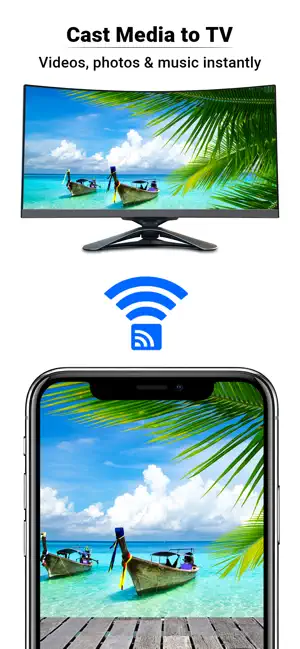
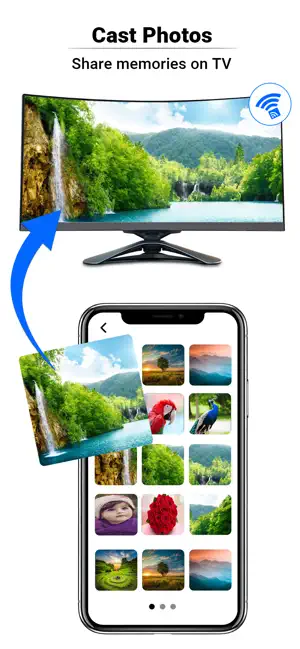
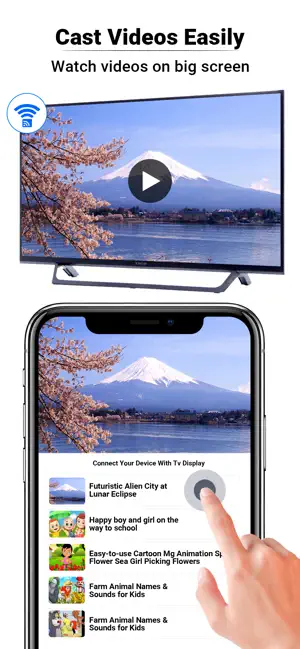
Cast TV – Screen Mirroring & Media Casting Cast TV makes it easy to enjoy your favorite photos, videos, and content on the big screen. Connect your iPhone to compatible Smart TVs and stream media wirelessly in just a few taps. Features Screen Mirroring Mirror your iPhone screen to your TV and enjoy content on a larger display. Photo Casting View photos from your gallery on your TV for family gatherings, presentations, and more. Video Casting Stream videos stored on your device directly to compatible Smart TVs. Simple Connection Guide Easy-to-follow instructions help you connect your iPhone and TV on the same Wi-Fi network. Wireless Streaming No cables required. Enjoy convenient casting and mirroring over your local network. User-Friendly Interface Clean and intuitive design for quick access to casting and mirroring features. How It Works 1. Connect your iPhone and TV to the same Wi-Fi network. 2. Select a photo, video, or screen mirroring option. 3. Choose your compatible TV. 4. Enjoy your content on the big screen. Compatibility Cast to TV works with many compatible Smart TVs and streaming devices that support screen casting and media streaming technologies. Download Cast to TV today and enjoy photos, videos, and screen mirroring on your TV with a fast and simple wireless experience.
What’s new
Version 1.7 · Updated October 5, 2026
• Cast photos and videos from your device • Improved connection and device discovery • Enhanced streaming performance and stability • User interface improvements for a smoother experience • General bug fixes and performance optimizations
App privacy
The developer, Inza Iqbal, reported these privacy practices to Apple.
Data Used to Track You
The following data may be used to track you across apps and websites owned by other companies:
- Usage Data: Advertising Data
Data Not Linked to You
The following data, which may be collected but is not linked to your identity, may be used for the following purposes:
- Usage Data: Advertising Data
Used for: Third-Party Advertising, Developer’s Advertising or Marketing, Analytics
Alternatives to Cast TV - Screen Mirroring
Looking for apps like Cast TV - Screen Mirroring? Here are 6 similar apps on the App Store. The highest rated is bClk (4.0/5), and all 6 are free to download.
-
 bClk
4.0
bClk
4.0
-
 Sticker Optimizer
-
 MemoCalc-Number Notes
-
 Heliochron
-
 Fjernbetjening – TV Remote
1.5
Fjernbetjening – TV Remote
1.5
-
 Docs2Wallet
| App | Rating | Price | Last updated | Compare |
|---|---|---|---|---|
| Cast TV - Screen Mirroring | – | Free | October 5, 2026 | |
| bClk | 4.0 / 5 (4) | Free | Dec 13, 2025 | Compare |
| Sticker Optimizer | – | Free | Oct 19, 2026 | Compare |
| MemoCalc-Number Notes | – | Free | Oct 18, 2026 | Compare |
| Heliochron | – | Free | Sep 30, 2026 | Compare |
| Fjernbetjening – TV Remote | 1.5 / 5 (23) | Free | Oct 20, 2026 | Compare |
| Docs2Wallet | – | Free | Oct 10, 2026 | Compare |