

看了么-多屏同步播放控制
kwai piu cheng Entertainment iPhoneiPadiPod touch
看了么-多屏同步播放控制 is a free Entertainment app for iPhone and iPad by kwai piu cheng. Requires iOS 15.0. Updated January 29, 2026.
- Price
- Free
- on the App Store
- Size
- 16 MB
- Age 4+
- Updated
- Jan 29
- 2026 · v1.0.1
Screenshots


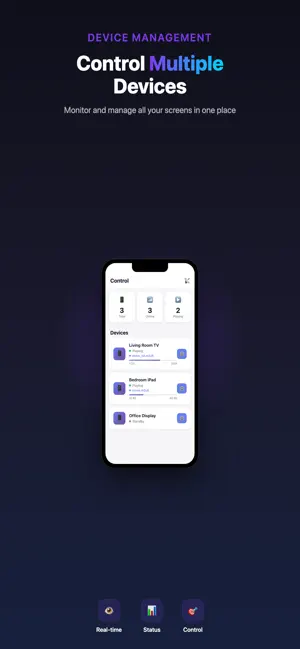
About 看了么-多屏同步播放控制
Resoview - Multi-Screen Sync Player Control multiple devices to play videos synchronously with one tap! Whether it's home theater, business display, or education, Resoview is your perfect choice. CORE FEATURES Multi-Screen Sync • Control multiple iPhone/iPad devices to play the same content • Automatic progress synchronization Dual Mode Design • Controller Mode: Manage and control all playback devices • Player Mode: Receive commands and play content • Switch modes anytime on the same device Remote Control • Play/Pause control • Precise progress seeking • Remote volume adjustment • Fullscreen mode toggle Batch Operations • Select multiple devices simultaneously • Send play commands with one tap • Broadcast mode for all devices Real-time Monitoring • Device online status display • Real-time playback progress sync • Device information at a glance USE CASES Home Entertainment • Multi-room synchronized viewing • Family gathering multi-screen display • Kids room and master bedroom sync Business Display • Mall multi-screen ad sync • Exhibition multi-screen content • Restaurant and hotel entertainment Education & Training • Classroom multi-screen teaching • Training room multi-device demo • Remote teaching sync playback Event Live • Event venue multi-screen sync • Conference room multi-screen display • Concert multi-angle sync PRODUCT FEATURES Easy to Use • No complex configuration, auto device discovery • Intuitive interface, one-tap operation Powerful Functions • Support HLS, MP4 and more video formats • Support local and network video playback Cross-Device Support • Universal for iPhone and iPad • Perfect adaptation for all screen sizes Secure & Reliable • User account system • Independent device management • Data encryption HOW TO USE 1. Register and login 2. Select "Player Mode" on playback devices 3. Select "Controller Mode" on control device 4. Choose devices to control 5. Enter video URL and send 6. All devices start playing in sync MULTI-LANGUAGE SUPPORT Support 13 languages: English, Chinese (Simplified), Chinese (Traditional), Japanese, Korean, Spanish, French, German, Italian, Portuguese, Russian, Arabic, Hindi WHY CHOOSE RESOVIEW vs Traditional Casting: • Multi-device sync support • More flexible remote control • No distance limitation • Batch operation support vs Professional Equipment: • Lower cost • Simpler deployment • Easier maintenance • More flexible functions
What’s new
Version 1.0.1 · Updated January 29, 2026
fixed bugs
App privacy
The developer, kwai piu cheng, reported these privacy practices to Apple.
Data Not Collected
The developer does not collect any data from this app.
Alternatives to 看了么-多屏同步播放控制
Looking for apps like 看了么-多屏同步播放控制? Here are 6 similar apps on the App Store. The highest rated is PeerPlay Sync Player (5.0/5), and all 6 are free to download.
-
 SyncPlay-再生同期-
-
 PeerPlay Sync Player
5.0
PeerPlay Sync Player
5.0
-
 Ara Multiple video Player
3.1
Ara Multiple video Player
3.1
-
 Wordsnug: Word Solitaire
-
 Super You
2.7
Super You
2.7
-
 WatchBuddy | Watch Together
5.0
WatchBuddy | Watch Together
5.0
| App | Rating | Price | Last updated | Compare |
|---|---|---|---|---|
| 看了么-多屏同步播放控制 | – | Free | January 29, 2026 | |
| SyncPlay-再生同期- | – | Free | Jun 9, 2026 | Compare |
| PeerPlay Sync Player | 5.0 / 5 (2) | Free | Mar 2, 2026 | Compare |
| Ara Multiple video Player | 3.1 / 5 (14) | Free | Oct 27, 2026 | Compare |
| Wordsnug: Word Solitaire | – | Free | Sep 17, 2026 | Compare |
| Super You | 2.7 / 5 (19) | Free | Jul 4, 2024 | Compare |
| WatchBuddy | Watch Together | 5.0 / 5 (2) | Free | Oct 8, 2026 | Compare |
Compare 看了么-多屏同步播放控制 with the top alternatives: ratings, updates, ASO score and keyword gaps →