

VocaRead
Emmanuel BORGES Book iPhoneiPadiPod touchApple Watch
VocaRead is a free Book app for iPhone and iPad by Emmanuel BORGES. Rated 5.0/5 from 1 ratings. Requires iOS 16.0. Updated October 15, 2026.
- Rating
- 5.0
- 1 ratings
- Price
- Free
- on the App Store
- Size
- 201 MB
- Age 4+
- Updated
- Oct 15
- 2026 · v3.0.4
Screenshots
About VocaRead
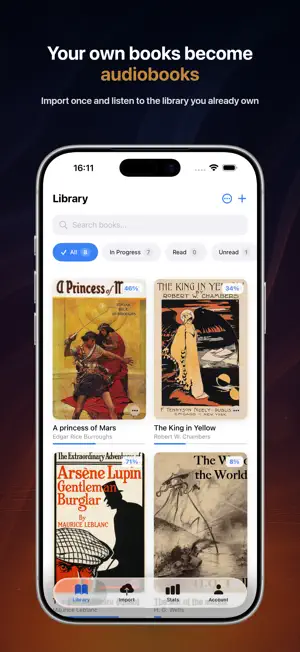
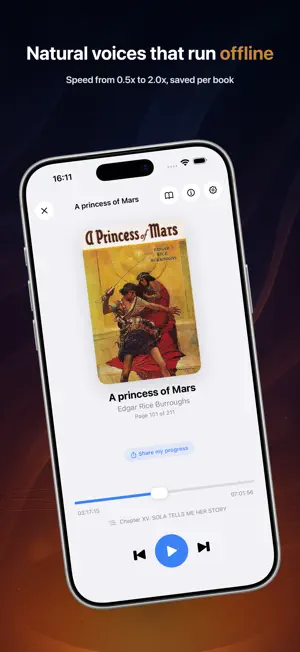
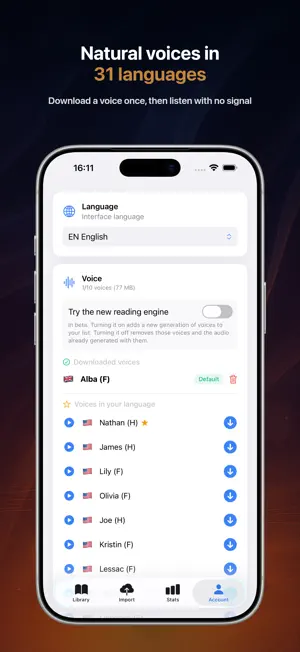
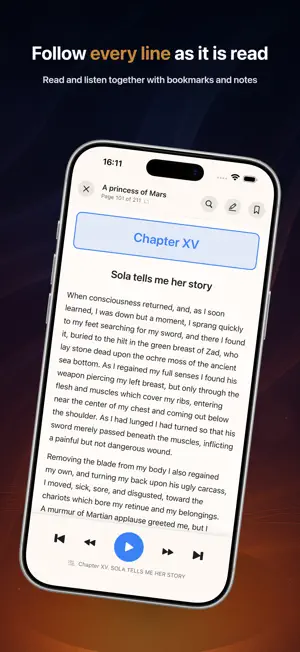
Turn anything you read into a natural-sounding audiobook, right on your iPhone. Import an EPUB, PDF, Word document, MOBI/AZW3, or paste text. Pick a voice, press play, and VocaRead reads aloud while highlighting the current line. Once a voice is downloaded, everything works offline. Offline and private Download a voice once, then listen on a plane, in the subway, on your commute, or anywhere without a connection. Audio is generated on your device, so your books never leave your iPhone. Scanned PDFs are recognized locally with Apple Vision OCR, never uploaded to the cloud. Your books, your voices Choose from a large selection of natural voices across 31 languages. Switch narrator anytime to match the book, the language, or your mood. Set a precise speed from 0.5x to 2.0x per book. Import almost anything Open EPUB, PDF, MOBI, AZW/AZW3, DOCX, TXT, Markdown, HTML, and RTF. Import a web page from its URL or your browser, paste an article, email, or note, and listen immediately. Browse Project Gutenberg and your OPDS catalogs for thousands of free classics. Custom pronunciations A name pronounced incorrectly? A foreign word? An acronym? Long-press a word and teach VocaRead exactly how to say it. Read while you listen Follow the text as narration plays, with the current line highlighted. Add bookmarks, highlights, and notes, then export them as Markdown or CSV. Never lose your place Smart Rewind jumps back to a nearby sentence after a call or a headphone disconnect. Set the Sleep Timer for a few minutes or until the end of the chapter, and continue automatically with the next book in your Listen Next queue. CarPlay, Apple Watch, Siri, and widgets Listen in the car with CarPlay, control playback from Apple Watch, ask Siri and Shortcuts, and resume from the widget. On-device translation For selected languages, VocaRead translates locally, without sending your text to the cloud. Great for accessibility A calm, focused way to read for dyslexia, low vision, tired eyes, or anyone who simply prefers to listen. Your library, at a glance A list view to find any book and resume exactly where you left off. Imports now detect introductions and prologues in most books, so playback starts where the book really starts. Simple pricing Every book includes 90 minutes of free listening. Unlock unlimited listening with a one-time purchase. No subscription. No ads.
What’s new
Version 3.0.4 · Updated October 15, 2026
New in VocaRead 3.0.4: • Fixed a crash when opening a book on Mac. • Chapter titles, drop caps and story titles are better recognized when a book is imported. • English books: "No." is no longer read as "number". • Project Gutenberg downloads switch to a mirror when the server is unavailable. • Search now works in Calibre catalogs (OPDS). • Reading mode no longer cuts off the line above the current one.
App privacy
The developer, Emmanuel BORGES, reported these privacy practices to Apple.
Data Not Linked to You
The following data, which may be collected but is not linked to your identity, may be used for the following purposes:
- Usage Data: Product Interaction
Used for: Analytics
Alternatives to VocaRead
Looking for apps like VocaRead? Here are 6 similar apps on the App Store. The highest rated is Narratorr - Audiobook & TTS (5.0/5), and all 6 are free to download.
-
 CocoReader: EPUB to Audiobook
-
 Narratorr - Audiobook & TTS
5.0
Narratorr - Audiobook & TTS
5.0
-
 Listen 2 Reader
4.8
Listen 2 Reader
4.8
-
 Morph Books
4.1
Morph Books
4.1
-
 OraReader: PDF to Audiobook
4.1
OraReader: PDF to Audiobook
4.1
-
 LoudReader: Text to Speech
4.7
LoudReader: Text to Speech
4.7
| App | Rating | Price | Last updated | Compare |
|---|---|---|---|---|
| VocaRead | 5.0 / 5 (1 rating) | Free | October 15, 2026 | |
| CocoReader: EPUB to Audiobook | – | Free | Oct 22, 2026 | Compare |
| Narratorr - Audiobook & TTS | 5.0 / 5 (3) | Free | Oct 22, 2026 | Compare |
| Listen 2 Reader | 4.8 / 5 (13) | Free | Oct 18, 2026 | Compare |
| Morph Books | 4.1 / 5 (10) | Free | May 9, 2026 | Compare |
| OraReader: PDF to Audiobook | 4.1 / 5 (17) | Free | Nov 1, 2026 | Compare |
| LoudReader: Text to Speech | 4.7 / 5 (3) | Free | Oct 2, 2026 | Compare |
Compare VocaRead with the top alternatives: ratings, updates, ASO score and keyword gaps →