

Mirroring: Screen Mirror + TV
Jiveal Desarrolladores S.L Utilities iPhoneiPadiPod touch
Mirroring: Screen Mirror + TV is a free Utilities app for iPhone and iPad by Jiveal Desarrolladores S.L. Requires iOS 13.0. Updated January 24, 2026.
- Price
- Free
- on the App Store
- Size
- 65 MB
- Age 17+
- Updated
- Jan 24
- 2026 · v1.0.1
Screenshots
About Mirroring: Screen Mirror + TV
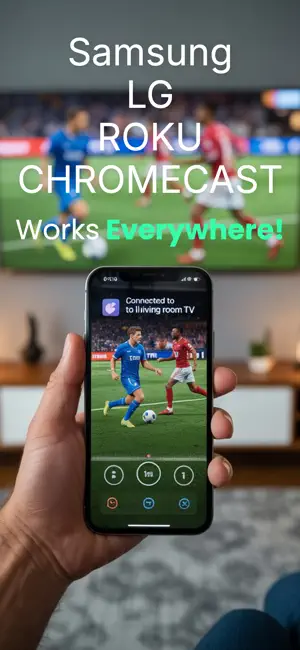
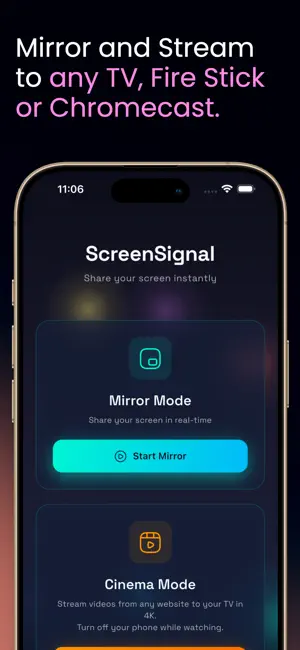
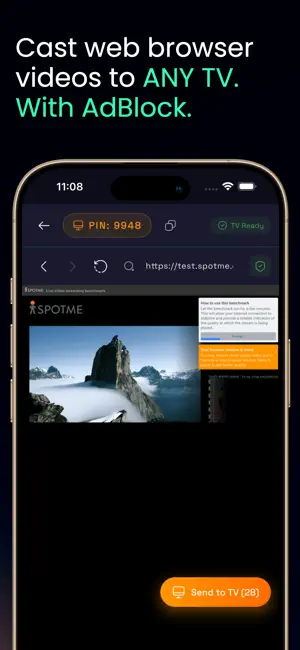
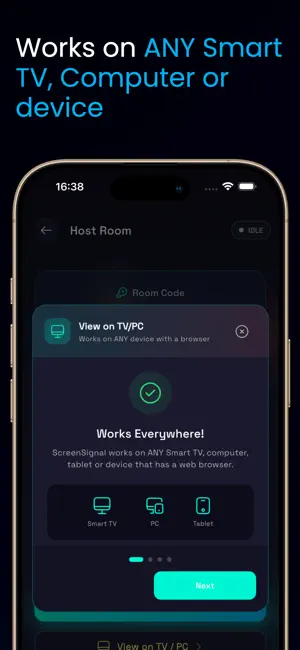
Do you want to watch web videos, movies, sports or your phone screen on the big monitor with just one click? Screen Mirroring & Cast is the ultimate solution to connect your iPhone to any Smart TV, PC, or Mac wirelessly. Now featuring our new Smart Video Browser, you can send any internet video directly to your TV. WHAT CAN YOU DO? WEB BROWSER MODE (New!): Browse your favorite websites and cast videos directly to your TV. Enjoy home cinema without the hassle. It even blocks annoying ads automatically! REAL-TIME MIRRORING: Share your screen with ultra-low latency. Perfect for presentations, photos, documents, and apps. UNIVERSAL CONNECTIVITY: If it has a web browser (Chrome, Safari, Edge, Firefox), it works! Compatible with Samsung, LG, Sony, Roku, Fire TV, Vizio, PC, Mac, and more. PREMIUM FEATURES: • No Apps on TV: The receiver doesn’t need to install anything. Just open a URL. • HD Quality: Optimized streaming for crystal-clear photos and videos. • Total Privacy: Secure connection via a unique room code. You control who sees your screen. • No Cables Needed: Forget about expensive HDMI adapters. Everything works over Wi-Fi. IDEAL FOR: • Watching movies or Sport from websites on your Smart TV. • Business presentations from your iPhone. • Sharing family photos on the living room screen. • Remote technical support by sharing what you see. HOW IT WORKS: Open the app and get your connection code. Enter the URL into the browser of your TV or PC. Done! You are now mirroring your screen or casting videos. Note: For an optimal experience, ensure both devices are on a stable Wi-Fi network. Subscription Information: Payment will be charged to your iTunes account at confirmation of purchase. Your subscription automatically renews unless auto-renew is turned off at least 24 hours before the end of the current period. Manage your subscription and auto-renewal in your account settings. Support & Privacy: Terms of Use: https://jiveal.com/terms-of-use/ Privacy Policy: https://jiveal.com/privacy-policy-2/
What’s new
Version 1.0.1 · Updated January 24, 2026
User experience updates: We’ve optimized the onboarding process and improved the web browser’s AdBlocker efficiency based on your feedback. Enjoy a more seamless streaming session!
App privacy
The developer, Jiveal Desarrolladores S.L, reported these privacy practices to Apple.
Data Not Collected
The developer does not collect any data from this app.
Alternatives to Mirroring: Screen Mirror + TV
Looking for apps like Mirroring: Screen Mirror + TV? Here are 6 similar apps on the App Store. The highest rated is Screen Mirroring. Cast to TV. (5.0/5), and all 6 are free to download.
-
 Screen Mirroring. Cast to TV.
5.0
Screen Mirroring. Cast to TV.
5.0
-
 Cast to TV & Screen Mirroring
-
 Screen Mirroring: Fast TV Cast
-
 Mirror Cast: for Chromecast TV
5.0
Mirror Cast: for Chromecast TV
5.0
-
 Screen Mirroring Remote TV
-
 Screen Mirroring+ ™
5.0
Screen Mirroring+ ™
5.0
| App | Rating | Price | Last updated | Compare |
|---|---|---|---|---|
| Mirroring: Screen Mirror + TV | – | Free | January 24, 2026 | |
| Screen Mirroring. Cast to TV. | 5.0 / 5 (3) | Free | Nov 3, 2025 | Compare |
| Cast to TV & Screen Mirroring | – | Free | Sep 5, 2024 | Compare |
| Screen Mirroring: Fast TV Cast | – | Free | Apr 6, 2026 | Compare |
| Mirror Cast: for Chromecast TV | 5.0 / 5 (1) | Free | May 19, 2026 | Compare |
| Screen Mirroring Remote TV | – | Free | Jul 10, 2026 | Compare |
| Screen Mirroring+ ™ | 5.0 / 5 (1) | Free | Jun 25, 2026 | Compare |