

All Document Viewer & Reader
Monali Paghadal Productivity iPhoneiPadiPod touch
All Document Viewer & Reader is a free Productivity app for iPhone and iPad by Monali Paghadal. Requires iOS 13.0. Updated January 29, 2026.
- Price
- Free
- on the App Store
- Size
- 43 MB
- Age 4+
- Updated
- Jan 29
- 2026 · v1.0.2
Screenshots
About All Document Viewer & Reader
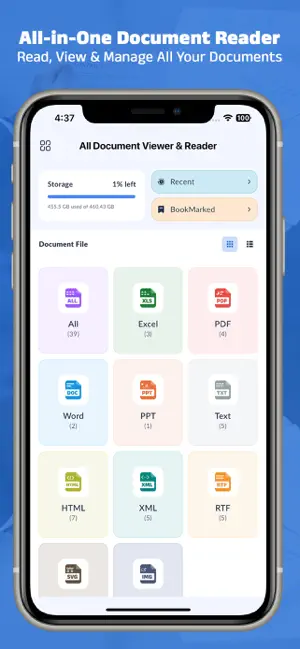
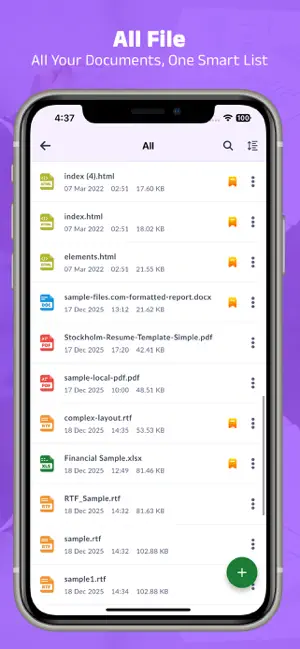
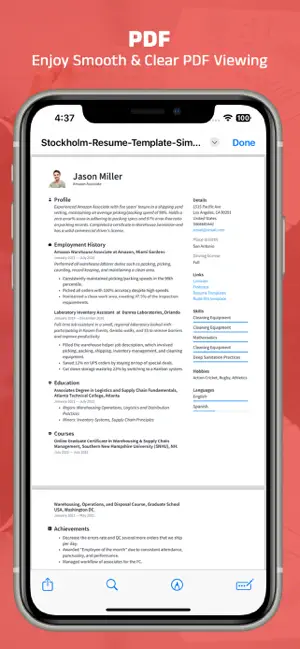
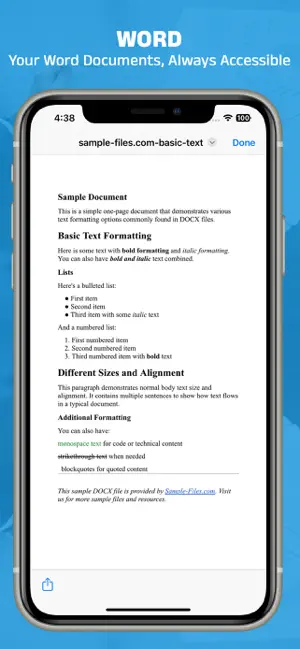
All Document Viewer & Reader is a powerful and lightweight app to view, read, and manage all your documents in one place. Easily open PDF, Word, Excel, PPT, Text, Images, HTML, XML, RTF, SVG, and many more file formats directly on your device. No need to install multiple apps — this is your complete document viewer and file reader. Supported File Formats Open and view all popular file types: - PDF files - Word documents (DOC, DOCX) - Excel spreadsheets (XLS, XLSX) - PowerPoint presentations (PPT, PPTX) - Text files (TXT) - HTML & XML files - RTF documents - SVG files - Images (JPG, PNG, GIF, etc.) Key Features View All Documents Quickly scan and open all documents stored on your device with a clean and simple interface. Bookmark Important Files Save frequently used files in the Bookmark section for fast and easy access. File Management Tools Manage your files directly from the app: Rename files Delete files Share files View file details (size, path, date, type) Open With / Open From Other Apps Use “Open with” to open files from other apps in All Document Viewer & Reader, or choose another app to open files from this viewer. File Information Get complete file information including file size, location, format, and last modified date. Fast & Lightweight Optimized for speed and performance with low storage usage. Why Choose All Document Viewer & Reader? - Supports all major document formats - Simple, clean, and user-friendly UI - No internet required - One app for all your documents - Ideal for students, professionals, and everyday users Download All Document Viewer & Reader now and manage all your documents easily from one powerful app. # Subscription Details # • Subscription Ad free version, Offline access • Monthly, Six Monthly and Yearly subscriptions are available. • Payment will be charged to your iTunes account at confirmation of purchase. • Your subscription will automatically renew unless auto-renew is disabled at least 24 hours before the end of the current subscription period. • Automatic renewals will be charged at the same price you were originally charged for the subscription. • Subscriptions can be managed by going to Account Settings on the App Store after purchase. Privacy Policy: https://sites.google.com/view/creative-privacy-policy/ Terms of Service: https://sites.google.com/view/creative-terms-service/
What’s new
Version 1.0.2 · Updated January 29, 2026
- minor bug fixed
App privacy
The developer, Monali Paghadal, reported these privacy practices to Apple.
Data Used to Track You
The following data may be used to track you across apps and websites owned by other companies:
- Location: Coarse Location
- Identifiers: Device ID
- Usage Data: Product Interaction, Advertising Data
- Diagnostics: Performance Data
Data Linked to You
The following data, which may be collected and linked to your identity, may be used for the following purposes:
- Location: Coarse Location
- Identifiers: Device ID
- Usage Data: Product Interaction, Advertising Data
- Diagnostics: Crash Data, Performance Data
Used for: Third-Party Advertising, Analytics
Alternatives to All Document Viewer & Reader
Looking for apps like All Document Viewer & Reader? Here are 6 similar apps on the App Store. The highest rated is All Document Reader: PDF,Excel (5.0/5), and all 6 are free to download.
-
 Swift SOS
-
 All Document Reader: PDF,Excel
5.0
All Document Reader: PDF,Excel
5.0
-
 OpenViewer
-
 File Reader: PDF, DOC, PPT
-
 PDF Reader: Document Viewer
-
 All Document Reader: PDF, Word
| App | Rating | Price | Last updated | Compare |
|---|---|---|---|---|
| All Document Viewer & Reader | – | Free | January 29, 2026 | |
| Swift SOS | – | Free | Oct 15, 2026 | Compare |
| All Document Reader: PDF,Excel | 5.0 / 5 (1) | Free | Dec 4, 2025 | Compare |
| OpenViewer | – | Free | Aug 10, 2026 | Compare |
| File Reader: PDF, DOC, PPT | – | Free | Sep 8, 2026 | Compare |
| PDF Reader: Document Viewer | – | Free | Sep 7, 2026 | Compare |
| All Document Reader: PDF, Word | – | Free | Nov 19, 2025 | Compare |