

ReverseEyes: Search By Image
Wesley Jonathan Marcolino Utilities iPhoneiPadiPod touch
ReverseEyes: Search By Image is a free Utilities app for iPhone and iPad by Wesley Jonathan Marcolino. Requires iOS 18.2. Updated September 10, 2026.
- Price
- Free
- on the App Store
- Size
- 22 MB
- Age 9+
- Updated
- Sep 10
- 2026 · v1.2.1
Screenshots


About ReverseEyes: Search By Image
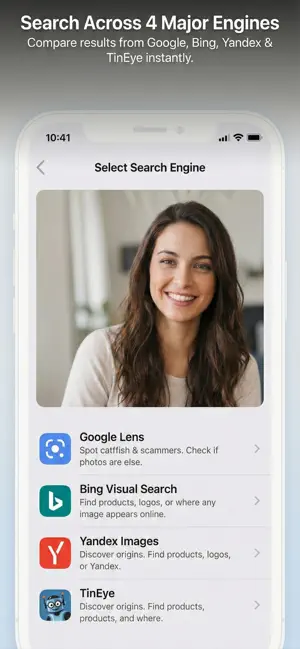
Stop guessing who is really behind a photo. ReverseEyes searches Google Lens, Bing, Yandex and TinEye at the same time — one upload, four sets of results, side by side in tabs. Each engine finds different things, and checking all four is often the difference between a dead end and an answer. WHY FOUR ENGINES BEAT ONE Yandex is unmatched at finding people. TinEye tracks exact copies and everywhere they have been republished. Google Lens identifies objects, plants and landmarks. Bing surfaces products and places to buy them. Search just one and you only ever see part of the picture. WHAT PEOPLE USE IT FOR Check who you are talking to Match a dating profile photo against the rest of the internet. If the same face turns up on twenty other accounts under twenty other names, you have your answer long before you agree to meet. Find where a photo came from Trace an image back to its original source, credit the right photographer, or find the full resolution version of something you only have a thumbnail of. Identify what you are looking at Point it at a plant, a landmark, a painting, a logo or a gadget and find out what it actually is. Shop straight from a photo Spotted something in a post with no link and no brand name? Find the product and where it is sold. See if your own work is being used Photographers, illustrators and small brands use ReverseEyes to find their images republished without credit. HOW IT WORKS 1. Take a photo, pick one from your library, or send one straight from another app 2. Crop in on the part that matters — a face in a crowd, a logo on a shirt 3. Your image is uploaded once and every engine searches it 4. Swipe between tabs to compare what each one found 5. Share what you found as an image or a link FEATURES • Four engines as tabs — switch instantly, never re-upload • Every tab keeps its place, so you never lose your scroll • Opens on the engine you used last • Built-in cropping and zoom for pinpointing a detail • Start a search from any app through the share sheet • Share your findings as a clean, branded image • No account, no sign-up, no setup ABOUT YOUR PRIVACY Your image is uploaded only so the search engines can reach it, and it is deleted automatically within minutes. We do not keep your photos, we do not build a profile of you, and we do not track what you search for. Download ReverseEyes and find out where any picture really comes from.
What’s new
Version 1.2.1 · Updated September 10, 2026
Tabs that stay put. • Providers now switch only when you tap a tab — no more landing on Yandex because a swipe went sideways. • Bigger tabs, each with its provider's mark and name. • The header shows which provider you are on instead of the raw page address.
App privacy
The developer, Wesley Jonathan Marcolino, reported these privacy practices to Apple.
Data Not Linked to You
The following data, which may be collected but is not linked to your identity, may be used for the following purposes:
- Usage Data: Product Interaction, Advertising Data
- Diagnostics: Crash Data, Performance Data
Used for: Third-Party Advertising, Developer’s Advertising or Marketing, Analytics, Product Personalization, App Functionality
Alternatives to ReverseEyes: Search By Image
Looking for apps like ReverseEyes: Search By Image? Here are 6 similar apps on the App Store.
-
 Reverse Image Search - RIS
-
 Image Search – Reverse Lookup
-
 Reverse Image Search Pro HD
-
 AI Photo Search
-
 Image Search - Deepsearch
-
 reverse image search: lens AI
| App | Rating | Price | Last updated | Compare |
|---|---|---|---|---|
| ReverseEyes: Search By Image | – | Free | September 10, 2026 | |
| Reverse Image Search - RIS | – | Free | Dec 17, 2025 | Compare |
| Image Search – Reverse Lookup | – | Free | Mar 17, 2026 | Compare |
| Reverse Image Search Pro HD | – | Free | Aug 17, 2026 | Compare |
| AI Photo Search | – | Free | Mar 27, 2026 | Compare |
| Image Search - Deepsearch | – | Free | Feb 25, 2026 | Compare |
| reverse image search: lens AI | – | Free | Jul 25, 2026 | Compare |