

OpenResponses
Gunnar Hostetler Developer Tools iPhoneiPadiPod touch
OpenResponses is a free Developer Tools app for iPhone and iPad by Gunnar Hostetler. Rated 5.0/5 from 1 ratings. Requires iOS 17.0. Updated October 2, 2026.
- Rating
- 5.0
- 1 ratings
- Price
- Free
- on the App Store
- Size
- 21 MB
- Age 4+
- Updated
- Oct 2
- 2026 · v2.9
Screenshots
About OpenResponses
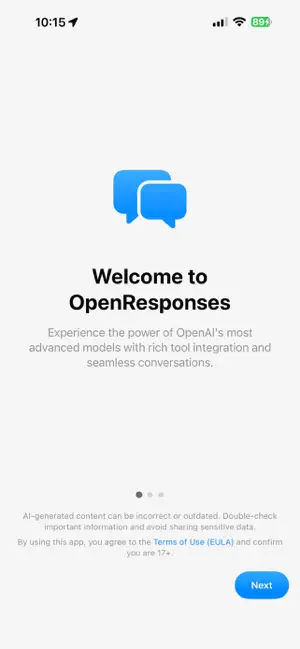
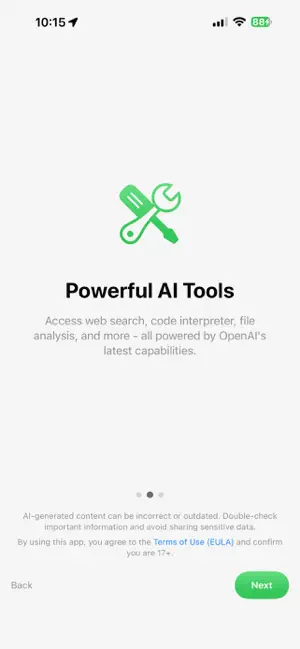
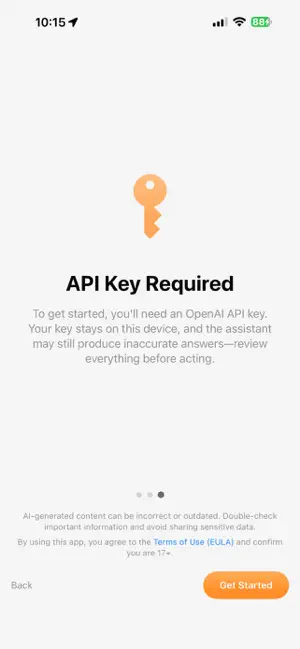
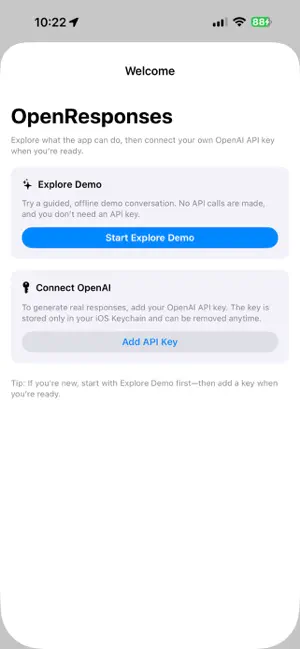
OpenResponses is OpenAI's API on your iPhone and iPad, with nothing hidden. Bring your own API key and it shows you the request before it goes out, the events as they stream back, and every tool call along the way. It's for people who build with OpenAI's models, or who just want to see what the newest ones actually do before writing any code. It started as the successor to OpenAssistant, my app for OpenAI's older Assistants API, and talks straight to OpenAI's Responses API with no server of mine in between. PICK A MODEL AND SEE WHAT IT DOES • GPT-6.1 Sol, GPT-6 Sol, Astra and Luna, the GPT-5.6 family, and older models your key can still use. When OpenAI releases a new one, it shows up in the menu on its own, with its settings read from OpenAI's docs. • Reasoning from None to Max where the model takes it, Pro mode, verbosity, context compaction and the rest of the request settings, all in one place. • Replies stream in as they're written, with the reasoning summaries the API sends, token use, and the full request and response a tap away. • Save setups as presets, attach photos and documents, export conversations, and search your chats by what they're about, not just the exact words. THE TOOLS THE API HAS • Web search with sources, Code Interpreter, file search over your own vector stores, and image generation and editing with GPT Image 2.5, up to Max quality. • Voice conversations with GPT Realtime 2.1 or GPT-Live 1, with mute, and with headphones and Voice Barge-In on you can talk over it to cut it off. • A browser the model can drive, inside the app, with Stop, time limits and action limits. • MCP connections. Sign in to supported apps or add a server by address, look through the tools it offers, and approve tool calls unless you turn that off. • Calendar, Reminders, Contacts and Notion, only when you turn them on. • Local Python. The model writes it, you read it, you tap Run, and it runs on your phone. Standard library, no internet, 30 seconds a run. API WORKBENCH For when you'd rather write the request yourself. Edit the raw JSON, send it over HTTP, streaming or WebSocket, watch every event come back, and export the whole response. It also counts tokens, compacts context, and manages conversations, files, vector stores, containers and batch jobs. Anything that deletes asks first. A few things worth knowing before you download it: • There's no OpenResponses account. You need your own OpenAI API key, and what you use is billed to your OpenAI account. • Your key stays in the iOS Keychain and only ever goes to OpenAI. • Explore Demo lets you look around without a key, and it sends nothing. • Before your first live request, the app shows what gets sent to OpenAI and waits for you to say yes. • It runs on iPhone and iPad with iOS 17 or later. One last thing. This shows you what OpenAI's models do, and they can be wrong, sometimes confidently. Check anything that matters before you act on it.
What’s new
Version 2.9 · Updated October 2, 2026
2.9 is about seeing what the assistant is doing while it uses its tools. TOOL STEPS • Tool steps sat on "Queued" even after they'd finished. Now each one shows a spinner while it works and says Completed or Failed when it's done. That goes for web search, file search, Code Interpreter, image generation, MCP tools and the browser steps of Computer Use. • Steps have their real names, like Code Interpreter instead of "code_interpreter_call". Tap the Code Interpreter step to see the Python it ran. • When a step fails, it says Failed. That includes an MCP tool that returns an error, which the app used to miss. • The answer after a tool call starts its own paragraph instead of running into the sentence before it, and the note the app shows when a browser step fails goes away once the answer starts. CHARTS AND FILES • A chart from Code Interpreter shows once. It could show up two or three times before. • Each file Code Interpreter makes is listed once, and text files still have their contents when you reopen the chat. ALSO • Reasoning summaries show their formatting instead of raw asterisks. • The Computer Use warning says what it actually drives: a browser inside the app, nothing else. Still no account, still your own key, and your chat history stays on your phone.
App privacy
The developer, Gunnar Hostetler, reported these privacy practices to Apple.
Data Not Collected
The developer does not collect any data from this app.
Alternatives to OpenResponses
Looking for apps like OpenResponses? Here are 6 similar apps on the App Store. The highest rated is Chat Compare AI (1.0/5), and all 6 are free to download.
-
 Chat Compare AI
1.0
Chat Compare AI
1.0
-
 Luma SSH
-
 Prismara
-
 Onbo Hub: Onboarding Flows
-
 Docket - Dev Release Tracker
-
 MOBaiLE
| App | Rating | Price | Last updated | Compare |
|---|---|---|---|---|
| OpenResponses | 5.0 / 5 (1 rating) | Free | October 2, 2026 | |
| Chat Compare AI | 1.0 / 5 (1) | Free | Oct 27, 2026 | Compare |
| Luma SSH | – | Free | Sep 5, 2026 | Compare |
| Prismara | – | Free | Jul 24, 2026 | Compare |
| Onbo Hub: Onboarding Flows | – | Free | Aug 22, 2026 | Compare |
| Docket - Dev Release Tracker | – | Free | Oct 24, 2026 | Compare |
| MOBaiLE | – | Free | May 11, 2026 | Compare |
Compare OpenResponses with the top alternatives: ratings, updates, ASO score and keyword gaps →