

Signature Maker – ESign
OKAN DONMEZ Utilities iPhoneiPadiPod touch
Signature Maker – ESign is a free Utilities app for iPhone and iPad by OKAN DONMEZ. Requires iOS 15.1. Updated January 8, 2026.
- Price
- Free
- on the App Store
- Size
- 43 MB
- Age 4+
- Updated
- Jan 8
- 2026 · v1.0
Screenshots

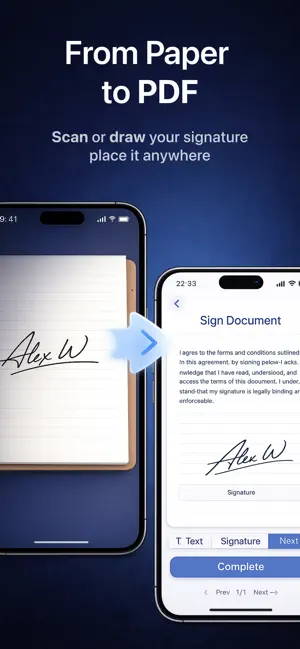
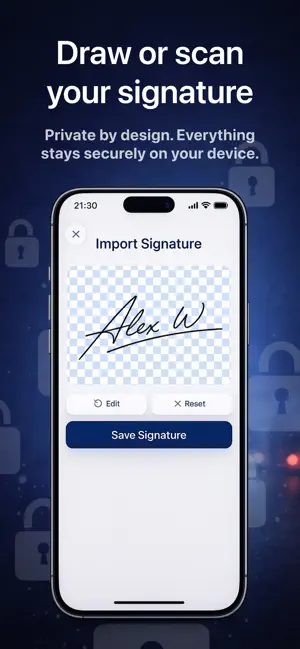
About Signature Maker – ESign
Sign documents easily with your own signature. Signature Maker lets you create electronic signatures by drawing or scanning your handwritten signature and place them on PDF documents in seconds. What you can do: • Create signatures by drawing or scanning • Sign PDF documents easily • Place signatures anywhere on the document • Export signed files instantly • Works fully offline • No account required Your signatures are stored only on your device. No uploads, no servers, no tracking. Perfect for contracts, forms, agreements, and everyday document signing. Terms of use: https://documentsigner-3c354.web.app/terms_of_service.html Privacy policy: https://documentsigner-3c354.web.app/privacy_policy.html
App privacy
The developer, OKAN DONMEZ, reported these privacy practices to Apple.
Data Not Linked to You
The following data, which may be collected but is not linked to your identity, may be used for the following purposes:
- Diagnostics: Crash Data
- Identifiers: Device ID
- Sensitive Info: Sensitive Info
Used for: Analytics, App Functionality
Alternatives to Signature Maker – ESign
Looking for apps like Signature Maker – ESign? Here are 6 similar apps on the App Store.
-
 VoxKeep: Voice Recorder
-
 Document Signer: eSign PDF
-
 Document Signer: eSignIt
-
 Sentry: Hidden Camera Scan
-
 Signature Maker: eSign & Form
-
 ClapGuard – Find Phone By Clap
| App | Rating | Price | Last updated | Compare |
|---|---|---|---|---|
| Signature Maker – ESign | – | Free | January 8, 2026 | |
| VoxKeep: Voice Recorder | – | Free | Sep 11, 2026 | Compare |
| Document Signer: eSign PDF | – | Free | May 6, 2026 | Compare |
| Document Signer: eSignIt | – | Free | Nov 8, 2025 | Compare |
| Sentry: Hidden Camera Scan | – | Free | Sep 22, 2026 | Compare |
| Signature Maker: eSign & Form | – | Free | Mar 29, 2026 | Compare |
| ClapGuard – Find Phone By Clap | – | Free | Oct 16, 2025 | Compare |