

Focus Up: Screen Time Control
Joemer Ramos Productivity iPhoneiPadiPod touch
Focus Up: Screen Time Control is a free Productivity app for iPhone and iPad by Joemer Ramos. Requires iOS 17.0. Updated September 14, 2026.
- Price
- Free
- on the App Store
- Size
- 49 MB
- Age 4+
- Updated
- Sep 14
- 2026 · v1.0.1
Screenshots
About Focus Up: Screen Time Control
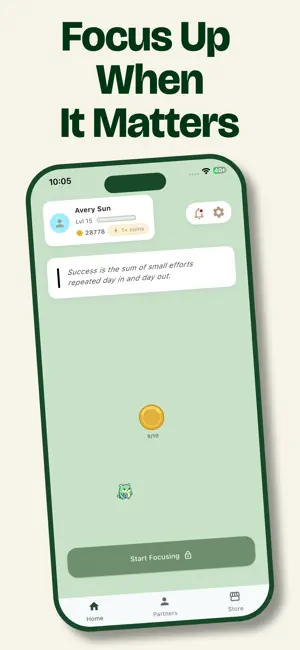
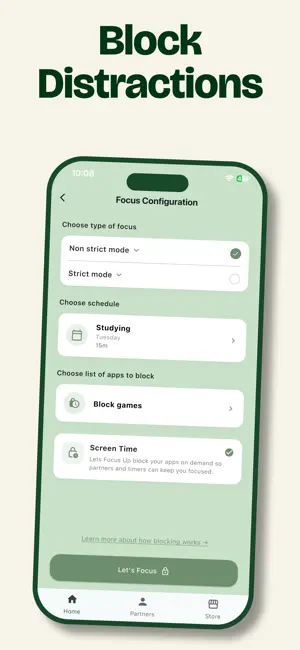
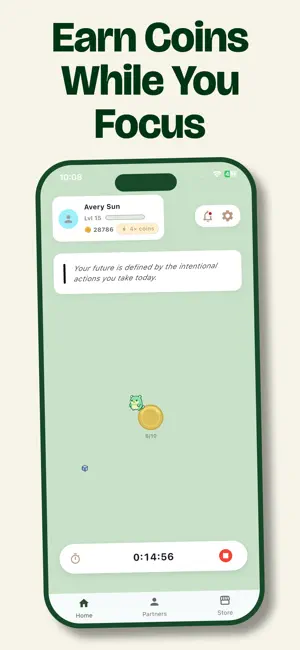
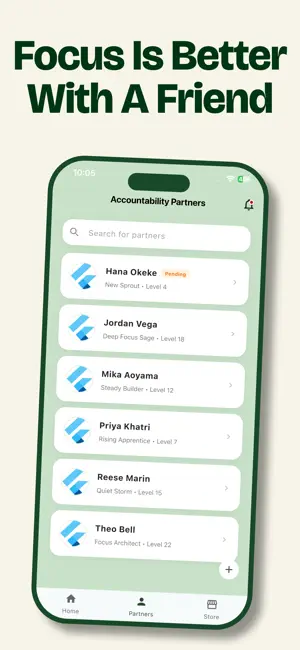
The app that makes being productive easier and simpler. Have you ever bypassed your screen time limits by just entering your own password? Focus Up solves that. It’s designed for those who need more than just a timer—they need accountability. KEY FEATURES: • Block Distractions: Select social media, games, or messaging apps to lock away during deep work sessions. • Throw Away the Key: You can’t bypass these blocks alone. Once a timer starts, only your Accountability Partner or the clock hitting zero can unlock your apps. • Share Unlock Requests: Finished your work early? Send a request to your trusted partner to grant you access. • Weekly Scheduling: Customize your focus plan with daily time limits that fit your unique weekly routine. Stop Negotiating with yourself. Start focusing with Focus Up.
What’s new
Version 1.0.1 · Updated September 14, 2026
Thanks for focusing with us. Version 1.0.1 is focused on polish, reliability, and a smoother partner experience. NEW • Redesigned Settings — every option now lives in a refreshed catalog with a cleaner, more consistent layout, so the setting you need is easier to find. IMPROVED • Partner connections are faster and more reliable. Sending, accepting, and removing accountability partners is rebuilt on a new service contract for fewer hiccups. • The home level-progress bar now renders with a soft themed outline (matched to your active palette) so the maximum- bar width reads clearly against the card without feeling harsh. FIXED • Level-up now cascades correctly. Previously a single long focus session could drop XP when it crossed more than one level — now every threshold counts, and any surplus XP rolls into the next level instead of disappearing at the finish line. PLATFORM • Updated the iOS Live Activity bridge to the latest ActivityKit API, so your lock-screen focus timer keeps working on current iOS releases. Questions or feedback? Tap Settings → Help to reach us.
App privacy
The developer, Joemer Ramos, reported these privacy practices to Apple.
Data Not Linked to You
The following data, which may be collected but is not linked to your identity, may be used for the following purposes:
- Usage Data: Product Interaction
- Diagnostics: Crash Data, Performance Data, Other Diagnostic Data
- Contact Info: Email Address, Name
- User Content: Gameplay Content
- Identifiers: User ID
Used for: Analytics, App Functionality
Alternatives to Focus Up: Screen Time Control
Looking for apps like Focus Up: Screen Time Control? Here are 6 similar apps on the App Store. The highest rated is 75 Challenge - Life Reset (5.0/5), and all 6 are free to download.
-
 FluentMode: Screen Time Block
-
 Focus Up: AI pomodoro timer
4.0
Focus Up: AI pomodoro timer
4.0
-
 75 Challenge - Life Reset
5.0
75 Challenge - Life Reset
5.0
-
 Whistle Rewards
5.0
Whistle Rewards
5.0
-
 Jarvis: AI Copilot Chat
-
 Deadliner – Time Management
3.0
Deadliner – Time Management
3.0
| App | Rating | Price | Last updated | Compare |
|---|---|---|---|---|
| Focus Up: Screen Time Control | – | Free | September 14, 2026 | |
| FluentMode: Screen Time Block | – | Free | Sep 11, 2026 | Compare |
| Focus Up: AI pomodoro timer | 4.0 / 5 (1) | Free | Sep 18, 2026 | Compare |
| 75 Challenge - Life Reset | 5.0 / 5 (7) | Free | Sep 18, 2026 | Compare |
| Whistle Rewards | 5.0 / 5 (8) | Free | Aug 20, 2026 | Compare |
| Jarvis: AI Copilot Chat | – | Free | Apr 12, 2025 | Compare |
| Deadliner – Time Management | 3.0 / 5 (2) | Free | Jun 26, 2026 | Compare |