

MySched: Class Schedule Maker
Neil Daquioag Education iPhoneiPadiPod touch
MySched: Class Schedule Maker is a free Education app for iPhone and iPad by Neil Daquioag. Requires iOS 17.2. Updated October 13, 2026.
- Price
- Free
- on the App Store
- Size
- 62 MB
- Age 4+
- Updated
- Oct 13
- 2026 · v6.3.1
Screenshots
About MySched: Class Schedule Maker
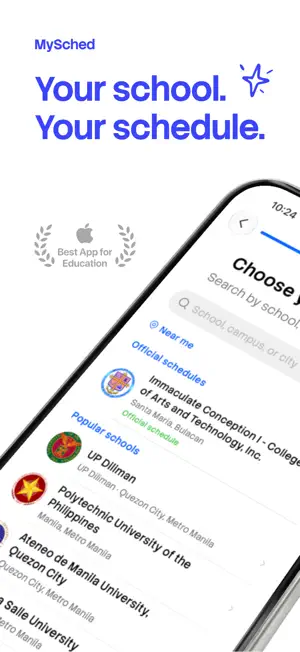
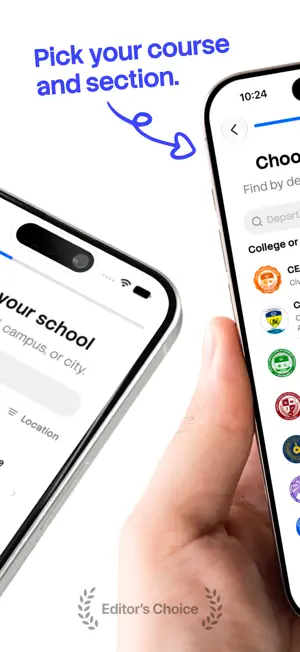
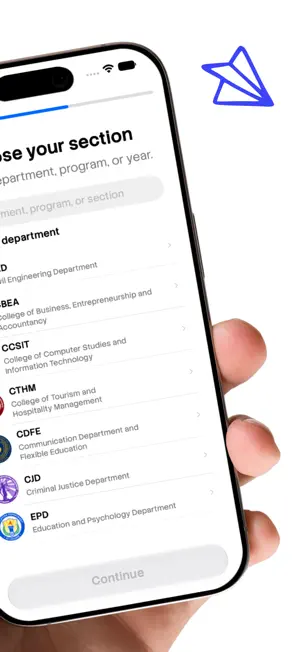
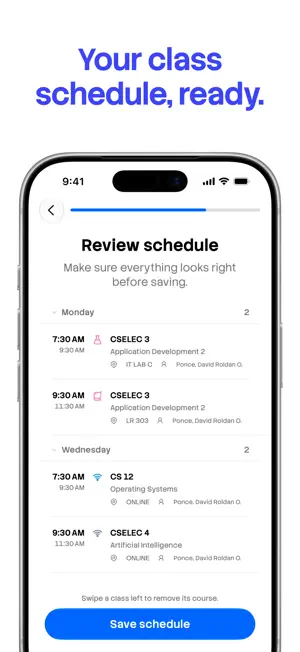
Screenshot your class schedule. MySched turns it into a schedule that shows your next class, reminds you before it starts, and works out your GWA. Your schedule, reminders, attendance, tasks and GWA are free, work offline and need no account. MySched Pro is an optional purchase that adds grade goal and catch-up tools. ADD YOUR SCHEDULE IN A MINUTE • Import a screenshot of your schedule, paste schedule text from a group chat, or add classes by hand. • Find your school among 2,700+ Philippine colleges and campuses, and use its published schedule when one is ready. • Check every class before it saves. If a row is unclear, MySched tells you instead of guessing. • Reading starts on your iPhone. Improved reading then sends the screenshot or text to our reading service, which uses a third-party AI provider only to read it. KNOW WHAT IS NEXT • See your current class, your next class and the rest of today. • Switch between week, month and list views. • Get a reminder before each class, plus quiet hours, exam reminders and a Morning summary. • Add the Next Class widget, and Today's Agenda, This Week, This Month and Term Countdown to your Home Screen. TRACK YOUR ATTENDANCE • Check in from the "Did you attend?" reminder after class, without opening the app. • Mark present, late, absent or excused, and fix a past mark from your history. • Set your school's maximum absences for each class and watch each absence count. • Mark a class cancelled. It leaves your reminders and your attendance counts. WORK OUT YOUR GWA • Enter grades and units to see your term GWA and honors standing. • Set a GWA goal and see the average your remaining classes need. • See your GWA trend and your grade history by term. • Mark a class INC, W or DRP, and log activity scores. • Classes with 0 units, like NSTP or PE, stay out of your GWA. TASKS AND EXAMS • Keep assignments, tasks and exams in one list, with subtasks and priority colors. • Get due-date reminders, and swipe a task to push it to tomorrow. • Keep class announcements in the app. • Export to Apple Calendar and Reminders, or subscribe from Google Calendar. SHARE WITH CLASSMATES • Share your schedule with a share code or QR code. Classmates preview it and join. • Find schedules other students from your school have shared. • Find free time with up to two classmates. • Save your schedule as a PDF, or as an image in Week, List or Stats designs. MYSCHED PRO Pro is an optional purchase. It adds: • What Grades Do I Need? and What Score Do I Need?, which work back from your target. • Plan by Course Difficulty, Keep My Scholarship and Honors Path. • Grade slip scan, so you don't type each grade. • Catch Me Up, a plan for when you fall behind, and Exam Review Plan for each exam. • Term Recap, saved grade plans, saved Today setups and an exam-day countdown. • Free time with up to five classmates. • More widgets, Live Activities, app icons, colors and schedule-sharing designs. YOUR DATA Your schedule works without an account. Sign in to sync across your devices. You can delete your account inside the app. MySched supports Dark Mode, Dynamic Type, Bold Text, Increase Contrast and Reduce Motion. Requires iOS 17.2 or later. SUBSCRIPTION TERMS Buying Pro needs a MySched account. Choose a plan: • Semester: renews every 6 months. Eligible accounts start with a free trial. • Monthly: renews every month. • Lifetime: one payment, no subscription. Works with Family Sharing. The app shows each price before you buy. Payment is charged to your Apple Account when you confirm. A subscription renews automatically unless you cancel at least 24 hours before the period ends; the renewal is charged in those last 24 hours. Cancel a trial at least 24 hours before it ends and you pay nothing. Manage or cancel in Settings > Apple Account > Subscriptions. Terms of Use: https://www.apple.com/legal/internet-services/itunes/dev/stdeula/ Privacy Policy: https://getmysched.com/privacy
What’s new
Version 6.3.1 · Updated October 13, 2026
MySched Pro is here, plus a reliability pass on your class schedule, widgets and reminders. New • MySched Pro: the grade you need in each class, scholarship and honors targets, grade slip scan, and a catch-up plan. Pro also adds more widgets, app icons and colors. • A "Did you attend?" reminder after class lets you check in without opening the app. • Mark a class cancelled. It leaves your reminders and attendance counts. • Set your school's maximum absences for a class. • Grades: set a GWA goal, see your trend, mark a class INC, W or DRP, and log activity scores. • Keep class announcements, save your schedule as a PDF, and share it in new Week, List and Stats designs. • Export your tasks to the Apple Calendar you choose, without touching your classes. • A full iPad layout. Improved • Add extra class times to a class when you first add it. • Imports read Filipino headers, M-F day ranges and room labels better. • Your reminder sound now applies to every reminder. • Account and sync controls live in one place in Settings. • Easier-to-tap buttons and simpler confirmations across the app. • MySched may ask for a rating after a win, at most twice ever and never during class. • Free users now see which widgets are Pro before adding them. Fixed • Home screen widgets no longer go blank. Your next class stays put, even after the app refreshes your sign-in. • A rare crash is gone from the exam countdown and from schedules with duplicate class times. • Undoing an attendance mark brings the old mark back, and cancelled classes never count as absences. • Signing out or switching accounts never loses unsent changes, even offline. • Buying Pro, restoring it, and signing in on the paywall all work again. • Pro widgets stay unlocked after your subscription renews. • When your school updates its published schedule, importing it no longer duplicates your classes. • Classes no longer shift a day when your phone's time zone differs from your school's. • The first day of classes now saves. • Calendar export works when your default calendar is read-only.
App privacy
The developer, Neil Daquioag, reported these privacy practices to Apple.
Data Linked to You
The following data, which may be collected and linked to your identity, may be used for the following purposes:
- Contact Info: Email Address, Name
- User Content: Photos or Videos, Other User Content
- Identifiers: User ID
Used for: App Functionality
Data Not Linked to You
The following data, which may be collected but is not linked to your identity, may be used for the following purposes:
- Identifiers: Device ID
- Usage Data: Product Interaction
- Diagnostics: Crash Data
Used for: Analytics
Alternatives to MySched: Class Schedule Maker
Looking for apps like MySched: Class Schedule Maker? Here are 6 similar apps on the App Store. The highest rated is Study Schedule Planner & Maker (5.0/5), and all 6 are free to download.
-
 Class Schedule & Planner
-
 Classr: Class Schedule Planner
3.7
Classr: Class Schedule Planner
3.7
-
 Study Schedule Planner & Maker
5.0
Study Schedule Planner & Maker
5.0
-
 My School Schedule
5.0
My School Schedule
5.0
-
 School Planner, Class Schedule
4.4
School Planner, Class Schedule
4.4
-
 Class Schedule Planner: Tibly
4.6
Class Schedule Planner: Tibly
4.6
| App | Rating | Price | Last updated | Compare |
|---|---|---|---|---|
| MySched: Class Schedule Maker | – | Free | October 13, 2026 | |
| Class Schedule & Planner | – | Free | Oct 9, 2026 | Compare |
| Classr: Class Schedule Planner | 3.7 / 5 (12) | Free | Apr 1, 2026 | Compare |
| Study Schedule Planner & Maker | 5.0 / 5 (1) | Free | Sep 27, 2026 | Compare |
| My School Schedule | 5.0 / 5 (1) | Free | Oct 4, 2024 | Compare |
| School Planner, Class Schedule | 4.4 / 5 (5) | Free | Oct 19, 2026 | Compare |
| Class Schedule Planner: Tibly | 4.6 / 5 (312) | Free | Aug 26, 2026 | Compare |