

Point Blur
Julio Pliego Photo & Video iPhoneiPadiPod touch
Point Blur is a free Photo & Video app for iPhone and iPad by Julio Pliego. Rated 5.0/5 from 3 ratings. Requires iOS 18.6. Updated August 14, 2026.
- Rating
- 5.0
- 3 ratings
- Price
- Free
- on the App Store
- Size
- 9 MB
- Age 4+
- Updated
- Aug 14
- 2026 · v1.3.1
Screenshots
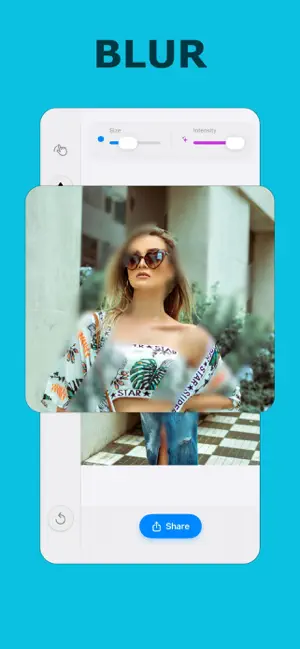


About Point Blur
Secure Your Photos Instantly. Point Blur is the ultimate privacy tool for the social media age. Whether you're sharing a screenshot, posting a group photo, or sending a receipt, ensure your private information stays private. Effortlessly hide faces, license plates, credit card numbers, and sensitive chat logs with professional-grade blur and pixelation tools. KEY FEATURES: Smart Blur: Smooth, aesthetic blurring for faces and backgrounds. Pixelate Tool: Classic censorship style to hide text and data securely. Precision Brush: Draw over specific details with our "Rich Overlay" brush. Zoom & Pan: Edit with pixel-perfect accuracy using our intuitive gesture controls. Magnifier: Spot the smallest details to ensure nothing slips through. One-Tap Share: Edit and share directly to your favorite social platforms. WHY POINTBLUR? Zero Data Collection: Your photos are processed 100% on-device. We never see what you blur. Professional Quality: No ugly markers or messy edits. Get clean, professional results every time. Fast & Easy: Import, blur, and save in seconds. Subscription Required: Subscribe for unlimited access. Weekly plan with 3‑day free trial Yearly plan (best value) Subscriptions auto‑renew unless canceled at least 24 hours before the end of the period. Manage in your Apple ID settings. Any unused portion of a free trial will be forfeited when you purchase a subscription. Restore Purchases Tap “Restore Purchases” on the Paywall if you’ve already subscribed on this Apple ID. Privacy Policy: https://juliopliego.vercel.app/privacy Standard EULA: https://www.apple.com/legal/internet-services/itunes/dev/stdeula/
What’s new
Version 1.3.1 · Updated August 14, 2026
Point Blur Improved user experience
App privacy
The developer, Julio Pliego, reported these privacy practices to Apple.
Data Not Linked to You
The following data, which may be collected but is not linked to your identity, may be used for the following purposes:
- Purchases: Purchase History
- Location: Coarse Location
- Identifiers: Device ID
- Usage Data: Product Interaction, Advertising Data, Other Usage Data
- Diagnostics: Crash Data, Performance Data, Other Diagnostic Data
Used for: Analytics
Alternatives to Point Blur
Looking for apps like Point Blur? Here are 6 similar apps on the App Store. The highest rated is Blur Photo Editor - Point Blur (5.0/5), and all 6 are free to download.
-
 Blur Photo Editor - Point Blur
5.0
Blur Photo Editor - Point Blur
5.0
-
 Blur Photo Editor: blur effect
4.7
Blur Photo Editor: blur effect
4.7
-
 Face Blur on Photo
5.0
Face Blur on Photo
5.0
-
 BlurFace
4.8
BlurFace
4.8
-
 Blur Photo Background & Faces
4.6
Blur Photo Background & Faces
4.6
-
 Censor: Face Blur & Pixelate
4.6
Censor: Face Blur & Pixelate
4.6
| App | Rating | Price | Last updated | Compare |
|---|---|---|---|---|
| Point Blur | 5.0 / 5 (3 ratings) | Free | August 14, 2026 | |
| Blur Photo Editor - Point Blur | 5.0 / 5 (3) | Free | Oct 18, 2026 | Compare |
| Blur Photo Editor: blur effect | 4.7 / 5 (1,689) | Free | Jul 16, 2026 | Compare |
| Face Blur on Photo | 5.0 / 5 (2) | Free | Sep 24, 2026 | Compare |
| BlurFace | 4.8 / 5 (120) | Free | Jun 6, 2025 | Compare |
| Blur Photo Background & Faces | 4.6 / 5 (213) | Free | Jun 4, 2025 | Compare |
| Censor: Face Blur & Pixelate | 4.6 / 5 (69) | Free | Sep 19, 2025 | Compare |
Compare Point Blur with the top alternatives: ratings, updates, ASO score and keyword gaps →