

Piggyback Bank
Exultnet LLC Finance iPhoneiPadiPod touch
Piggyback Bank is a free Finance app for iPhone and iPad by Exultnet LLC. Requires iOS 15.1. Updated February 26, 2026.
- Price
- Free
- on the App Store
- Size
- 35 MB
- Age 9+
- Updated
- Feb 26
- 2026 · v1.07
Screenshots



About Piggyback Bank
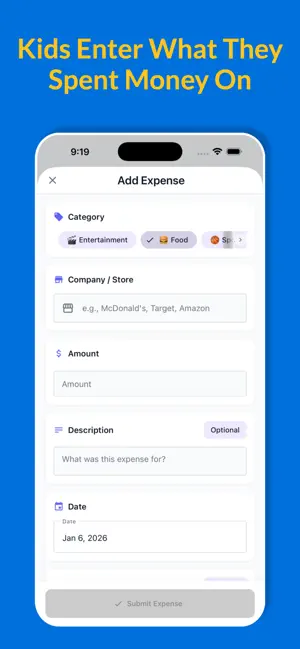
Family expense tracking that actually works. Piggyback keeps your family's spending organized — no spreadsheets, no confusion. Kids submit expenses, parents approve them, and everyone sees the same real‑time balance. How it works • Parents create a family and invite members with a simple code • Kids submit expenses with optional photo receipts • Parents review, approve, or deny with one tap • Track balances and payments in a clear journal view • Set up recurring items for allowances, chores, or reimbursements For Parents • Instant notifications when expenses come in • Adjust amounts before approving • Add notes to any transaction • Record payments and track running balances • Create custom categories, including hourly rates for tasks • "Login as Child" to see their view For Kids • Quick expense logging with categories • Snap photos of receipts • Track spending history and balance • See approvals in real time Features • Real‑time sync across all family devices • Transaction journal with running balance • Hourly rate categories for time‑based tasks • Full audit trail — who approved what and when • Dark mode support Subscription required to create entries, record payments, manage categories, and set recurring items. Free features include viewing history, balances, and approvals. Terms of Use (EULA): https://www.apple.com/legal/internet-services/itunes/dev/stdeula/ Privacy Policy: https://piggybackbank.com/privacy
What’s new
Version 1.07 · Updated February 26, 2026
New name, logo and app icon
App privacy
The developer, Exultnet LLC, reported these privacy practices to Apple.
Data Linked to You
The following data, which may be collected and linked to your identity, may be used for the following purposes:
- Financial Info: Other Financial Info
- Contact Info: Email Address, Name
- User Content: Photos or Videos, Other User Content
- Identifiers: User ID, Device ID
Used for: App Functionality