

Album Saver: Photo Transfer
Magnova Pty Ltd Photo & Video iPhoneiPadiPod touch
Album Saver: Photo Transfer is a free Photo & Video app for iPhone and iPad by Magnova Pty Ltd. Requires iOS 15.1. Updated September 22, 2026.
- Price
- Free
- on the App Store
- Size
- 47 MB
- Age 4+
- Updated
- Sep 22
- 2026 · v2.0.0
Screenshots


About Album Saver: Photo Transfer
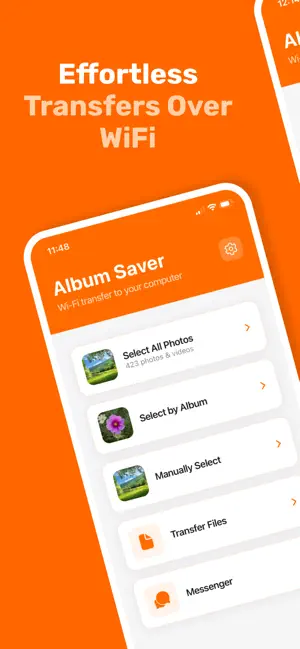
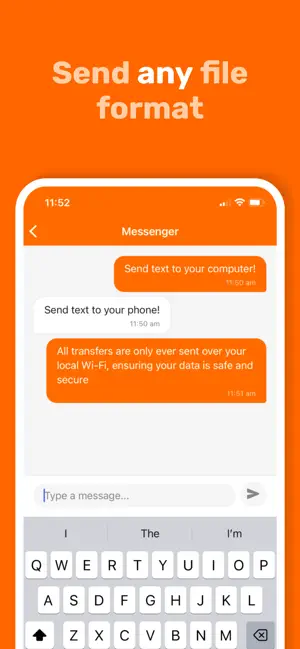
You just downloaded 12,000 photos from iCloud. Every one of them is called IMG_4471.jpg. Your albums — Italy 2019, Mum's 70th, the wedding — are gone. Album Saver stops that from happening. Transfer photos straight from your phone to your computer over local WiFi, and every file arrives named with its date and the albums it came from: 2024-12-30_14-30-00_Italy2019_Family.jpg No cable. No cloud. No Apple ID. Your photos go from your phone to your computer and nowhere else. BEFORE YOU START — READ THIS If you have "Optimize iPhone Storage" switched on, most of your photos only exist on your phone as small previews. Album Saver will tell you if this is the case and walk you through switching to "Download and Keep Originals" so you transfer full-quality files, not thumbnails. Most transfer apps quietly give you the low-res version and let you find out later. WHAT YOU GET - Your whole camera roll, or just the albums you pick - Album names and capture dates written into every filename - Already-transferred photos skipped automatically on repeat runs - Live Photos, HEIC, RAW and video in their original quality - Real-time progress, speed and time remaining - Files sent back to your phone too — documents, music, anything HOW IT WORKS 1. Open Album Saver and choose your photos 2. Type the URL it shows you into any browser on your computer 3. Hit start Both devices just need to be on the same WiFi. Nothing installs on your computer. Terms of use: https://albumsaver.app/terms Privacy policy: https://albumsaver.app/privacy
What’s new
Version 2.0.0 · Updated September 22, 2026
Stability, upgraded speeds, faster app
App privacy
The developer, Magnova Pty Ltd, reported these privacy practices to Apple.
Data Not Collected
The developer does not collect any data from this app.
Alternatives to Album Saver: Photo Transfer
Looking for apps like Album Saver: Photo Transfer? Here are 6 similar apps on the App Store. The highest rated is SliceIt: Split Video in Parts (5.0/5), and all 6 are free to download.
-
 Iter - Digital Albums
-
 AI Video Enhancer & BG Remover
-
 SliceIt: Split Video in Parts
5.0
-
 ViralCap: AI Caption Writer
-
 Titro
-
 HomeVault: SMB Photo Backup
| App | Rating | Price | Last updated | Compare |
|---|---|---|---|---|
| Album Saver: Photo Transfer | – | Free | September 22, 2026 | |
| Iter - Digital Albums | – | Free | Aug 22, 2026 | Compare |
| AI Video Enhancer & BG Remover | – | Free | May 17, 2026 | Compare |
| SliceIt: Split Video in Parts | 5.0 / 5 (2) | Free | Oct 7, 2026 | Compare |
| ViralCap: AI Caption Writer | – | Free | Jan 26, 2026 | Compare |
| Titro | – | Free | Nov 4, 2026 | Compare |
| HomeVault: SMB Photo Backup | – | Free | Jan 17, 2026 | Compare |