

realxreal: MFA & Codewords
Jonathan Bateman Utilities iPhoneiPadiPod touch
realxreal: MFA & Codewords is a free Utilities app for iPhone and iPad by Jonathan Bateman. Rated 5.0/5 from 2 ratings. Requires iOS 16.6.
- Rating
- 5.0
- 2 ratings
- Price
- Free
- on the App Store
- Size
- 12 MB
- Age 4+
- Updated
- Jun 26
- 2026 · v2.0.0
Screenshots
About realxreal: MFA & Codewords
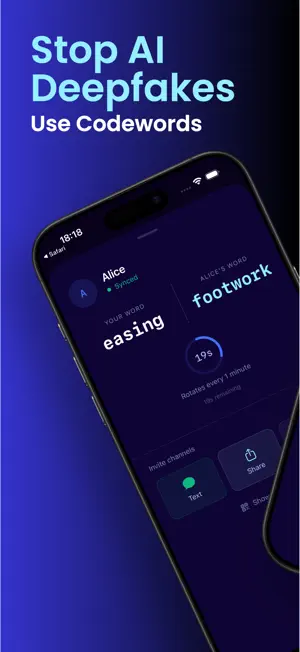
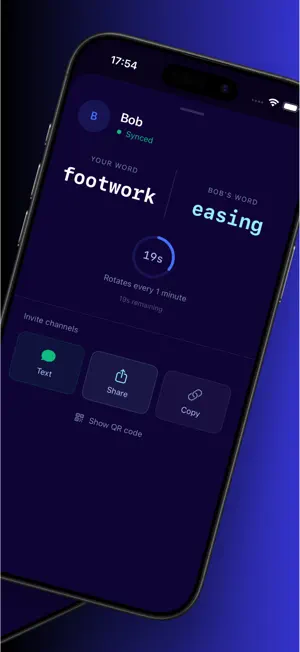
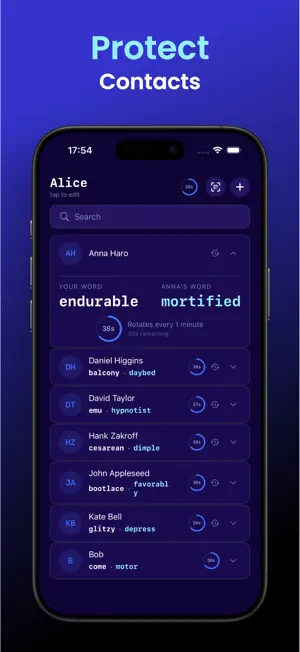
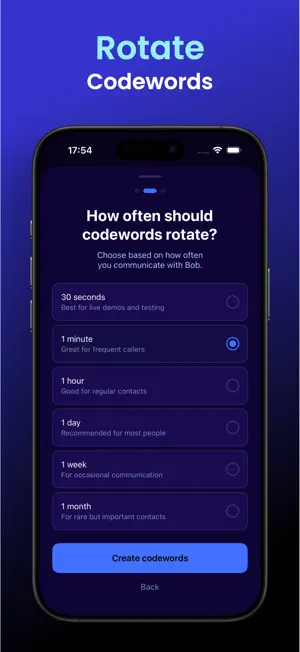
realxreal: MFA for People Deepfakes are no longer science fiction; they are the new standard for modern crime. In 2025 alone, over $1 billion was lost to AI-powered impersonation scams. From the Ferrari CEO deepfake scandal to sophisticated "kidnapping" hoaxes targeting families, scammers are now using real-time voice and video cloning to bypass every traditional layer of trust. The internet was built for connectivity, but it never learned how to verify who is actually on the other end of the line. We did. realxreal is the next layer of trust for the digital age; we are multi-factor authentication for human interaction. HOW IT WORKS Every contact in realxreal is assigned a pair of rotating codewords: one for you, one for them. These words are cryptographically synced and change automatically every 60 seconds. When you start a call, video chat, or sensitive conversation, simply glance at your screen and state your codeword. Have your contact do the same. If the words match what is displayed on both your screens, you have mathematically verified that you are speaking to the real person, not an AI clone. WHY CODEWORDS? In an era where voices, faces, and phone numbers can be perfectly imitated in milliseconds, visual and auditory "cues" are no longer proof of identity. Codewords act as an immutable barrier against AI impersonation. Because these words rotate every minute, they provide "perfect forward secrecy" for your conversation. Even if an attacker were to capture audio or video from a previous call, the data would be useless sixty seconds later. realxreal strips away the illusion of the deepfake, leaving only the truth of the person on the other end. GETTING STARTED 1. Define your profile: Give yourself a display name. 2. Import your contacts or add contacts manually: realxreal instantly generates and syncs unique codeword pairs for everyone in your address book. 3. Sync up: Scan a QR code in person or send an invite link to verify a contact. 4. Verify: Just say your codeword and listen for theirs. Both parties need realxreal to verify identity. Start by syncing with your most frequently called family members and colleagues. INTEGRATES INTO YOUR LIFE Don't change your habits. realxreal works alongside whatever you already use: phone calls, video meetings (Zoom, Teams, FaceTime), voice notes, or texts. It is the silent, third-party security layer that fits into your existing routine without forcing you to switch apps or platforms. PRIVACY BY DESIGN realxreal is built on a zero-knowledge, local-only architecture. Your data is yours: Your contacts and cryptographic seeds never leave your device. No central tracking: We don’t maintain a server that knows what your codewords are, who you talk to, or when you talk. No accounts: There is no "realxreal account" to hack, track, or sell. It’s just math, your device, and your trust. Terns of Use (EULA): https://www.apple.com/legal/internet-services/itunes/dev/stdeula/ Privacy Policy: https://www.realxreal.app/privacy.html
What’s new
Version 2.0.0 · Updated June 26, 2026
Version 2.0.0 is a complete redesign from the ground up. The original realxreal asked you to create custom questions from your shared memories. Users told us it was too much setup. They were right. The new realxreal does one thing extremely well: it gives you and your contacts a pair of rotating codewords that change every minute. Say your word, hear theirs. Done. Everything is automatic. No questions to write. No answers to remember. Just open the app, find your contact, and you both know instantly.
App privacy
The developer, Jonathan Bateman, reported these privacy practices to Apple.
Data Linked to You
The following data, which may be collected and linked to your identity, may be used for the following purposes:
- Contact Info: Name, Email Address, Phone Number
Used for: Product Personalization, App Functionality
Data Not Linked to You
The following data, which may be collected but is not linked to your identity, may be used for the following purposes:
- Usage Data: Product Interaction, Other Usage Data
- Diagnostics: Crash Data, Performance Data
Used for: Analytics, Product Personalization, App Functionality
Alternatives to realxreal: MFA & Codewords
Looking for apps like realxreal: MFA & Codewords? Here are 6 similar apps on the App Store. The highest rated is SureMark - Verified Web (5.0/5), and all 6 are free to download.
-
 GraChat: Smart AI Assistant
-
 SureMark - Verified Web
5.0
SureMark - Verified Web
5.0
-
 SureMark Enterprise
5.0
SureMark Enterprise
5.0
-
 Executive Agency Keypad
-
 ScheduleShare
5.0
ScheduleShare
5.0
-
 Bubbot
| App | Rating | Price | Last updated | Compare |
|---|---|---|---|---|
| realxreal: MFA & Codewords | 5.0 / 5 (2 ratings) | Free | June 26, 2026 | |
| GraChat: Smart AI Assistant | – | Free | Aug 21, 2026 | Compare |
| SureMark - Verified Web | 5.0 / 5 (1) | Free | Sep 19, 2026 | Compare |
| SureMark Enterprise | 5.0 / 5 (1) | Free | Oct 25, 2026 | Compare |
| Executive Agency Keypad | – | Free | Oct 20, 2026 | Compare |
| ScheduleShare | 5.0 / 5 (2) | Free | Sep 18, 2025 | Compare |
| Bubbot | – | Free | Apr 27, 2026 | Compare |