

Draw on Slides ProPresenter
ProdControl Productivity iPad
Draw on Slides ProPresenter is a free Productivity app for iPad by ProdControl. Rated 5.0/5 from 4 ratings. Requires iOS 16.0. Updated May 7, 2026.
- Rating
- 5.0
- 4 ratings
- Price
- Free
- on the App Store
- Size
- 8 MB
- Age 4+
- Updated
- May 7
- 2026 · v3.0
Screenshots

About Draw on Slides ProPresenter
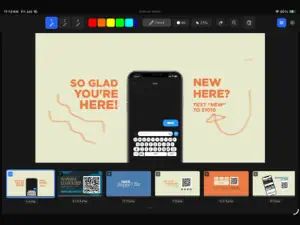
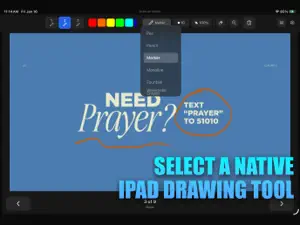
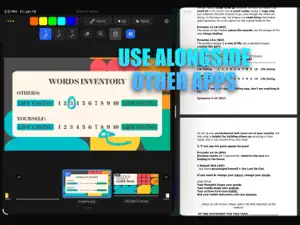
Draw on Slides is the fastest, most intuitive way to draw, annotate, and telestrate directly on top of your ProPresenter slides using Apple Pencil or touch. Built specifically for pastors, communicators, and teachers, Draw on Slides brings creative clarity to your message. Live, and in real-time. Whether you’re illustrating a sermon, breaking down a concept, or highlighting key ideas during a teaching moment, Draw on Slidea turns your iPad into a powerful live annotation tool that integrates seamlessly with ProPresenter. Draw Directly on ProPresenter Slides Use Apple Pencil or touch input to annotate your current slide with smooth, natural strokes. Perfect for diagrams, emphasis, storytelling, and spontaneous visual explanation. Real‑Time NDI Output to ProPresenter With a properly configured network, Draw on Slides sends your drawing back to ProPresenter instantly using NDI video output. Your audience sees your annotations live. Pinch‑to‑Zoom for Precision Zoom into any part of your slide to draw with greater accuracy. Ideal for highlighting small text, underlining key phrases, or sketching detailed illustrations. Slide Control + Auto‑Clear Advance ProPresenter slides remotely from your iPad. Each slide change automatically clears your drawing so you’re always working with a clean canvas. Powered by PencilKit Enjoy Apple’s native PencilKit brushes for smooth, responsive, and expressive drawing. Choose the right tool for teaching, preaching, or creative presentation. Smart ProPresenter Connections Save your ProPresenter connection for quick access, auto‑reconnect on launch, or discover available ProPresenter instances on your local network.
What’s new
Version 3.0 · Updated May 7, 2026
Preserve Drawings — Your annotations can now persist if decided, across slides, saving and restoring automatically as you navigate. Export Drawings — Share annotated slides as PNG or PDF, with or without the slide background. Timeline Overlays — Drawing previews appear on each slide thumbnail for a quick visual overview. HTTP API — Automate drawing tools, navigation, and canvas control from external systems via a built-in HTTP server. Companion Module — Official Bitfocus Companion support for hardware button control of tools, colors, navigation, and more.
App privacy
The developer, ProdControl, reported these privacy practices to Apple.
Data Linked to You
The following data, which may be collected and linked to your identity, may be used for the following purposes:
- Identifiers: Device ID
- Diagnostics: Crash Data, Performance Data, Other Diagnostic Data
- Contact Info: Email Address, Name
Used for: Analytics, App Functionality
Data Not Linked to You
The following data, which may be collected but is not linked to your identity, may be used for the following purposes:
- User Content: Other User Content
Used for: Analytics
Alternatives to Draw on Slides ProPresenter
Looking for apps like Draw on Slides ProPresenter? Here are 6 similar apps on the App Store. The highest rated is ProRemote - Presenter Control (5.0/5), and all 6 are free to download.
-
 ProRemote - Presenter Control
5.0
ProRemote - Presenter Control
5.0
-
 ProdConnect
5.0
ProdConnect
5.0
-
 QSC SysNav™
-
 EZ Slides
2.7
EZ Slides
2.7
-
 FreeShow Remote
-
 Q-SYS UCI Viewer
3.0
Q-SYS UCI Viewer
3.0
| App | Rating | Price | Last updated | Compare |
|---|---|---|---|---|
| Draw on Slides ProPresenter | 5.0 / 5 (4 ratings) | Free | May 7, 2026 | |
| ProRemote - Presenter Control | 5.0 / 5 (2) | Free | Mar 13, 2026 | Compare |
| ProdConnect | 5.0 / 5 (3) | Free | Jul 16, 2026 | Compare |
| QSC SysNav™ | – | Free | Oct 27, 2026 | Compare |
| EZ Slides | 2.7 / 5 (7) | Free | Jun 16, 2026 | Compare |
| FreeShow Remote | – | Free | Dec 2, 2025 | Compare |
| Q-SYS UCI Viewer | 3.0 / 5 (56) | Free | Oct 22, 2026 | Compare |