

WeightSync: Athlete Weight Log
Andre Moura Health & Fitness iPhoneiPadiPod touchApple Watch
WeightSync: Athlete Weight Log is a free Health & Fitness app for iPhone and iPad by Andre Moura. Requires iOS 17.6. Updated October 5, 2026.
- Price
- Free
- on the App Store
- Size
- 7 MB
- Age 4+
- Updated
- Oct 5
- 2026 · v3.14
Screenshots


About WeightSync: Athlete Weight Log
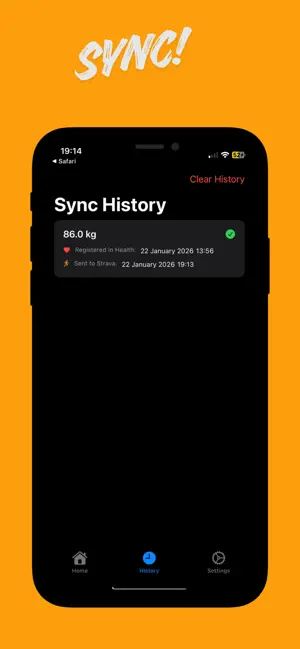
Keep your Strava weight up to date without thinking about it. WeightSync reads your weight from Apple Health and sends it to Strava, so your W/kg, power estimates and calorie numbers stay accurate with no manual entry. HOW IT WORKS Connect Apple Health and Strava once. Then weigh yourself as usual: on a smart scale, in its own app, on your iPhone or on Apple Watch. WeightSync detects the new entry and syncs it in the background, even when the app is closed. WHY IT MATTERS Strava uses your weight to estimate power, calories and power to weight ratio. If the number in your profile is months old, so are those metrics. Built for cyclists watching their W/kg, runners managing race weight and triathletes who want metrics they can trust. FEATURES • Automatic background sync from Apple Health to Strava • Retry queue and full sync history • Apple Watch app with complications and Digital Crown input • Home Screen widgets and Live Activity • Weigh in streaks and milestones to keep you consistent • Siri and Shortcuts: log your weight or force a sync by voice • Extra weight profiles to add gear or equipment to the synced value • Smart reminders that skip themselves when you have already weighed in PREMIUM • Weight chart with 7 day moving average and trend line • Weekly report every Monday • CSV export of your full history • iCloud sync across your devices • Multiple named extra weight profiles FREE VERSION • Read your weight from Apple Health • Manual weight entry • Save weight back to Apple Health • Log from Apple Watch Strava sync and Premium features are part of the subscription, which starts with a free trial. PRIVACY Your weight travels only between Apple Health and Strava. No extra account needed. GOOD TO KNOW The Strava API records weight on the day it is sent, not on the original entry date. This is a Strava platform limitation. REQUIREMENTS iPhone with iOS 16.6 or later. The Apple Watch app requires watchOS 11.6 or later. A Strava account is required. SUBSCRIPTION Payment is charged to your Apple Account at confirmation of purchase. Subscriptions renew automatically unless canceled at least 24 hours before the end of the current period. Manage or cancel anytime in your Apple Account settings. Terms of Use: https://www.apple.com/legal/internet-services/itunes/dev/stdeula/ Privacy Policy: https://weightsync.app/ios/privacy-policy.html WeightSync is an independent app and is not affiliated with Strava.
What’s new
Version 3.14 · Updated October 5, 2026
More reliable syncing, and you always know where your weight is. • Background sync to Strava is more reliable, including when the app hasn't been opened for a while. • The widget and the Home screen now show the exact time Strava confirmed your last sync. • If Strava doesn't respond, your weight is queued and retried automatically, and the app shows "Retrying" instead of a vague status. • Sync now sits next to your last sync time, so you can push your weight to Strava in one tap. • New sync notifications show your new weight and how much it changed. You can turn them off in Settings. • You'll get an alert if a sync stays stuck for 24 hours. • Onboarding now explains how syncing works and what's free versus Premium. • Layout fixes for smaller iPhones and improved translations.
App privacy
The developer, Andre Moura, reported these privacy practices to Apple.
Data Not Linked to You
The following data, which may be collected but is not linked to your identity, may be used for the following purposes:
- Usage Data: Product Interaction
- Diagnostics: Crash Data, Performance Data, Other Diagnostic Data
- Health & Fitness: Health
Used for: Analytics, App Functionality