

PhotoSwipe: Clean Up Storage
Kamel Djaber Utilities iPhoneiPadiPod touch
PhotoSwipe: Clean Up Storage is a free Utilities app for iPhone and iPad by Kamel Djaber. Requires iOS 16.4. Updated October 24, 2026.
- Price
- Free
- on the App Store
- Size
- 57 MB
- Age 4+
- Updated
- Oct 24
- 2026 · v1.1.06
Screenshots
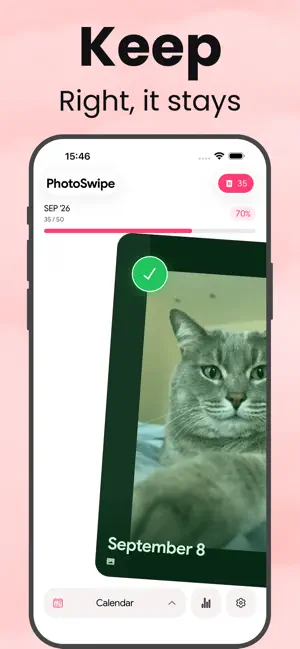


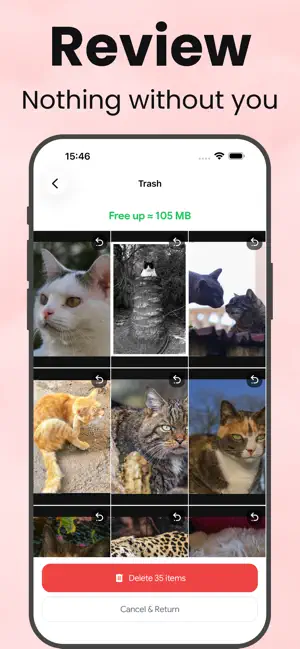
About PhotoSwipe: Clean Up Storage
Your camera roll is full. PhotoSwipe empties it in minutes — one swipe at a time. Screenshots, blurry shots, forty copies of the same sunset: they quietly eat gigabytes of storage. PhotoSwipe puts your photos in front of you one by one, and you decide with a flick of your thumb. WHY YOU'LL LOVE IT • Swipe right to keep, swipe left to delete — that's the whole app • Photos grouped by week, month and year, so you never face 10,000 at once • Nothing disappears until you say so: review everything in the trash first • See exactly how many photos you removed and how much space you freed • A weekly reminder keeps your gallery clean without you thinking about it • Dark mode, smooth animations, built for speed HOW IT WORKS 1. Pick a week or a month from the calendar 2. Swipe right to keep, left to bin 3. Tap delete once and watch the gigabytes come back 100% PRIVATE Your photos never leave your phone. No upload, no cloud, no account to create, no ads. PhotoSwipe works offline and never sees your memories. PERFECT FOR • Phones stuck on “Storage Almost Full” • Anyone with no room left for an update or a new app • Photographers who shoot in burst and sort later • A spring clean of your camera roll before a trip PHOTOSWIPE PREMIUM Start with a free trial, then choose a weekly, monthly or yearly plan. Cancel anytime in your App Store settings. Free up space today — download PhotoSwipe and clear your gallery in minutes. Terms: https://qodam.com/terms Privacy: https://qodam.com/privacy
What’s new
Version 1.1.06 · Updated October 24, 2026
Thanks for downloading PhotoSwipe! • Improved stability and performance • Better handling of connection issues • Bug fixes
App privacy
The developer, Kamel Djaber, reported these privacy practices to Apple.
Data Not Linked to You
The following data, which may be collected but is not linked to your identity, may be used for the following purposes:
- Identifiers: Device ID
- Usage Data: Product Interaction
Used for: Analytics, App Functionality
Alternatives to PhotoSwipe: Clean Up Storage
Looking for apps like PhotoSwipe: Clean Up Storage? Here are 6 similar apps on the App Store. The highest rated is Security Net (5.0/5), and all 6 are free to download.
-
 Security Net
5.0
Security Net
5.0
-
 PDF转换编辑
-
 Ticker - Smart Alarms
3.5
Ticker - Smart Alarms
3.5
-
 Photo Cleaner: NeatUp Phone
-
 Clera: Photo Cleaner
-
 Photo Cleaner - Swipe Delete
5.0
Photo Cleaner - Swipe Delete
5.0
| App | Rating | Price | Last updated | Compare |
|---|---|---|---|---|
| PhotoSwipe: Clean Up Storage | – | Free | October 24, 2026 | |
| Security Net | 5.0 / 5 (1) | Free | Apr 10, 2026 | Compare |
| PDF转换编辑 | – | Free | Mar 14, 2026 | Compare |
| Ticker - Smart Alarms | 3.5 / 5 (2) | Free | Dec 4, 2025 | Compare |
| Photo Cleaner: NeatUp Phone | – | Free | Sep 24, 2026 | Compare |
| Clera: Photo Cleaner | – | Free | Mar 11, 2026 | Compare |
| Photo Cleaner - Swipe Delete | 5.0 / 5 (2) | Free | Oct 23, 2025 | Compare |